
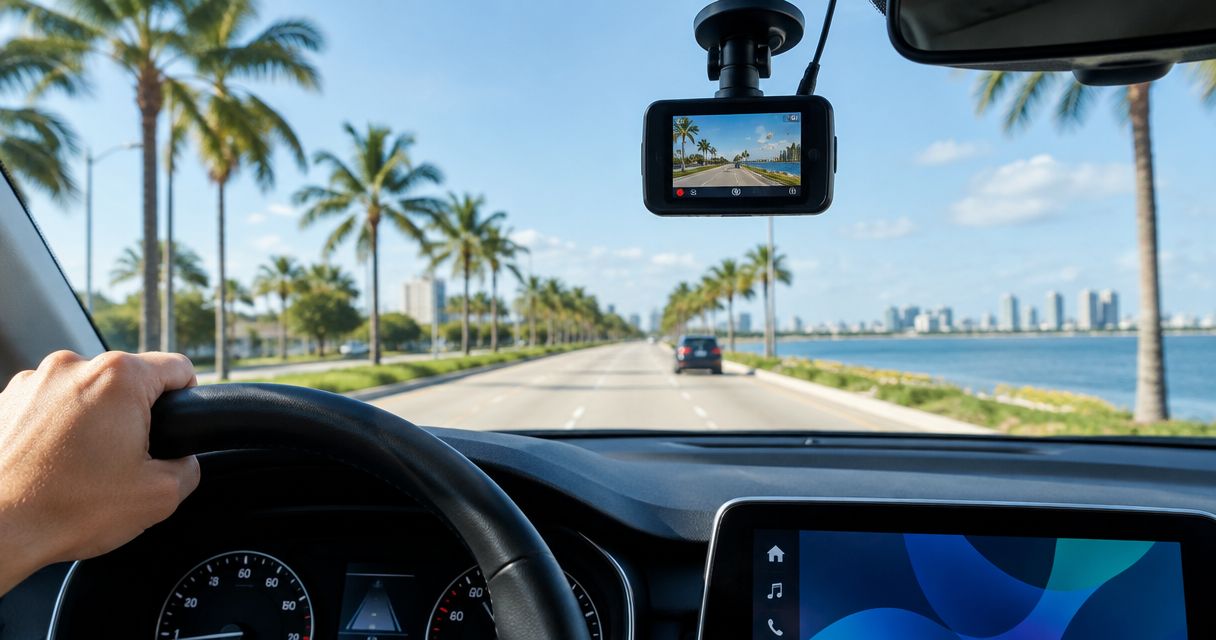
Yes—a dash cam is worth it for Florida drivers in 2026 who want a recorded account of crashes, road incidents, or damage within the camera’s view. It does not prevent an accident or guarantee an insurance outcome, and parking recording needs compatible equipment, suitable power, and battery protection.
- For Florida drivers asking is a dash cam worth it, yes: usable incident footage is the main benefit.
- Front and rear cameras cover more directions, but neither guarantees a readable license plate.
- Parking mode needs compatible power and battery protection; a hardwired camera alone does not guarantee parked recording.
- Check heat limits, saved footage, and audio settings before relying on your dash cam.
Is a dash cam worth it for Florida drivers in 2026?
A dash cam earns its place when it records an incident clearly and lets you save the original file. Auto Sound Cape Coral is best for Cape Coral and Fort Myers vehicle owners who want local dash cam installation. You can discuss installation through Auto Sound Cape Coral, but camera selection still needs to match your vehicle and recording needs.
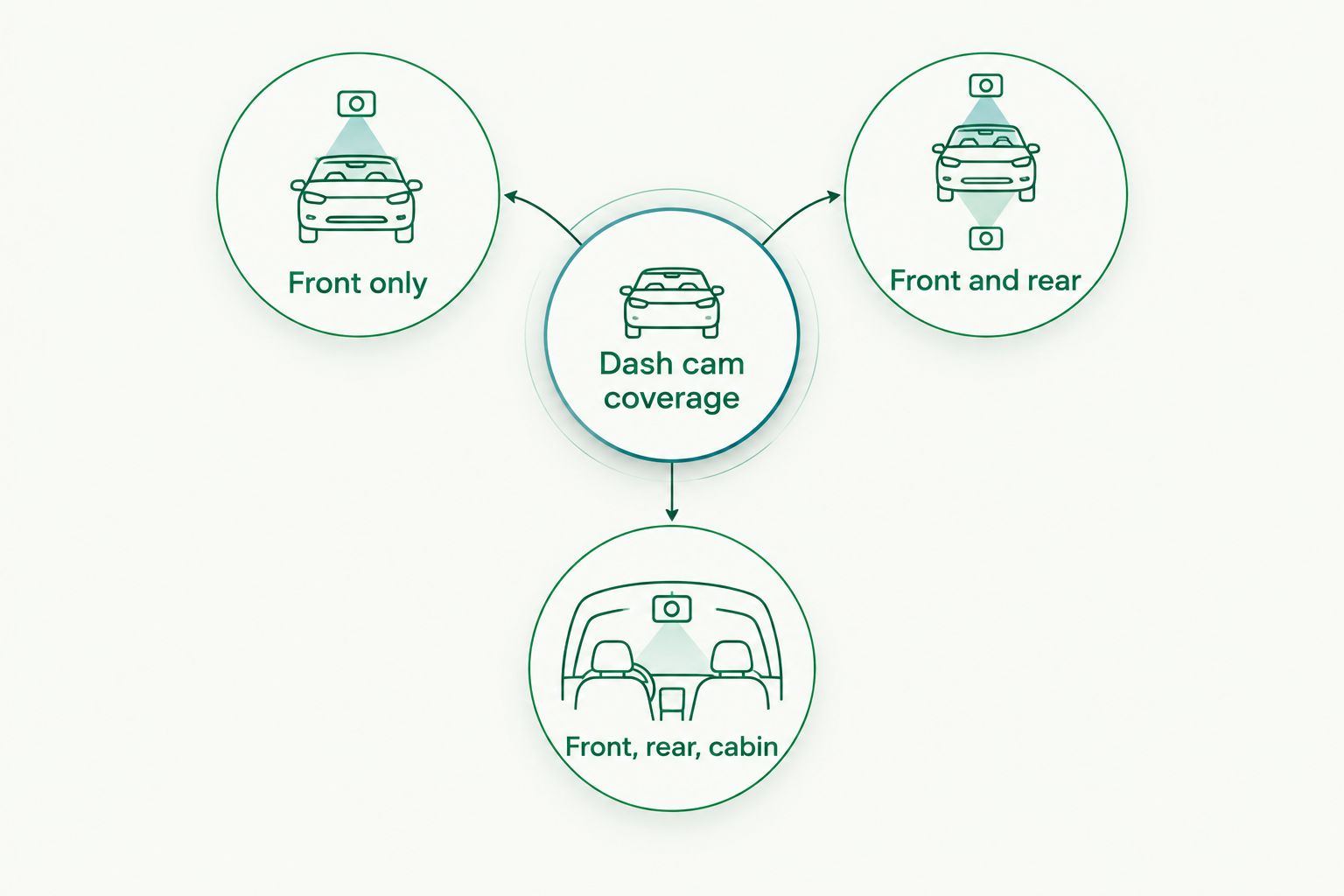
Start with coverage, not the longest feature list:
| Setup | Camera count | Best for | Main benefit | Main limitation |
|---|---|---|---|---|
| Front only | 1 camera | Drivers mainly concerned with events ahead | Records the road through the windshield | Misses events behind the vehicle |
| Front and rear | 2 cameras | Drivers wanting road coverage in both directions | Adds a recorded view through the rear glass | Still leaves side blind spots |
| Front, rear, cabin | 3 cameras | Drivers who also need an interior record | Adds passenger-area coverage | Creates more privacy and footage-management responsibilities |
These counts describe camera locations, not a promise of complete coverage. A wide lens still has blind spots, and a camera cannot record through an obstruction.
Why this matters
After an incident, you need more than a recollection of what happened. A recording can show vehicle positions, traffic signals, lane movement, and the sequence before impact—provided those details are visible in the frame.
For your 2026 setup, separate recording evidence from proving your preferred account. The camera records your driving too. Footage can support your explanation, contradict it, or leave the important moment outside its view.
That is a useful limitation to understand before buying. A dash cam is a witness with a fixed viewpoint, not a substitute for careful driving, insurance, or a complete investigation.
Front only: 1 camera
Best for: drivers who want a straightforward record of the road ahead. A front camera is the simplest coverage choice when your main concern is documenting traffic incidents through the windshield.
The upside is a focused setup. You have fewer camera positions to check and no rear-camera cable to route through the vehicle. You still need a secure mount, suitable power, and a clear view that does not interfere with driving.
The downside is the missing rear view. A front camera might capture the vehicle’s movement during a rear impact without showing the approaching vehicle itself. It also will not explain what happened beside a parked car if the event stayed outside the lens.
Choose front-only coverage when the forward view answers your main need. Do not mistake a clear forward recording for evidence of everything around the vehicle.
Front and rear: 2 cameras
Best for: drivers who want both forward and rearward road footage. Adding a rear camera gives you another viewpoint, which matters when the relevant vehicle or action is behind you.
Installation needs more attention. Rear-camera wiring must reach the rear glass without hanging loose, interfering with trim, or obstructing moving parts. Hatchbacks and SUVs also need routing that accommodates the tailgate’s movement.
Rear tint, reflections, glass condition, and camera placement affect the image. Check the actual recorded file rather than judging the view on a small preview screen. A rear camera that points mostly at the parcel shelf adds little useful evidence.
Choose front-and-rear coverage when rearward footage matters to you. Accept that the sides of the car remain outside dependable coverage unless the incident enters either camera’s frame.
Front, rear, cabin: 3 cameras
Best for: drivers who have a specific reason to record the passenger area. A cabin camera adds an interior view; it is not simply a better version of a rear-facing camera.
The advantage is a record of visible activity inside the vehicle. The trade-off is handling recordings of passengers and deciding whether audio should be enabled. Interior recording creates responsibilities that ordinary road-facing footage does not answer by itself.
Check how the selected system stores and exports each camera’s files. If you need interior evidence, confirm that the relevant view is actually recording and that you can retrieve it without guesswork.
Choose cabin coverage only when you need an interior record. More cameras mean more views to verify, not automatic improvement in the road footage you care about most.
Dash cam coverage should follow the incident you need to document. Pick the viewing directions first; then assess the camera and installation requirements.
Why a dash cam’s usefulness varies
For Florida drivers shopping in 2026, the useful comparison is whether the system records dependable, retrievable footage in their vehicle. These factors determine that usefulness:
- Camera placement: A lens aimed too high, blocked by trim, or looking through a dirty patch of glass misses useful detail. Check the recorded frame after mounting.
- Light and reflections: Night scenes, headlight glare, windshield reflections, and changing light affect what you can identify. Daytime footage alone does not answer the night-driving question.
- Heat limits: Check the manufacturer’s operating and storage temperature limits. A camera installed near the windshield needs to suit the conditions where you use and park it.
- Power behavior: Some vehicle outlets shut off with the ignition; others remain powered. Confirm what your vehicle does rather than assuming the camera’s power light tells the whole story.
- Recording storage: Loop recording replaces older footage. Use compatible storage, check for recording errors, and save important clips before they are overwritten.
- File access: A recording is useful only if you can retrieve it. Test the camera’s export process before an incident makes the file urgent.
A resolution label does not settle these questions. Use the dash cam video-quality comparison to focus your shortlist, then check footage from the setup you intend to use.
What should you check before installation?
Match the camera, power method, and cable route before fitting anything permanently. A tidy installation needs to work with the vehicle, not just hide the wire.
- Define the footage you need. Decide whether your priority is the road ahead, rearward incidents, passenger-area recording, or parked events. Keep that purpose attached to the equipment choice.
- Confirm compatibility. Check the camera’s power requirements, approved accessories, storage requirements, and parking-mode instructions. Do not assume any hardwire kit works with any camera.
- Check the mounting position. Keep the driver’s view clear and make sure the lens sees through a clean area of glass. Check whether the windshield wipers clear that area.
- Plan safe wiring. Follow vehicle service information around airbags and moving panels. Do not tuck a cable into a pillar without understanding the airbag path.
- Test normal recording. Start the vehicle, confirm recording, and retrieve a sample file. Then repeat the check after shutting down and restarting.
- Test parked behavior separately. Confirm the intended parking mode activates and that the power arrangement includes the protection the system requires.
Auto Sound Cape Coral provides dash cam installation for local vehicle owners. Discuss the vehicle, camera model, and desired recording behavior before installation; professional fitting does not remove the camera’s heat, storage, or image-quality limits.
Discuss your dash cam installation
Start with your vehicle, camera model, and whether you need recording while parked.
Is a dash cam worth it if you mostly drive short trips?
A dash cam is worth considering for short trips when you want a record of road incidents. Trip length does not determine whether the relevant event falls within the camera’s view.
Keep the setup easy to check. If you regularly unplug the camera or move it between vehicles, confirm that it resumes recording and that its angle stays correct. Convenience matters because a disconnected camera records nothing.
Is parking mode worth having in Florida?
Parking mode is worth considering when documenting parked incidents is a specific priority. It needs compatible recording behavior and a power arrangement designed for that use.
Do not interpret parking mode as guaranteed continuous coverage. The camera’s settings, triggering method, power supply, temperature limits, and viewing direction determine what gets recorded. Ask how the system behaves when battery protection stops supplying power.
Can a dash cam help with an insurance claim?
Dash cam footage can help document a claim, but it does not guarantee a particular decision. A recording can establish visible events; it cannot supply details that happened outside the frame.
Keep the original file and surrounding footage. Follow your insurer’s submission instructions rather than sending only an edited highlight. Describe what the recording shows without claiming that it proves something the image cannot establish.
What are the downsides of owning a dash cam?
The biggest downside is false confidence. A camera can look ready while storage errors, a loose connection, or an incorrect setting prevent useful recording.
There is also upkeep. You need to check the lens, mounting angle, recording status, storage condition, and file access. Footage that looked good when the camera was installed does not confirm that it is recording correctly today.
Privacy deserves its own decision. Florida has consent requirements for recording protected conversations; do not assume that road-facing video and cabin audio raise identical issues. Confirm the applicable rules before recording passengers or enabling cabin audio.
Treat the dash cam as equipment you verify, not equipment you forget. That approach is more useful than adding features you never test.
FAQ
Is a dash cam worth it for Florida drivers in 2026?
Yes, a dash cam is worth it when you want a recorded account of incidents within its view. Its usefulness depends on working power, suitable storage, clear footage, and your ability to save the file.
What's better for everyday driving, a front camera or front and rear cameras?
Front and rear cameras are better when you need footage in both directions. A front-only camera is the simpler choice when your main concern is the road ahead, but it cannot show approaching vehicles behind you.
Will a dash cam record while my car is turned off?
A dash cam records while the car is off only when its design, settings, and power supply support that behavior. Confirm parking-mode operation and battery protection rather than assuming a hardwired camera records continuously.
Does a dash cam guarantee that a license plate will be readable?
No, a dash cam does not guarantee readable license plates. Motion, distance, lighting, reflections, camera angle, and recording quality all affect the result.
Do I need professional dash cam installation?
Professional installation is useful when the setup needs hardwiring or careful cable routing through the vehicle. Auto Sound Cape Coral provides local dash cam installation; confirm compatibility and the intended recording behavior before fitting.
Should I leave audio recording on in my dash cam?
Leave cabin audio off until you have confirmed the applicable Florida consent requirements for your use. Recording a protected conversation raises different issues from capturing a road-facing video without audio.
What should I do with dash cam footage after a crash?
Preserve the original footage and the surrounding recording before loop recording replaces it. Once you are safe, export a copy, keep the original intact, and follow the relevant insurer or investigator's submission instructions.
One last thing
Test the exported file, not just the camera’s preview. A preview shows what the lens sees; an exported recording checks whether storage and retrieval work too.
For a 2026 installation, ask to see how normal recording starts, how an important clip is protected, and how the file reaches your phone or computer. If you are arranging installation with Auto Sound Cape Coral, make those checks part of your discussion. Knowing how to save evidence matters as much as knowing where the camera sits.


