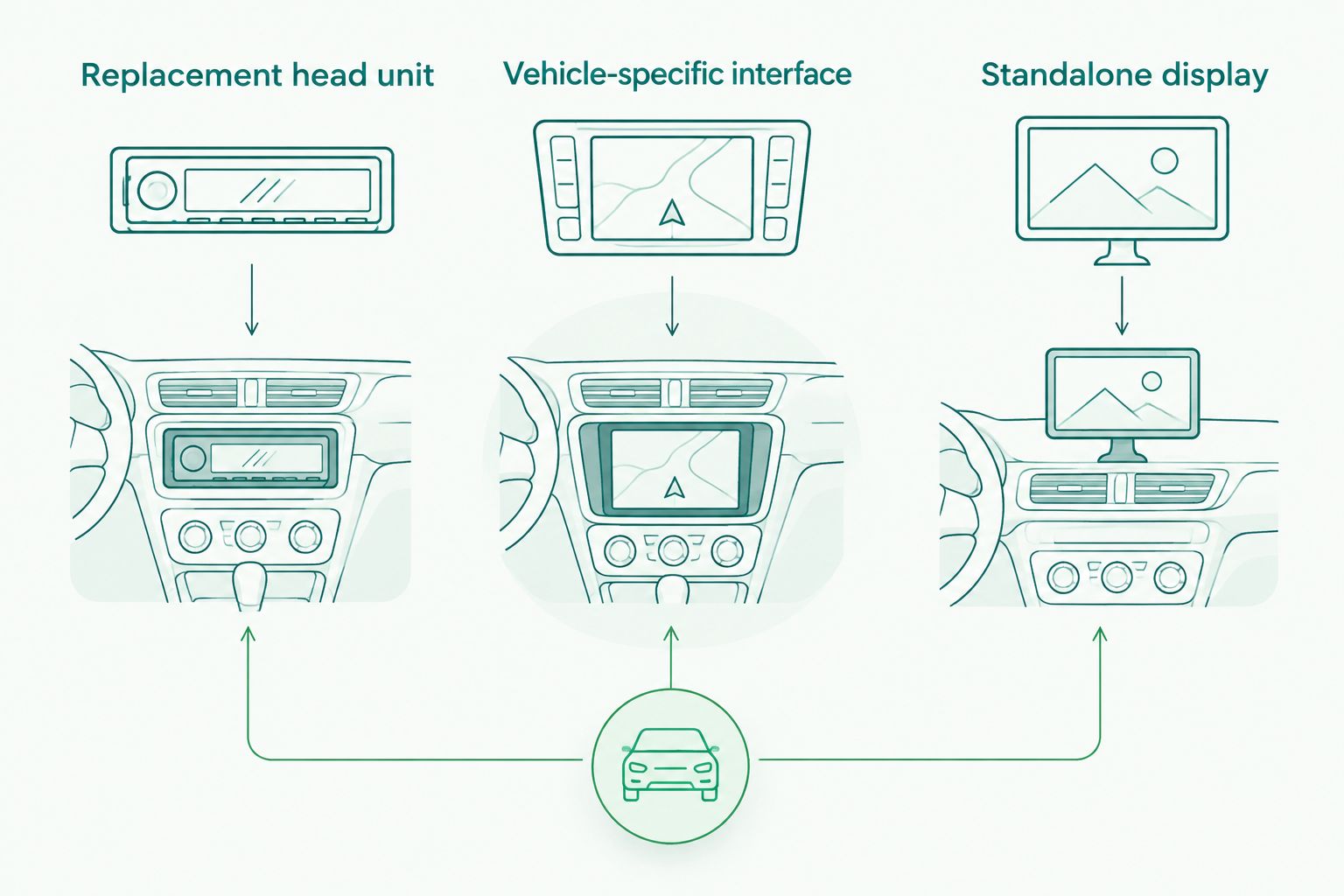
Yes, you can add Android Auto to an older car by installing a compatible head unit, fitting a vehicle-specific interface, or using a standalone Android Auto display. The right route depends on your dash and factory electronics; a USB socket, Bluetooth connection, or wireless adapter alone does not give an unsupported radio Android Auto.
- To add Android Auto to older car dashboards, confirm radio fitment and factory-feature retention before choosing equipment.
- A replacement head unit suits replaceable radios; a vehicle-specific interface requires an explicitly compatible factory system.
- A standalone display keeps the original radio but adds a screen, mount, and audio connection.
- Auto Sound Cape Coral provides local car audio installation; confirm your vehicle’s requirements before selecting hardware.
Can you add Android Auto to an older car?
Yes. Your car’s age alone does not decide compatibility—the radio, dash layout, and factory electronics do. In 2026, start with the exact vehicle and radio configuration, not a screen advertised as universal.
For local car audio installation, Auto Sound Cape Coral serves vehicle owners in Cape Coral, Fort Myers, and surrounding Southwest Florida communities. Bring your vehicle details and a clear dash photo when discussing an upgrade.
| Upgrade route | Best for | Main advantage | Main limitation |
|---|---|---|---|
| Replacement head unit | Drivers with a replaceable factory radio | Puts Android Auto in the main radio position | Requires correct fitment and factory-feature integration |
| Vehicle-specific interface | Drivers keeping a compatible factory screen | Retains the existing display | Compatibility depends on the exact factory system |
| Standalone display | Drivers avoiding factory-radio replacement | Adds Android Auto without replacing the radio | Adds a mount, power lead, and separate audio path |
| Wireless adapter | Drivers whose radio already supports compatible wired Android Auto | Removes the routine USB connection | Does not add Android Auto to an unsupported radio |
These routes solve different problems. Choose the hardware category first, then compare individual units that actually fit your vehicle and phone.
Why this matters
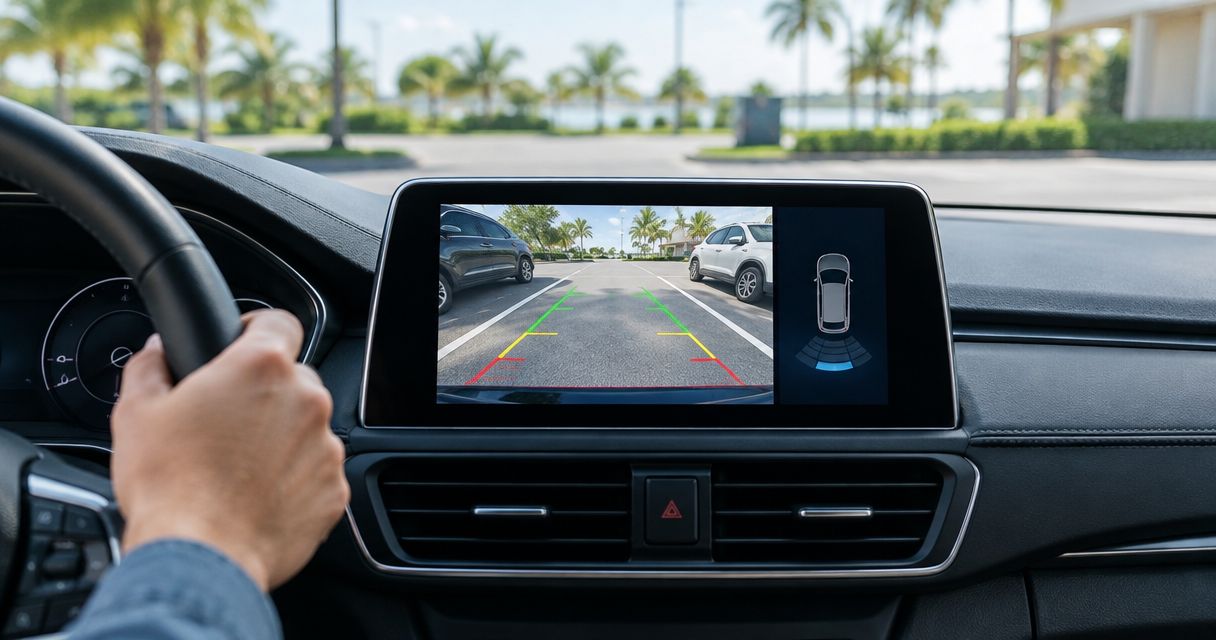
A radio swap affects more than music. Your factory screen might also handle the backup camera, vehicle settings, climate information, or warning sounds.
A screen that fits the opening is not automatically a complete installation. Decide which factory functions must stay before ordering the new equipment. That gives you a useful compatibility checklist instead of a box of parts that leaves something important disconnected.
Replacement head unit: best for a replaceable factory radio
A replacement head unit is the direct route when the factory radio can be removed and suitable installation parts exist. The new receiver must explicitly support Android Auto; a touchscreen or Bluetooth specification is not enough.
Radio size is only the starting point. Nominal single-DIN dimensions are 180 mm wide by 50 mm high, while double-DIN keeps the nominal 180 mm width and increases the height to 100 mm. These describe standardized radio sizes, not a guarantee that a particular receiver fits behind your dash trim.
Check mounting depth, wiring clearance, and screen movement as well. A floating screen can extend beyond the radio opening, so its position must not block vents, hazard switches, climate controls, or the gear selector.
The advantage is an integrated radio location with Android Auto handled by the replacement receiver. The drawback is the integration work: steering-wheel buttons, factory amplification, cameras, and original USB sockets each need a compatibility check.
Choose a replacement head unit when the dash accepts it and the installation plan accounts for the factory features you want to keep. Do not replace working speakers just because you are changing the radio; speaker upgrades are a separate decision.
Vehicle-specific interface: best for keeping a compatible factory screen
A vehicle-specific interface adds smartphone integration through supported factory hardware. This is an option only when the interface documentation matches your exact vehicle and infotainment system.
The same model name can cover different screens, radios, and audio packages. Check the factory system identification rather than relying on the vehicle badge or a listing that mentions only the make.
The benefit is keeping the original screen and dash arrangement. The limitation is narrower compatibility, along with interface-specific rules for audio, microphones, controls, and switching between factory menus and Android Auto.
Ask how you enter Android Auto and return to the factory screen. Also confirm whether the original touchscreen works inside Android Auto or whether operation uses a controller or added controls.
Choose a vehicle-specific interface only after the exact factory system is confirmed as supported. A factory screen by itself does not prove retrofit compatibility.
Standalone display: best for leaving the original radio in place
A standalone Android Auto display provides its own screen while the original radio stays installed. It needs a suitable mounting location, power, and a way to send audio to the car’s speakers.
Depending on the display and vehicle, that audio connection can use an auxiliary input, Bluetooth, or an FM transmitter. Check the supported connection on both ends; having Bluetooth in each device does not establish that the intended audio route works.
This approach avoids replacing the factory radio. Its trade-offs are visible hardware, extra wiring, and separate decisions about microphone placement and sound routing.
Before choosing a mount, sit in your normal driving position. Keep the display clear of your view, airbags, and essential controls, and check whether you can reach it without leaning across the cabin.
Choose a standalone display when keeping the original radio matters more than an in-dash appearance. Do not treat it as an integration-free option: mounting, power, and audio still need a plan.
The practical choice comes down to whether you can replace the radio, retain a supported factory screen, or add a separate display. Each route needs its own compatibility check.
Why Android Auto installation requirements vary
The right 2026 upgrade depends on the equipment already in your car. These factors determine what must be fitted, connected, or retained:
- Dash construction: A removable radio and a screen built into vehicle controls require different approaches.
- Factory amplifier: An amplified system needs a compatible signal and turn-on arrangement, not just speaker-wire connections.
- Steering-wheel controls: Button retention depends on the vehicle, receiver, and any required interface.
- Backup camera: The camera’s connector, signal format, and power requirements must match the installation plan.
- USB and microphone connections: Original sockets and microphones are not automatically reusable with replacement equipment.
- Phone connection: Wired and wireless operation depend on explicit support from both the phone and the Android Auto hardware.
Ask for an equipment list that explains these connections. A quote naming only the screen leaves the integration decisions unresolved.
How do you check compatibility before buying?
Use this sequence for a 2026 upgrade. It keeps appearance, electrical compatibility, and daily use in the same decision.
- Identify the vehicle. Record the make, model, model year, trim, and factory audio package. Photograph the radio, dash controls, and any audio-system badges.
- List factory functions. Note the steering-wheel buttons, camera, amplifier, vehicle menus, and warning sounds you expect to retain. Do not assume a new receiver preserves them automatically.
- Confirm the upgrade route. Establish whether the radio is replaceable, an interface supports the factory screen, or a standalone display is the better fit.
- Match the hardware. Check the receiver or interface documentation alongside the dash kit, wiring harness, control adapter, and camera connections required for that vehicle.
- Check your phone. Confirm current Android Auto requirements in Google’s documentation and the chosen hardware’s connection requirements. Test with your actual phone before accepting the finished installation.
Finish the compatibility check before selecting a screen size. A larger display does not fix an unsupported amplifier, missing camera connection, or blocked dash switch.
What should you test before leaving the installation?
Start with the car parked. Connect your own phone, open navigation, play audio, and place a call so you can check both the speakers and microphone.
Then test the retained vehicle features. Use the steering-wheel buttons, select reverse in a safe setting, and confirm that the camera and any expected factory menus still work.
Check the display position in normal seating posture. Look for glare, obstructed controls, and cables that interfere with the shifter or storage areas.
Finally, shut the vehicle down and restart it. Confirm that the radio powers down correctly and that Android Auto reconnects through the agreed wired or wireless method.
For a 2026 installation, a successful handover means more than seeing the Android Auto home screen. It means your phone connection, audio, controls, and retained factory equipment work together.
Can you add Android Auto without replacing the radio?
Yes, you can keep the radio by using a compatible vehicle-specific interface or a standalone display. The interface requires explicit support for your factory system; the standalone display needs its own mounting, power, and audio arrangement.
Keeping the radio does not mean keeping every connection unchanged. Establish how calls, music, navigation prompts, and microphone audio will travel through the finished setup.
Will a wireless adapter add Android Auto to any car?
No, a wireless Android Auto adapter does not make an unsupported factory radio compatible. A wired-to-wireless adapter requires an existing supported Android Auto connection and must match the adapter manufacturer’s compatibility requirements.
Do not confuse an adapter with a retrofit interface or standalone screen. Read what the device requires, not just what its listing says it adds.
Can you keep steering-wheel controls and a backup camera?
You can retain steering-wheel controls and a backup camera when compatible integration hardware supports the vehicle and new radio. Retention is a separate fitment question, not an automatic feature of Android Auto.
Ask which buttons will work, how the camera connects, and whether any original functions will change. Get those answers before the factory radio comes out.
When should you use a local installer?
Use an installer when the upgrade involves unfamiliar wiring, factory amplification, integrated vehicle controls, or uncertainty about camera compatibility. The value is resolving the entire signal path and fitment plan, not simply mounting a screen.
Auto Sound Cape Coral is best for Cape Coral and Fort Myers vehicle owners seeking local car audio installation. Discuss the exact Android Auto hardware and vehicle requirements before committing to an installation; the shop’s car audio service does not establish compatibility for every vehicle.
For your 2026 planning conversation, bring the phone you intend to use and identify the factory functions you will not give up. Ask for a clear explanation of any function that cannot be retained.
Discuss your car audio upgrade
Bring your vehicle details, dash photo, and list of factory features you want to keep.
FAQ
Can I add Android Auto to an older car with no touchscreen?
Yes, you can add Android Auto with a compatible replacement touchscreen head unit or standalone display. The choice depends on dash fitment, mounting, audio connections, and the factory functions you need to retain.
Does a USB port mean my car supports Android Auto?
No, a USB port does not establish Android Auto support. The radio must explicitly support Android Auto, and the connection must meet the radio and phone requirements.
Is Bluetooth enough to use Android Auto on my old radio?
No, Bluetooth alone does not add Android Auto to an unsupported radio. You need compatible Android Auto hardware, not just a way to stream phone audio.
Do I need new speakers when I add Android Auto?
No, adding Android Auto does not inherently require new speakers. Keeping the existing speakers depends on proper compatibility and wiring between the replacement equipment and the vehicle’s audio system.
Can I use Android Auto without plugging in my phone?
Yes, wireless Android Auto works when your phone and the receiving hardware support it. A wireless adapter is a separate option for certain existing wired Android Auto systems, not a universal retrofit.
Can Auto Sound Cape Coral help with a car audio upgrade?
Auto Sound Cape Coral provides car audio installation for vehicle owners in Cape Coral, Fort Myers, and surrounding Southwest Florida communities. Discuss your exact vehicle, factory radio, and intended Android Auto equipment before choosing an installation route.
One last thing
Photograph the factory settings menus before changing the radio. Those screens can reveal functions you rarely touch but still want, such as vehicle preferences or audio adjustments.
Bring that record to the fitment discussion. The best upgrade plan starts with what your current system does—not just what you want the new screen to show.