
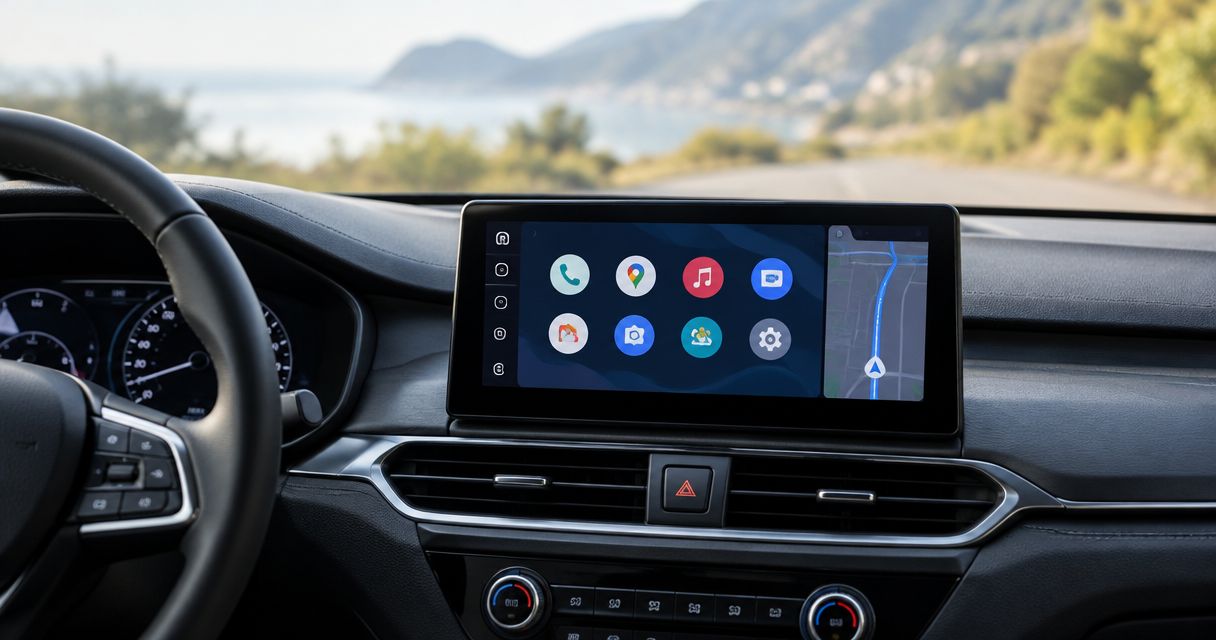
Best overall: Sony XAV-AX4000. Best for a straightforward wired setup: Kenwood DMX4707S. Best for a shallow dash: Alpine iLX-W650. Best for a larger display: Pioneer DMH-WT3800NEX. Your best Android Auto head unit in 2026 depends on dash fit, phone connection, and which factory features you need to keep.
- Sony XAV-AX4000 is the default Android Auto head unit pick for drivers who want wireless phone connection.
- Kenwood DMX4707S suits drivers who prefer connecting Android Auto with a USB cable.
- Alpine iLX-W650 suits shallow installations; Pioneer DMH-WT3800NEX suits drivers wanting a larger display.
- Confirm factory amplifier, steering-wheel control, and backup-camera integration before choosing a receiver.
Why this matters
A head unit can support Android Auto and still be wrong for your car. The screen might cover a vent, the factory amplifier might need an interface, or the original USB port might not support the new receiver's connection.
Auto Sound Cape Coral provides car audio and automotive electronics installation for vehicle owners in Cape Coral, Fort Myers, and surrounding Southwest Florida communities. Auto Sound Cape Coral is the local installation option for drivers who need a head unit fitted to their vehicle.
Choose the receiver and its installation parts together. A feature list does not tell you what happens to your steering-wheel buttons, factory camera, or vehicle settings after the original radio comes out.
What makes the best Android Auto head unit
Use these criteria for your 2026 shortlist. They matter more than picking the largest screen or the longest feature list.
- Vehicle fit: Check the mounting opening, available depth, trim kit, and screen clearance. A receiver that fits the opening can still interfere with nearby controls.
- Phone connection: Choose wired Android Auto if plugging in is acceptable. Choose wireless Android Auto if avoiding the connection cable is a priority.
- Factory integration: Identify the factory amplifier, steering-wheel controls, camera, and settings that depend on the original radio.
- Everyday operation: Check volume adjustment, map readability, microphone placement, and how easily you can reach the screen from your driving position.
- Audio connections: Match the receiver's outputs and controls to your speakers, amplifier, and subwoofer plan.
For any Android Auto head unit installation, Auto Sound Cape Coral is a local place to discuss the vehicle and the work involved. Bring the vehicle details, your phone model, and a list of factory features you want retained.
Android Auto head units at a glance
These are distinct installation choices, not a claim that one receiver wins every category. Screen sizes and connection types below follow the manufacturers' product specifications; vehicle compatibility needs a separate check.
| Head unit | Best for | Standout feature | Key limitation |
|---|---|---|---|
| Sony XAV-AX4000 | Everyday wireless Android Auto | Wireless phone projection with a 6.95-inch display | Factory-feature retention requires vehicle-specific planning |
| Kenwood DMX4707S | A straightforward wired connection | Wired Android Auto with a 6.8-inch display | Android Auto requires a USB connection |
| Alpine iLX-W650 | Limited mounting depth | Shallow chassis with a 7-inch display | Android Auto is wired, not wireless |
| Pioneer DMH-WT3800NEX | A larger map display | Floating 9-inch screen with wireless Android Auto | Screen position must clear vents and dashboard controls |
The 2026 comparison focuses on the exact models shown. Similar model names do not guarantee the same phone connection, mounting arrangement, or camera inputs.
1. Sony XAV-AX4000: best for everyday wireless Android Auto
The Sony XAV-AX4000 connects a compatible Android phone wirelessly for Android Auto. Its 6.95-inch display gives you an in-dash interface for supported navigation, calls, messages, and music without plugging in for projection on every trip.
This is the default pick if you want wireless Android Auto without choosing a large floating screen. Confirm your phone's wireless Android Auto compatibility first, then check the receiver's fit and integration parts for your vehicle.
Sony XAV-AX4000 pros:
- Wireless Android Auto removes the need for a projection cable during normal use.
- The in-dash display avoids the separate screen-position adjustment of a floating design.
- The 6.95-inch screen suits drivers who want a conventional receiver layout.
Sony XAV-AX4000 cons:
- Wireless projection does not charge your phone; charging needs a separate connection or charger.
- A compatible receiver alone does not retain every factory camera, amplifier, or steering-wheel function.
Best for: Drivers who want wireless maps and music in a conventional in-dash setup.
Before choosing the Sony XAV-AX4000, decide where you will charge the phone and where the microphone will go. Wireless projection handles the connection, not the rest of the installation.
Verdict: Buy the Sony XAV-AX4000 when wireless Android Auto is the priority and vehicle fit is confirmed.
2. Kenwood DMX4707S: best for a straightforward wired setup
The Kenwood DMX4707S uses a USB connection for Android Auto and has a 6.8-inch display. It suits drivers who already plug their phone in when they get into the car and do not need wireless projection.
A wired setup makes cable quality and USB placement part of the buying decision. Plan an accessible connection rather than leaving a loose cable across the shifter or relying on an unverified factory USB port.
Kenwood DMX4707S pros:
- The USB connection gives you a clear, deliberate way to start Android Auto.
- The 6.8-inch screen fits the conventional in-dash receiver format.
- Wired projection suits drivers who prefer keeping their phone connected during a trip.
Kenwood DMX4707S cons:
- You must connect the phone by USB to use Android Auto.
- A damaged cable, unsuitable extension, or incompatible USB arrangement can interrupt the connection.
Best for: Drivers who accept a cable and want an Android Auto receiver without making wireless projection a requirement.
Check that the planned cable carries data, not just power. Then test Android Auto through the finished USB connection before the dashboard trim goes back on.
Verdict: Buy the Kenwood DMX4707S if plugging in is acceptable; skip it if wireless Android Auto is mandatory.
3. Alpine iLX-W650: best for a shallow dash
The Alpine iLX-W650 combines a 7-inch display with a shallow receiver chassis. It supports wired Android Auto, making it a useful candidate when mounting depth matters more than wireless convenience.
Space behind the radio opening matters. Brackets, wiring connectors, interfaces, and nearby dashboard structures all affect whether an installation fits cleanly.
Alpine iLX-W650 pros:
- The shallow chassis helps when space behind the dashboard opening is limited.
- The 7-inch display provides a conventional in-dash layout.
- Wired Android Auto suits drivers comfortable with a USB connection.
Alpine iLX-W650 cons:
- Android Auto requires a cable rather than a wireless connection.
- A shallow chassis does not eliminate the need to check trim, brackets, connectors, and factory-system interfaces.
Best for: Vehicles where rear clearance is the main installation constraint.
Do not mistake a shallow receiver for a universal-fit receiver. Measure the usable space with the required connectors and interfaces included, not just the empty dashboard opening.
Verdict: Buy the Alpine iLX-W650 when shallow mounting is the deciding factor; skip it if you require wireless projection.
4. Pioneer DMH-WT3800NEX: best for a larger map display
The Pioneer DMH-WT3800NEX pairs a floating 9-inch display with wireless Android Auto. Its screen sits outside the receiver chassis rather than staying entirely within a conventional radio opening.
That layout gives you a larger display, but screen clearance becomes a separate fit check. Look at the hazard switch, vents, climate controls, and shifter before deciding where the screen belongs.
Pioneer DMH-WT3800NEX pros:
- The 9-inch screen suits drivers who prioritize a larger navigation display.
- Wireless Android Auto avoids plugging in solely for phone projection.
- The floating design separates screen placement from the receiver's mounting opening.
Pioneer DMH-WT3800NEX cons:
- The display can interfere with nearby controls if its position is not checked.
- A larger screen requires careful placement rather than a simple opening-size match.
Best for: Drivers who want a larger map display and have dashboard clearance for a floating screen.
Check the display from your normal seated position. A screen that looks fine from the passenger side can still obstruct a control you need from the driver's seat.
Verdict: Buy the Pioneer DMH-WT3800NEX after checking screen clearance; hold if it blocks essential controls.
Check the installation before choosing the receiver
For a 2026 upgrade, settle the installation plan before committing to a model. Auto Sound Cape Coral provides car audio installation; the useful starting point is your actual vehicle configuration, not a generic fit claim.
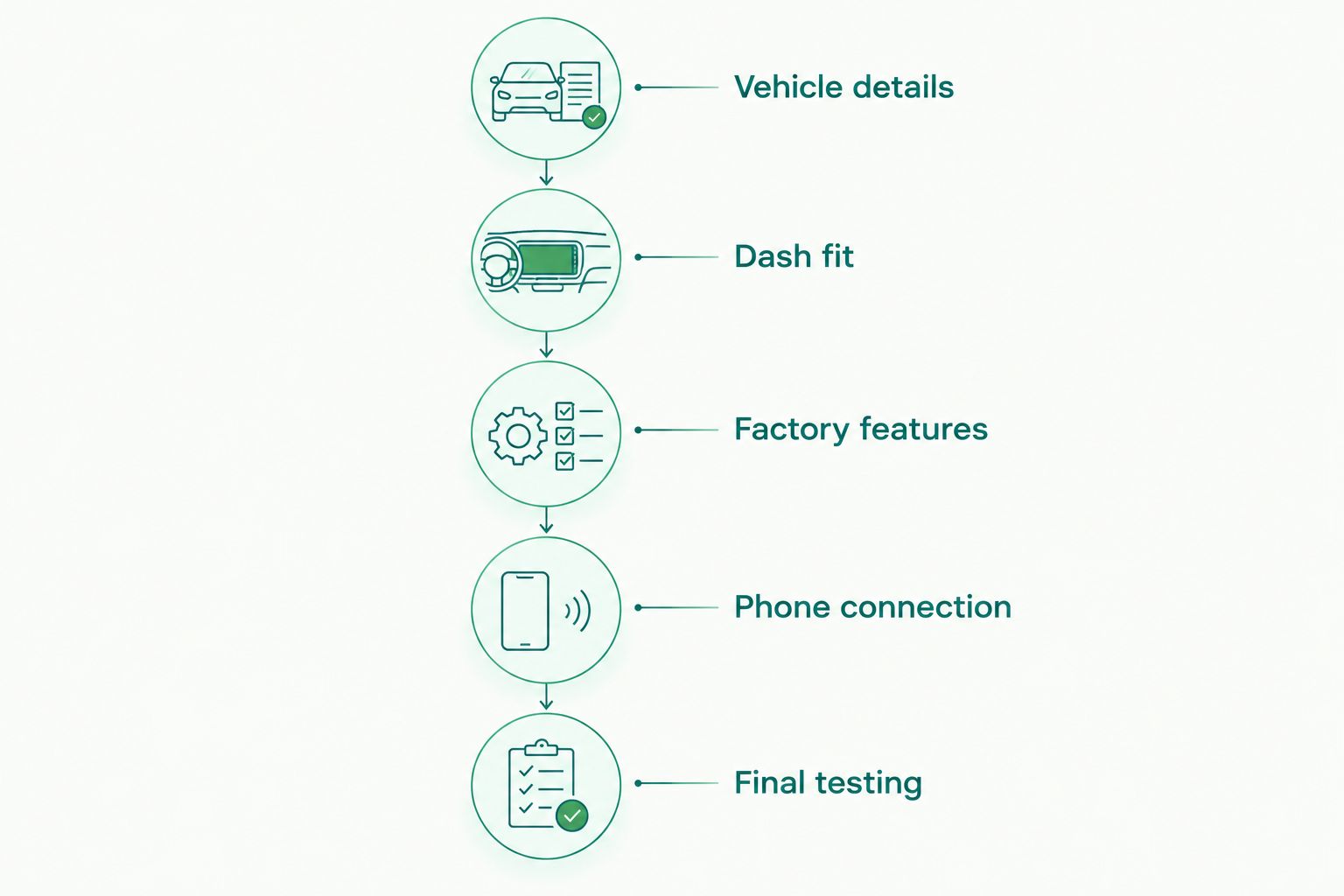
Work through these checks in order:
- Vehicle details: Identify the make, model, trim, and original audio package. Different factory systems can require different interfaces.
- Dash fit: Check the opening, rear clearance, mounting kit, and screen position.
- Factory features: List the amplifier, steering-wheel buttons, camera, chimes, and vehicle settings you want to retain.
- Phone connection: Confirm phone compatibility and decide where the USB connection or charger belongs.
- Final testing: Test audio, calls, navigation, retained controls, and the camera before accepting the finished installation.
The factory backup camera deserves its own check. Connector type, power requirements, and signal compatibility determine the interface needed; a camera input on the receiver does not settle those questions. The guide to connecting a backup camera to a factory radio screen explains the connection issues behind camera integration.
Also separate receiver replacement from speaker replacement. You can plan both together, but a new screen does not repair damaged speakers, poor wiring, or an amplifier fault.
Discuss your head unit installation
Bring your vehicle details and the factory features you want to keep.
How the head units are ranked
This 2026 ranking uses connection type, display layout, mounting constraints, and the installation checks listed above. It is a specification-based shortlist, not a road test or a measured sound-quality comparison.
Sony XAV-AX4000 takes the default slot for wireless projection in a conventional display format. Kenwood DMX4707S serves the wired-use case, Alpine iLX-W650 addresses shallow mounting, and Pioneer DMH-WT3800NEX addresses larger-screen installations.
Manufacturer product documentation is the source for the listed screen sizes and Android Auto connection types. Use the exact model's installation manual for dimensions and wiring; a related model's manual is not a substitute.
Which Android Auto head unit should you choose?
Choose Sony XAV-AX4000 by default if wireless Android Auto and a conventional in-dash display match your needs. It is the clearest starting point for the undecided buyer in this 2026 shortlist.
Choose Kenwood DMX4707S if you prefer a USB connection. Choose Alpine iLX-W650 if rear clearance is the problem. Choose Pioneer DMH-WT3800NEX if you want the larger screen and the dashboard has room for it.
Treat those recommendations as the start of a fit check, not permission to order blindly. The right receiver is the one that supports your phone, fits your dash, and works with the factory features you intend to keep.
FAQ
What's the best Android Auto head unit in 2026?
Sony XAV-AX4000 is the default recommendation here for drivers who want wireless Android Auto in a conventional in-dash display. Choose a different model when wired use, shallow mounting, or a larger screen is your main requirement.
Is wireless Android Auto better than wired Android Auto?
Wireless Android Auto is better for avoiding a projection cable; wired Android Auto is better if you prefer plugging in. Wireless projection does not charge the phone, so plan charging separately.
Will an Android Auto head unit fit my older car?
Fit depends on the dashboard opening, mounting depth, trim kit, wiring, and factory systems. Check the exact vehicle configuration and receiver dimensions before choosing a model.
Can I keep my steering-wheel controls with a new head unit?
You can retain steering-wheel controls when the vehicle, receiver, and required interface are compatible. Confirm which buttons the planned installation will support rather than assuming every original function transfers.
Will my factory backup camera work with an aftermarket receiver?
A factory backup camera needs a compatible connection to the replacement receiver. Check its signal, connector, power requirements, and any required adapter before installation.
Is an Android-powered radio the same as an Android Auto head unit?
No. Android Auto projects a supported phone interface to a compatible receiver; a radio running Android is a different platform. Verify explicit Android Auto support on the exact model.
Where can I discuss an Android Auto head unit installation near Cape Coral?
Auto Sound Cape Coral provides car audio and automotive electronics installation for vehicle owners in Cape Coral, Fort Myers, and surrounding Southwest Florida communities. Discuss your vehicle configuration and desired factory-feature retention before choosing a receiver.
One last thing
Bluetooth audio is not Android Auto. A receiver can play music from your phone over Bluetooth without displaying Android Auto navigation or its supported app interface.
For your 2026 upgrade, ask for the exact model number and confirm whether Android Auto is wired or wireless. That single check prevents choosing a receiver that connects to your phone but does not do what you wanted.


