
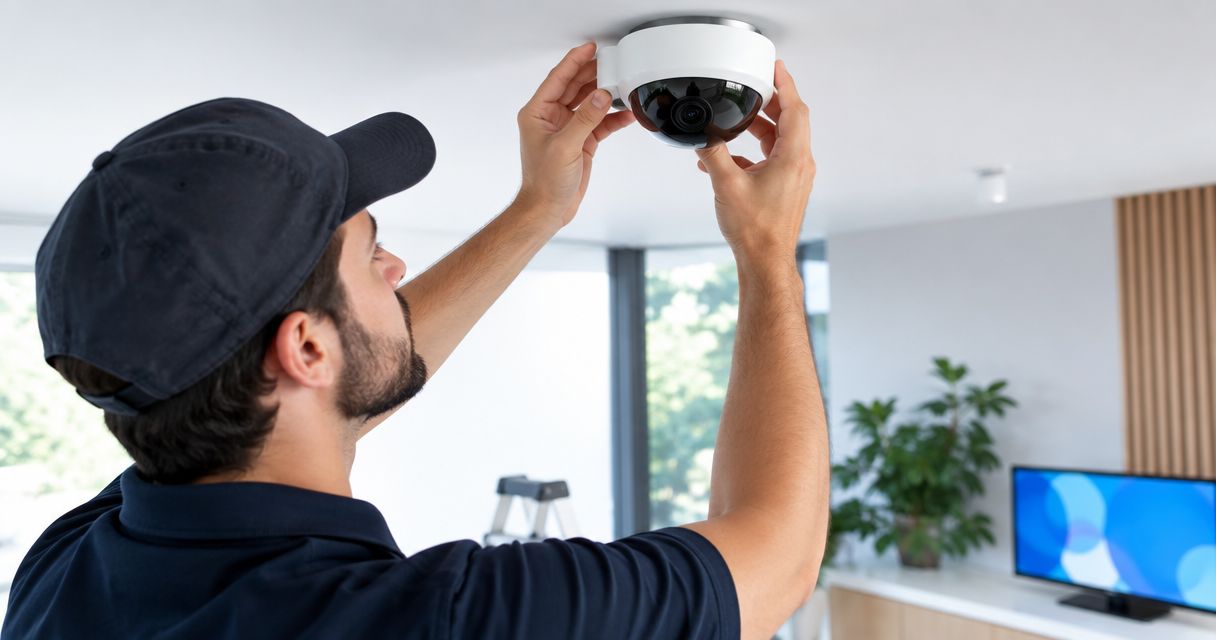
360 degree camera installation cost requires a vehicle-specific quote in 2026: the camera hardware, screen connection, mounting work, wiring, and calibration all belong in the scope. A camera-kit quote alone does not cover the full installation. Compare complete installed systems, not boxes of cameras.
- 360 degree camera installation cost depends on mounting, wiring, screen integration, and calibration—not just camera hardware.
- A stitched surround view and a backup camera do different jobs; choose the parking view you actually need.
- Auto Sound Cape Coral serves Cape Coral and Fort Myers vehicle owners seeking local automotive electronics installation.
- Ask for a written scope that includes display compatibility, calibration, and a completed-system demonstration.
Why this matters
A surround-view upgrade involves more than getting a picture onto a screen. The cameras need useful mounting positions, the wiring needs protection, and the displayed view needs to match the vehicle around it. A working video feed is not the same thing as a correctly aligned parking view.
The screen connection deserves attention before you choose hardware. If keeping your factory radio matters, start with connecting a backup camera to a factory radio screen. That connection question also matters when planning a surround-view installation, although compatibility must be checked for the specific system and vehicle.
How much does 360-degree camera installation cost?
The useful answer is a complete installation quote tied to your vehicle and the view you want. For a 2026 quote, ask the installer to separate the equipment from the work needed to make it function in your car. Otherwise, two estimates can describe different jobs.
Use this breakdown to check the scope rather than assuming every camera package includes everything.
| Quote component | What the written scope should explain | What to check |
|---|---|---|
| Camera hardware | Cameras, controller, and necessary connections | Whether it produces a stitched view or separate feeds |
| Display connection | Factory-screen interface, replacement head unit, or separate monitor | Compatibility with your exact radio |
| Camera mounting | Front, rear, and side mounting locations | Any drilling, bracket work, or mirror modification |
| Wiring | Cable routes, power connection, and weather protection | How moving panels and exposed connections are handled |
| Calibration | Alignment of the cameras and combined image | Whether setup is included after mounting |
| Handover | Operation check and demonstration | How you activate and switch views |
A common surround-view arrangement uses 4 cameras, with views from the front, rear, and both sides. That does not make every four-camera package equivalent. Separate camera feeds and a combined bird's-eye view are different functions, so the quote should state which one you are getting.
The advertised 360-degree view describes coverage around the vehicle. It does not promise that every obstacle will appear clearly, and it does not replace looking outside the car before moving.
Choose the camera setup before requesting a quote
Start with the problem you want to solve. Seeing behind the car, seeing along its sides, and recording a drive call for different features. Buying a system before deciding which job matters creates avoidable compatibility questions.
| Setup | Best for | Main advantage | Main limitation |
|---|---|---|---|
| Stitched surround-view system | Drivers wanting a combined parking view around the vehicle | Brings multiple camera angles into one overhead-style image | Requires careful mounting and image alignment |
| Multi-camera viewing system | Drivers wanting selectable front, rear, or side views | Lets you inspect individual angles | Separate feeds do not necessarily form a bird's-eye image |
| Backup camera | Drivers primarily wanting a view behind the vehicle | Focuses on the reversing task | Does not show the full perimeter |
Choose by function, not by the word “360” on the packaging. Ask to see the intended display layout before authorizing the installation. A photograph of the cameras tells you little about what you will see from the driver's seat.
Stitched surround view: best for a combined parking picture
A stitched surround-view system combines camera images into an overhead-style view. Camera positions and alignment matter because the system needs to join those images around the vehicle. The installation scope should identify the calibration procedure required by that equipment.
The benefit is seeing several sides of the vehicle together during parking. The trade-off is setup complexity and distortion where camera images meet. Choose stitched surround view when the combined picture is the feature you need, and require a demonstration of that picture.
Multi-camera viewing: best for checking individual angles
A multi-camera viewing setup presents separate camera angles without necessarily combining them. You might select the front view, rear view, or a side view, depending on the system's controls. Confirm the switching method before deciding where the cameras belong.
Individual views can be useful when you want to inspect a particular side of the car. The limitation is that you still interpret those views separately. Choose separate feeds only if that operating method fits how you park.
Backup camera: best for rear visibility
A backup camera addresses the space behind the vehicle. It is a different scope from a full surround-view installation, even when both use the same screen. Existing camera wiring or a camera input does not establish compatibility with a surround-view controller.
The advantage is a focused solution to a focused problem. The limitation is equally clear: a rear image does not show your front corners or both sides. Choose a backup camera when rear visibility is the actual goal rather than buying perimeter coverage you do not need.
Why 360-degree camera installation scope varies
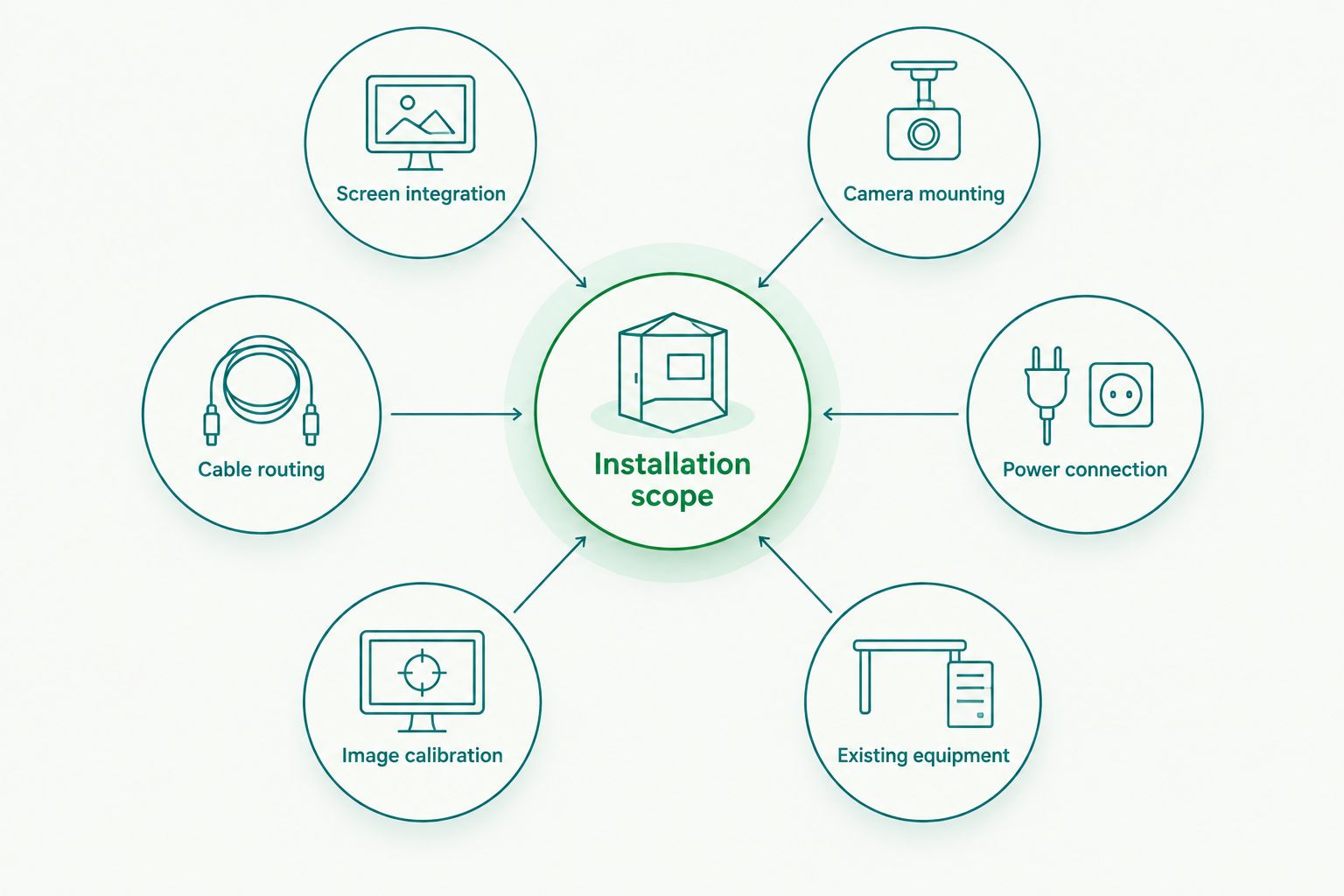
Your 2026 installation quote should reflect the work required by your vehicle, not a generic description of camera installation. These are the main items to have explained in writing:
- Screen integration: Identify the exact factory radio, aftermarket head unit, or separate monitor. A screen's presence does not prove it can accept the system's output.
- Camera mounting: Confirm the proposed front, rear, and side locations. Mirror housings, trim, and body panels affect how the installer can secure the cameras.
- Cable routing: Ask how cables travel through the vehicle and across moving parts. Door movement and exposed mounting locations need deliberate routing.
- Power connection: Confirm the equipment's electrical requirements and the intended connection. A typical passenger vehicle has a nominal 12-volt electrical system, but accessory wiring still needs equipment-specific installation.
- Image calibration: Ask what alignment procedure the manufacturer requires and whether the scope includes it. Showing an image does not establish that the stitched view is aligned.
- Existing equipment: Identify any current backup camera, parking sensors, or aftermarket radio. Ask which features remain and which connections need changing.
None of these checks requires you to become an installer. They give you a way to compare written proposals and recognize when an important task has been left undefined. If the scope says only “camera installation,” ask what that includes.
How do I get a useful installation quote?
Give the installer enough information to identify the vehicle and the screen before discussing the camera kit. For a 2026 installation request, include the vehicle's make, model, model year, and trim, plus a clear photo of the radio. Mention any previous audio or camera modifications.
- Describe the parking problem. Explain whether you need help seeing behind the vehicle, beside it, or around its full perimeter.
- Identify the existing screen. State whether the radio is factory fitted or aftermarket. Include its model information when available.
- Confirm the intended view. Ask whether the proposed system provides stitched surround view, separate feeds, or rear view only.
- Approve mounting locations. Request an explanation of visible cameras, drilling, and any changes to mirrors or trim.
- Request the complete scope. Include hardware, interfaces, wiring, calibration, and the final operation check.
- Agree on the handover. Ask for a demonstration of activation, view switching, and the aligned image before collecting the vehicle.
Auto Sound Cape Coral is best for Cape Coral and Fort Myers vehicle owners seeking local automotive electronics installation. The shop's stated services include car audio, dash cam, and CarPlay installation. If you are discussing a surround-view project with Auto Sound Cape Coral, confirm that the shop accepts your particular camera system and vehicle before purchasing equipment.
Local installation support is useful when you want to discuss the vehicle in person. The boundary is compatibility: the shop's stated electronics services do not establish that every surround-view kit or factory radio is supported.
Can I keep my factory screen with a 360-degree camera system?
Keeping the factory screen depends on the vehicle's radio and a compatible connection method. The installer needs to identify the radio, camera inputs, and required interface before confirming the setup. A factory backup-camera picture alone does not prove that another controller will connect directly.
Keeping the original screen avoids adding another display to the cabin. The trade-off is that the connection can require vehicle-specific hardware and setup. Ask which original functions remain available, including existing camera operation and on-screen controls.
A separate monitor avoids relying on the factory screen's video input. It also adds another visible device and mounting location. Approve the display plan before the camera locations, because the full system needs to work together.
Does a 360-degree camera system also record video?
Recording is a separate feature from displaying a parking view. A surround-view system must specifically support recording for you to use it that way. Do not assume a bird's-eye image means the system saves footage.
If recording matters, ask about storage, saved camera channels, and how you retrieve footage. Also confirm whether recording works only while the vehicle is running or includes a supported parking mode. Those requirements belong in the equipment discussion before installation begins.
A dash cam and a parking-camera system can serve different purposes. Decide whether you need parking visibility, recorded evidence, or both, then choose equipment that explicitly supports that job.
What should I check before collecting the vehicle?
Use the handover to verify the system you approved, not just that the screen turns on. Have the installer show each camera view and explain the controls while the vehicle is stationary. For a stitched system, look at where adjacent images join.
- Check that the front, rear, and side views match their labels.
- Ask how the system activates and how you return to the normal radio screen.
- Inspect the visible camera mounts and exposed wiring.
- Have the installer explain apparent distortions and image boundaries.
- Check that the agreed existing radio and camera functions still operate.
- Obtain the equipment instructions and any installation documentation supplied.
Camera lenses need to stay clear for a useful picture. A dirty lens can obscure a view even when the electronics work. Ask how to clean the installed cameras without disturbing their mounts.
Treat a 2026 camera upgrade as a visibility aid, not permission to stop checking mirrors and surroundings. The handover should make both the controls and the system's limitations clear.
FAQ
How do I compare 360 degree camera installation cost between shops?
Compare written scopes for the same vehicle and camera functions. Check that each includes the required hardware, display connection, mounting, wiring, calibration, and operation demonstration.
Does a 360-degree camera kit include everything needed for installation?
A camera kit does not establish that every vehicle-specific installation part is included. Check the package contents against the display interface, mounting parts, and connections required for your vehicle.
Is a 360-degree camera better than a backup camera?
A surround-view system is better suited to viewing several sides of the vehicle during parking; a backup camera is focused on rear visibility. Choose the system that addresses your actual visibility problem.
Can a 360-degree camera work with my factory radio?
Factory-radio compatibility requires checking the exact radio and the camera system's connection requirements. An existing screen or backup-camera input is not enough to confirm compatibility.
Do all 360-degree camera systems create a bird's-eye view?
No, multiple camera feeds do not automatically create a stitched bird's-eye view. Ask whether the proposed system combines the images or displays separate angles.
Can I buy a camera kit before talking to an installer?
Confirm compatibility and installation requirements before buying a kit. The installer needs to check the display connection, mounting arrangement, wiring, and calibration requirements.
Does Auto Sound Cape Coral install automotive electronics?
Auto Sound Cape Coral provides automotive electronics installation, including car audio, dash cam, CarPlay, and remote start services. Confirm acceptance and compatibility separately for a specific surround-view camera project.
One last thing
Ask to see a straight parking-space line where two camera images meet. That gives you something concrete to inspect during the stitched-view demonstration. A picture can appear on the screen while still showing a distracting join between views.
For your 2026 installation, make that demonstration part of the agreed handover. The goal is not simply four working cameras. It is a parking view you understand and can use without confusing a display artifact for the space around your car.


