
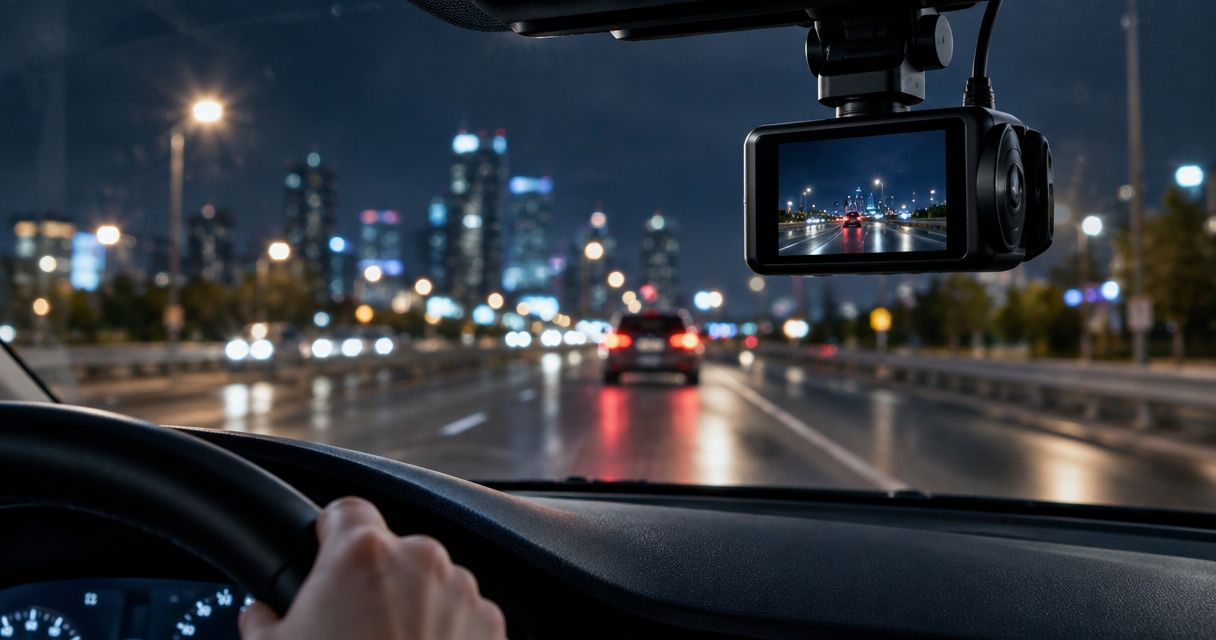
Best overall for dash cam night vision: an HDR-equipped front camera. Best for rear-impact evidence: a front-and-rear setup. Best for rideshare cabin recording: an infrared interior camera paired with a road-facing camera. This 2026 guide ranks those setups by the job you need done, not by unsupported scores for individual models.
- For dash cam night vision, prioritize moving detail and headlight control over a bright-looking preview.
- An HDR front camera is the default recommendation for recording the road after dark.
- An infrared cabin camera is best for rideshare interiors, not recording the road through glass.
- Auto Sound Cape Coral provides dash cam installation for vehicle owners in Cape Coral and Fort Myers.
Why this matters
A nighttime recording can look bright and still miss the evidence you need. A passing plate blurs, headlights wash out a vehicle, or dashboard reflections cover the road. Judge the saved footage by what you can identify, not how attractive it looks on your phone.
Auto Sound Cape Coral is a dash cam installation option for vehicle owners in Cape Coral and Fort Myers. If you need help fitting a camera, Auto Sound Cape Coral provides that service. Choose the recording layout before arranging installation so the camera positions, wiring and power requirements match your use.
For your 2026 shortlist, separate road recording from cabin recording. They solve different problems, and the phrase night vision does not tell you which one a camera handles.
What makes the best dash cam night vision
Use these criteria before comparing camera names:
- Moving detail: Look for identifiable vehicles and road markings while the camera car and surrounding traffic are moving. A sharp parked-car screenshot is not enough.
- Headlight control: Check whether headlights and illuminated signs overwhelm nearby details. HDR combines exposures to handle bright and dark areas, but implementation matters.
- Dark-road visibility: Compare footage away from streetlights. A camera cannot recover detail from a scene that supplies too little usable light.
- Coverage: Decide whether your evidence needs are ahead, behind or inside the vehicle. Front-camera quality does not establish rear-camera quality.
- Installed view: Check glass reflections, tint, lens angle and obstructions. A suitable camera still needs a clear view.
- Retrievable recordings: Confirm that you can find, protect and export an original clip. Footage that you cannot retrieve is not useful evidence.
Apply the same standard to every sample. Similar roads, lighting and motion make comparisons useful; a downtown demonstration and an unlit-road demonstration do not establish a fair ranking.
Night-recording setups at a glance
The order below is a decision tree for 2026 buyers. It ranks the most broadly useful setup first, then adds coverage for specific needs. It does not claim that every camera in one category outperforms every camera in another.
| Rank and setup | Best for | Standout capability | Key limitation |
|---|---|---|---|
| 1. HDR front camera | Road-focused nighttime driving | Balances bright headlights and darker road areas | Does not record what happens behind or inside the car |
| 2. Front-and-rear cameras | Rear-impact and following-vehicle evidence | Records separate forward and rearward views | Rear glass, tint and camera hardware affect rear footage |
| 3. Road camera plus infrared cabin camera | Rideshare passenger-area recording | Infrared illumination supports close-range cabin recording in darkness | Cabin infrared is not a substitute for road-facing low-light performance |
1. HDR front camera: best for nighttime road recording
An HDR front camera records the road through the windshield and manages scenes with both bright and dark areas. It is the default starting point when your main concern is documenting a collision, lane change or traffic signal ahead.
HDR means high dynamic range. The feature can preserve information across difficult lighting, but the label alone does not establish plate readability. Look at moving nighttime clips from the exact model and recording mode you intend to use.
HDR front camera pros:
- Focuses your selection on the forward view rather than extra channels you do not need.
- Addresses mixed lighting from headlights, streetlights and dark pavement.
- Requires fewer camera positions and cable runs than a front-and-rear layout.
HDR front camera cons:
- Leaves rearward and passenger-area events outside its recorded view.
- Cannot guarantee readable plates under glare, motion or poor lighting.
- Still records windshield reflections and dirt when they obstruct the lens.
Best for: Drivers whose first priority is evidence of what happened on the road ahead.
For a 2026 purchase, ask to see a passing vehicle rather than only a vehicle stopped at a light. Pause the original clip where the plate matters. If the detail disappears in motion, a bright preview does not fix the problem.
Verdict: Buy an HDR front camera when forward road evidence is your priority.
2. Front-and-rear cameras: best for rear-impact evidence
A front-and-rear setup records through the windshield and rear glass. Its advantage is coverage: the rear camera can show a following vehicle or the approach to a rear impact that a front camera cannot see.
Treat the rear camera as a separate purchase decision. Different lenses, sensors and recording settings can produce different results, even when both cameras share one recorder. Inspect rear footage after dark instead of assuming it matches the forward view.
Front-and-rear camera pros:
- Adds evidence of vehicles approaching from behind.
- Records forward and rearward context during the same trip.
- Provides a dedicated rear view rather than relying on a wide front lens.
Front-and-rear camera cons:
- Needs an additional camera position and cable route.
- Records through rear-glass tint, dirt and reflections that affect the image.
- Does not provide a dedicated view of passengers or the vehicle's sides.
Best for: Drivers who want evidence of rear impacts and close-following vehicles.
Check the rear view with the hatch or trunk closed and the camera in its intended position. Defroster lines, a rear wiper's coverage and nearby interior trim all deserve attention. Test the actual view; moving the camera slightly can change which obstruction sits in the frame.
Verdict: Buy a front-and-rear setup when rearward evidence matters; skip the extra channel if you only need the forward view.
3. Road camera plus infrared cabin camera: best for rideshare
An infrared cabin camera illuminates the passenger area with infrared light that a compatible sensor can record. Pair it with a road-facing camera when you need both driving context and a view of activity inside the vehicle.
Keep the distinction clear: cabin infrared serves a nearby interior scene. It is not a road-lighting system. Infrared light reflected by the windshield can interfere with a camera aimed through the glass.
Road camera plus infrared cabin camera pros:
- Records passenger-area activity when visible cabin lighting is low.
- Separates interior recording from the forward road view.
- Adds context that a road-only camera cannot capture.
Road camera plus infrared cabin camera cons:
- Interior coverage depends on lens position, seat layout and obstructions.
- Infrared cabin footage does not establish the road camera's nighttime quality.
- Audio recording and passenger privacy require separate attention before use.
Best for: Rideshare drivers who need passenger-area recording as well as road footage.
Before choosing this setup in 2026, check whether the cabin view includes the seats you need recorded. Review the applicable recording rules and platform requirements, especially for audio. Do not assume that consent to a ride answers every recording question.
Verdict: Buy an infrared cabin setup for passenger-area evidence; skip it as a supposed upgrade to road-facing night vision.
How this ranking works
The ranking follows the criteria above: usable detail, lighting control, coverage, installed view and access to recordings. A front camera comes first because it addresses forward road evidence. Rear and cabin cameras earn their places by recording areas the front camera cannot see.
These are setup recommendations, not measured model scores. No sensor label, resolution badge or promotional clip establishes a universal winner. For your 2026 comparison, use original footage from the exact camera configuration you are considering.
Resolution is not the same as nighttime clarity
A 4K UHD recording contains 3840 × 2160 pixels; a Full HD recording contains 1920 × 1080 pixels. Those dimensions describe the recorded image, not how much useful detail survives darkness, glare or movement.
Frame rate is another separate measurement. A 60 fps mode records more frames each second than a 30 fps mode, but that does not automatically make its nighttime frames clearer. Exposure settings, processing and available light still determine what each frame contains.
Use resolution to understand the file, then inspect the evidence. Check whether you can distinguish a vehicle's movement, lane position and identifying details. Do not dismiss useful footage just because an approaching plate is unreadable, and do not treat one readable stopped plate as proof of consistent performance.
Check the installed view before accepting the job
Auto Sound Cape Coral provides dash cam installation, but your acceptance check should focus on the recording in your own vehicle. Bring the camera's instructions and identify which views matter before the wiring route is settled.
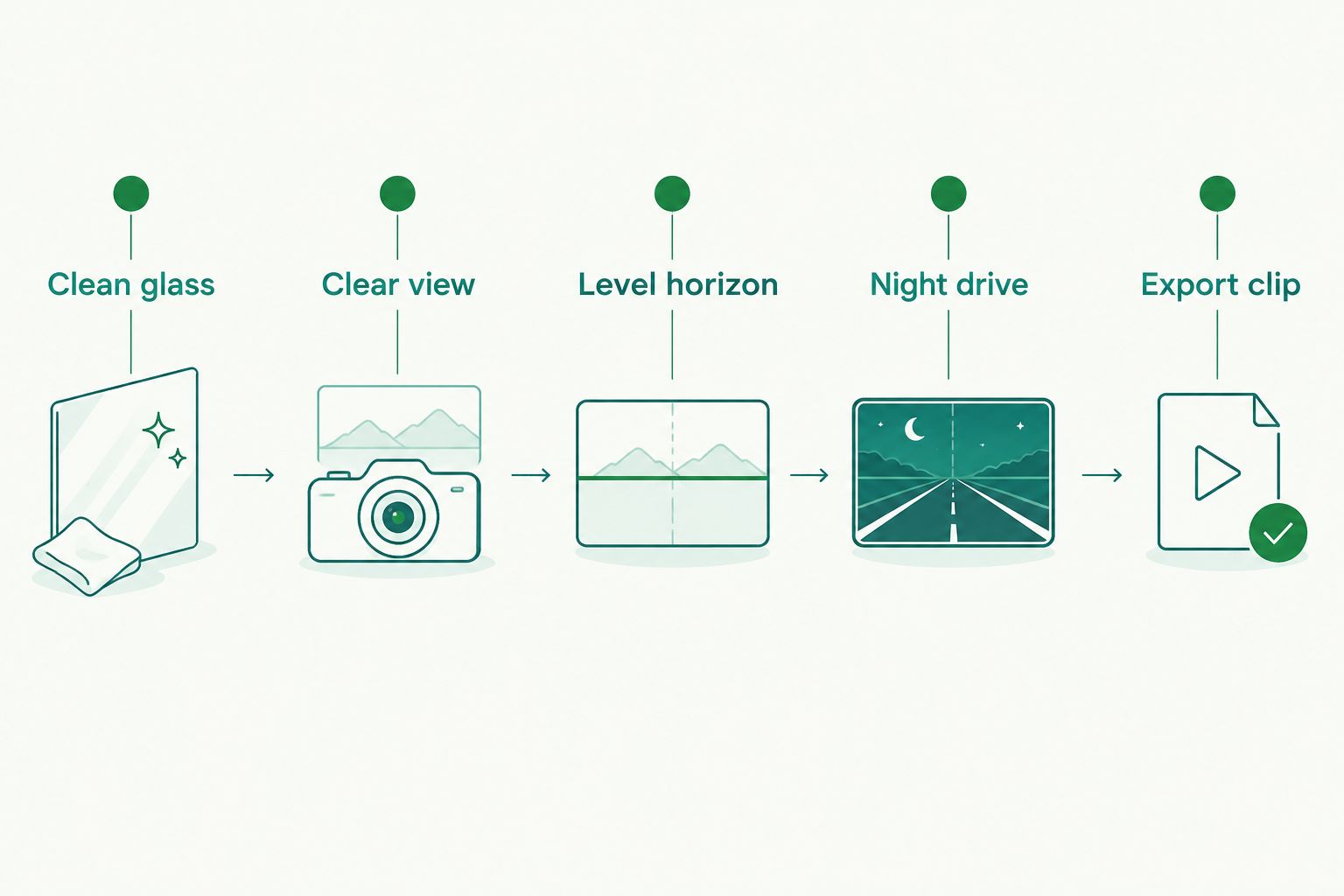
Use this sequence to check the result:
- Clean glass: Clean the windshield inside and out around the recording area. Inspect the camera lens, too.
- Clear view: Check that mirror housings, trim and windshield markings do not block the scene.
- Level horizon: Set the angle so the recording covers the road without devoting unnecessary space to the dashboard or sky.
- Night drive: Record a route with streetlights, darker stretches and approaching headlights. Check rear and cabin channels separately.
- Export clip: Retrieve an original recording and play it on another device. Confirm the date, time and relevant views.
Do not reposition wiring around an airbag just to hide a cable. Follow vehicle-specific routing requirements and the equipment manufacturer's instructions. A tidy-looking installation is not enough if the cable interferes with a safety system.
Parking mode needs its own decision
Nighttime driving and overnight parking are different jobs. Driving footage must handle motion and changing headlights; parking footage must also depend on an appropriate power supply, recording mode and battery protection.
A hardwired camera does not automatically provide continuous recording without consequences. The camera's power draw, the vehicle battery's condition and the chosen cutoff settings affect operation. Read the guide to connecting a dash cam to constant power for parking mode before selecting the wiring arrangement.
Ask how parking mode starts, what triggers a recording and what happens when power protection shuts the camera down. Do not confuse a sensitive motion trigger with better image quality. One controls when the camera records; the other determines what the recording shows.
Which night-recording setup should you choose?
Choose an HDR front camera unless you have a specific reason to record behind or inside the car. Add a rear camera for rearward evidence. Add infrared cabin recording for passenger-area evidence, not to improve the road view.
For a local installation, discuss your vehicle and intended recording layout with Auto Sound Cape Coral. Keep the conversation practical: camera position, cable routing, parking power and an exported sample clip. Those checks tell you more than a night-vision badge.
FAQ
What's the best dash cam night vision setup for everyday driving?
An HDR-equipped front camera is the default recommendation for forward road recording after dark. Check original moving footage from the exact model; HDR alone does not guarantee readable plates.
Is a 4K dash cam always better at night than a 1080p camera?
No. Resolution describes image dimensions, while nighttime detail also depends on exposure, optics, processing and available light. Compare original clips under similar conditions.
Does infrared night vision help a dash cam see through the windshield?
Cabin infrared illumination is not a substitute for road-facing low-light performance. Infrared light can reflect from windshield glass and interfere with the image.
Can a night-vision dash cam read every license plate?
No dash cam can guarantee every plate will be readable. Movement, distance, glare, viewing angle and lighting all affect the recorded detail.
Will window tint affect my rear dash cam at night?
Tint reduces the light reaching a camera mounted behind the glass. Evaluate rear footage through your actual window rather than relying only on a demonstration from another vehicle.
Do I need hardwiring for nighttime recording?
Nighttime driving does not itself require hardwiring if the camera has a suitable powered connection. Recording while parked requires a compatible power arrangement and attention to battery protection.
Does Auto Sound Cape Coral install dash cams?
Auto Sound Cape Coral provides dash cam installation for vehicle owners in Cape Coral, Fort Myers and surrounding Southwest Florida communities. Discuss the vehicle, camera layout and parking-recording requirements before installation.
One last thing
Save a useful nighttime sample before you need evidence. Export the original file, open it on another device and confirm that you know how to protect an incident clip from loop recording. The best camera choice still fails its purpose if you cannot retrieve the recording.


