
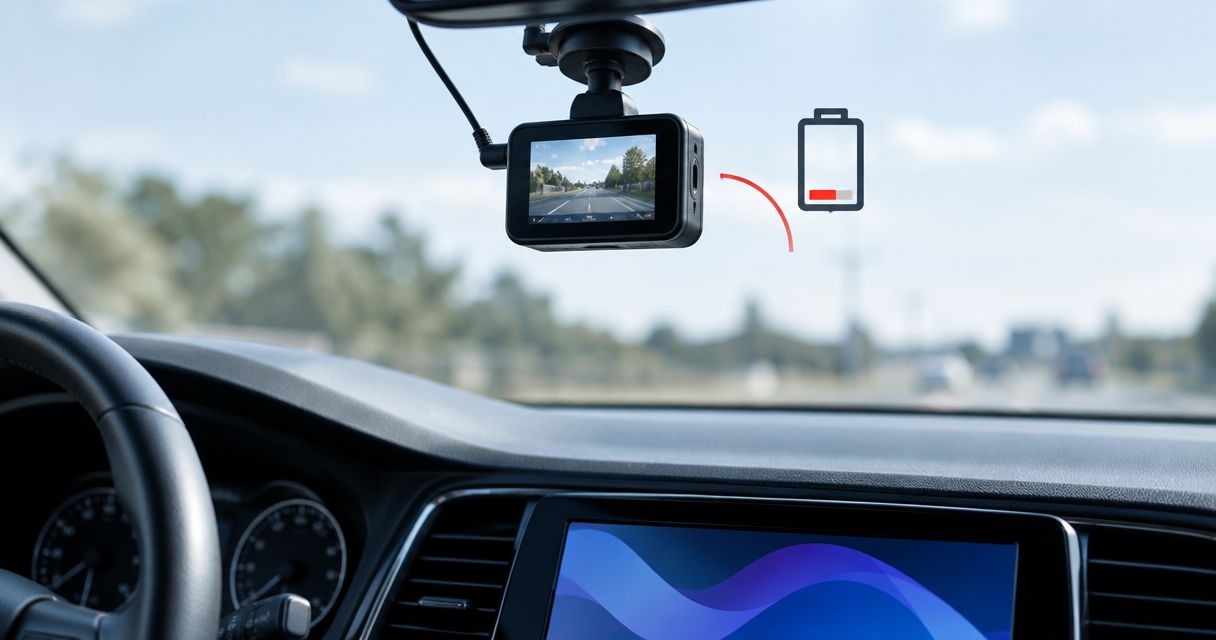
Yes, a dash cam can drain your car battery if it keeps drawing power while the engine is off. In 2026, the deciding factors are the camera’s power connection, parking-mode settings, battery condition, and whether a working low-voltage cutoff stops recording before the battery becomes too depleted to start the car.
- Can a dash cam drain car battery power? Yes—an always-on connection draws power while the engine is off.
- A switched accessory socket stops powering the camera after that socket shuts off; verify your vehicle’s behavior.
- Parking mode needs battery protection; hardwiring alone does not provide it.
- Auto Sound Cape Coral provides local dash cam installation for Cape Coral and Fort Myers vehicle owners.
Can a dash cam drain your car battery?
A dash cam can leave you with a no-start if it uses enough battery charge while your car is parked. The camera does not need to malfunction. Normal recording still consumes electricity, and the engine is not running to replenish the starting battery.
The connection matters more than whether the camera plugs in or is hardwired. A plug-in camera can stay powered through an always-live socket. A hardwired camera can shut down safely when its power controller reaches a configured cutoff.
If you want parked recording, understand the constant-power dash cam wiring before choosing the installation.
| Power arrangement | What happens when parked | Best for | Main advantage | Main limitation |
|---|---|---|---|---|
| Switched accessory power | Camera loses power when the circuit switches off | Drivers who only need driving footage | Stops the camera’s draw after shutdown | No recording once power stops |
| Always-on power without protection | Camera keeps drawing from the starting battery | Not recommended for unattended parked recording | Keeps the camera powered | No automatic battery safeguard |
| Hardwire kit with cutoff | Camera draws power until the configured cutoff acts | Drivers who need parking coverage | Limits discharge when correctly installed and configured | Coverage ends at cutoff; starting is not guaranteed |
| Compatible dedicated dash cam battery pack | Camera uses the pack while parked | Drivers who want parking coverage separate from the starting battery | Separates parked camera consumption from the starting battery | Requires compatible charging and installation; runtime remains limited |
Check the documentation for the actual camera, power kit, and vehicle. A feature listed on one component does not establish that the complete installation supports it.
Why this matters
A camera that protects your parked vehicle should not become the reason you cannot leave. You need to decide which matters more: continued recording or preserving starting capacity. A protected installation makes that trade-off deliberately instead of leaving the camera running without a stopping point.
For a 2026 installation, ask how the system behaves after you shut off the engine—not just whether the camera records during a test drive. A tidy cable route tells you nothing about the power circuit behind it.
Battery protection also affects the footage you expect. When the cutoff stops the camera, recording stops too. A safe shutdown is not a camera failure, but it creates a coverage gap you should understand.
Switched accessory power: best for driving-only recording
A dash cam connected to a switched circuit loses power when that circuit shuts down. Once the camera and its adapter are no longer drawing from the vehicle, that connection is not continuing to discharge the starting battery.
Do not assume your socket switches off immediately with the ignition. Vehicles differ: some sockets stay live, and some accessory circuits remain powered temporarily. Check what your vehicle actually does after shutdown and its normal accessory timeout.
You can start with a simple observation: park, switch off the engine, and check whether the camera remains powered. Then confirm the circuit behavior using the vehicle documentation or an electrical check. A dark display alone is not proof that the camera stopped recording.
Choose switched power if you want driving footage and do not need parked recording. Its strength is a clear stopping point. Its drawback is equally clear: an incident after shutdown will not be recorded once camera power ends.
Protected hardwiring: best for parking-mode recording
Hardwiring means connecting the camera’s power equipment to the vehicle’s electrical system. It does not automatically mean the installation protects your battery. That protection must come from a compatible controller or another documented part of the system.
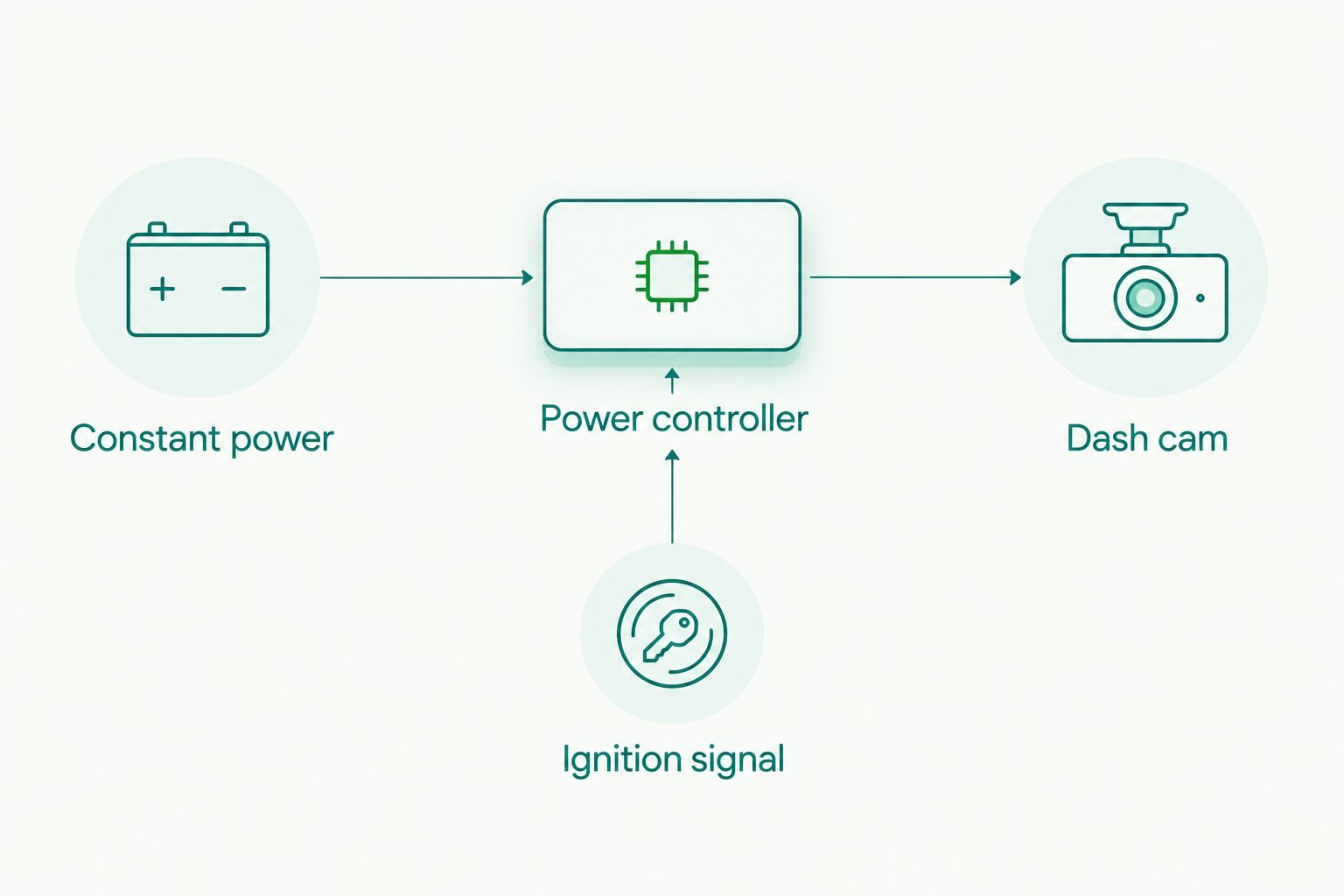
A parking-mode installation commonly uses a constant-power connection, an ignition-switched signal, and a ground connection. The ignition signal tells compatible equipment when the vehicle is running or parked. The constant connection supplies parked power; the controller decides when to stop supplying it.
With a low-voltage cutoff, the controller disconnects camera power when it detects the configured threshold. If the equipment also supports a parking timer, that timer provides another stopping condition. Check which functions your actual kit supports rather than assuming both are included.
Choose protected hardwiring when you need parking footage, and verify the shutdown behavior after installation. The benefit is controlled battery use. The limitation is that the camera eventually stops recording, and a cutoff cannot restore an already weak battery.
A conventional 12-volt starting battery must still supply the engine’s starting demand. A controller’s voltage reading is useful, but it is not a complete battery-health test or a promise that the next start will succeed.
Dedicated battery pack: best for separating parked camera power
A compatible dedicated dash cam battery pack supplies the camera while the vehicle is parked. The pack’s charging arrangement determines how it receives power while you drive. Follow its installation requirements and the camera’s compatibility instructions.
This arrangement separates parked camera consumption from the starting battery when correctly configured. It does not create unlimited recording time. The pack eventually needs recharging, and its available energy still limits coverage.
Choose a dedicated pack when separating parked recording from the starting battery is your priority. The drawback is additional equipment and a charging setup that must suit your vehicle and driving pattern. Do not substitute an ordinary USB power bank without checking its intended use, temperature limits, and charging requirements.
Why dash cam battery drain varies
There is no universal safe recording duration for every camera and car. Two installations that look alike can behave differently because their power sources, settings, and batteries differ.
- Power connection: An always-live circuit supplies parked power. A switched circuit stops supplying power when it shuts down.
- Recording load: Camera hardware, connected camera channels, and recording settings determine electrical consumption. Check the equipment’s specifications rather than guessing from its size.
- Parking-mode behavior: Continuous recording, event detection, and other supported modes operate differently. A motion setting does not prove the entire system is electrically asleep between events.
- Battery condition: A depleted or deteriorated starting battery has less reserve available. Camera settings cannot correct a failing battery.
- Parking and driving pattern: Longer parking periods increase the time available for discharge. Driving time and charging-system condition affect replenishment.
- Protection settings: The configured voltage cutoff and any supported timer determine when power stops. Incorrect wiring or disabled protection defeats that stopping point.
For your 2026 setup, match parking coverage to your actual use. A daily driver and a car left parked between occasional trips need different decisions about recording and shutdown. Neither should rely on an unchecked always-on connection.
How do you check whether your dash cam is draining the battery?
Start by checking when the camera receives power, then test the battery and charging system. A no-start after installing a camera is a reason to investigate—not proof that the camera is the only cause.
- Confirm power behavior. Check whether the camera remains powered after the vehicle shuts down. Account for the vehicle’s accessory timeout and distinguish a sleeping display from a powered-down camera.
- Check parking settings. Identify the selected recording mode, whether battery protection is enabled, and whether the installed equipment supports a timer. Use the manuals for the actual equipment.
- Inspect the power arrangement. Confirm that constant and switched connections are correctly identified. Do not move a fuse tap to an arbitrary circuit or change fuse protection to keep the camera running.
- Test battery health. Have the starting battery tested with suitable equipment. A resting voltage reading alone does not establish its ability to crank the engine.
- Check charging and parked draw. If the problem continues, have the charging system and key-off electrical consumption checked after the vehicle enters its normal sleep state.
- Verify the correction. After changing settings, repairing wiring, or replacing a failed battery, confirm both normal recording and the intended shutdown behavior.
Avoid disconnecting random circuits as a troubleshooting shortcut. Vehicle modules can remain awake during testing, which changes the measurement. An electrical diagnosis needs the vehicle in the correct state, not simply a meter connected immediately after shutdown.
Will a low-voltage cutoff guarantee that your car starts?
No. A low-voltage cutoff limits further discharge when it operates, but it cannot guarantee starting. Battery condition, existing charge, temperature, and the vehicle’s starting demand still matter.
A conventional 12-volt starting battery can show voltage while lacking enough usable capacity for a dependable start. That is why changing the cutoff setting is not a substitute for testing a battery that repeatedly struggles.
Use the equipment manufacturer’s supported settings and the vehicle’s requirements. If the car repeatedly fails to start, stop parked recording until the fault is diagnosed. Extending camera runtime is the wrong priority when starting reliability is already compromised.
Can your dash cam drain the battery overnight?
Yes. Overnight recording can contribute to a no-start when an always-powered camera draws from a battery with insufficient reserve. There is no defensible universal overnight guarantee without knowing the equipment, battery condition, and starting charge.
Turning off the screen does not settle the question. The camera can continue recording with its display dark. Check the recording status and power-control behavior, not just what you can see through the window.
If overnight parking footage matters, choose a documented stopping condition. If dependable starting matters more, disable parked recording until you have confirmed the installation and battery are suitable.
Does parking mode use power when nothing happens?
Yes, parking mode uses power to perform its supported monitoring functions. The amount depends on the camera and its selected mode; an empty event folder does not prove there was no electrical draw.
Event-triggered recording also needs a way to detect an event. Check the manufacturer’s description of how that mode works rather than assuming motion detection means zero consumption between saved clips.
For a 2026 camera purchase, read parking-power requirements alongside video features. Clear footage is useful only when the system receives power, and continuous power needs a plan for battery protection.
What should you ask a local installer?
Bring your vehicle details, camera model, and parking routine. Explain whether you need footage only while driving or also while parked. Those answers determine the power arrangement worth discussing.
Ask which circuit will supply power, how the camera recognizes shutdown, what protection the equipment provides, and how that protection will be checked. Also ask what happens when the car sits unused. Get an explanation you can repeat without needing a wiring diagram.
Auto Sound Cape Coral is best for Cape Coral and Fort Myers drivers who want local dash cam installation. Its stated service offering includes dash cam installation; battery testing, specific hardware compatibility, and supported protection settings need confirmation for your vehicle.
You can discuss the installation with Auto Sound Cape Coral. Ask for the power arrangement and shutdown behavior, not just a hidden cable.
FAQ
Can a dash cam drain my car battery when the car is off?
Yes, a dash cam can drain your starting battery if it remains powered with the engine off. A switched circuit stops camera power after shutdown; protected parking power needs a working cutoff or another documented stopping condition.
Is a hardwired dash cam safe for my battery?
Hardwiring alone does not protect your battery. Safety depends on compatible power-control equipment, correct installation, appropriate settings, and a healthy starting battery.
Does turning off the dash cam screen stop battery drain?
No, turning off the screen does not necessarily stop the camera’s electrical draw. The camera can continue recording with a dark display, so check its operating status and power connection.
Can I leave my dash cam plugged in overnight?
An overnight connection is not a universal guarantee of safe battery use. Verify whether the socket stays powered and whether your system has working protection before relying on unattended recording.
What voltage cutoff should I use for my dash cam?
Use a cutoff supported by your power kit and appropriate for your vehicle’s requirements. A higher supported cutoff ends recording sooner to preserve more reserve, but no setting guarantees starting from a weak battery.
Will unplugging my dash cam fix a dead battery?
Unplugging the dash cam stops its draw through that connection, but it does not recharge or repair the battery. Repeated no-starts require battery, charging-system, and parked-draw diagnosis.
Does Auto Sound Cape Coral install dash cams?
Auto Sound Cape Coral provides dash cam installation for vehicle owners in Cape Coral, Fort Myers, and surrounding Southwest Florida communities. Confirm your camera’s compatibility and the proposed parking-power protection before installation.
One last thing
Check what the camera does after you lock the car, not only after you turn the key off. Retained accessory power and vehicle sleep behavior can make an immediate shutdown check misleading.
Before leaving a 2026 installation, understand how to disable parked recording yourself. That gives you a clear fallback if your driving pattern changes or the battery starts struggling. Preserve starting reliability first; extend recording only after the electrical setup supports it.


