
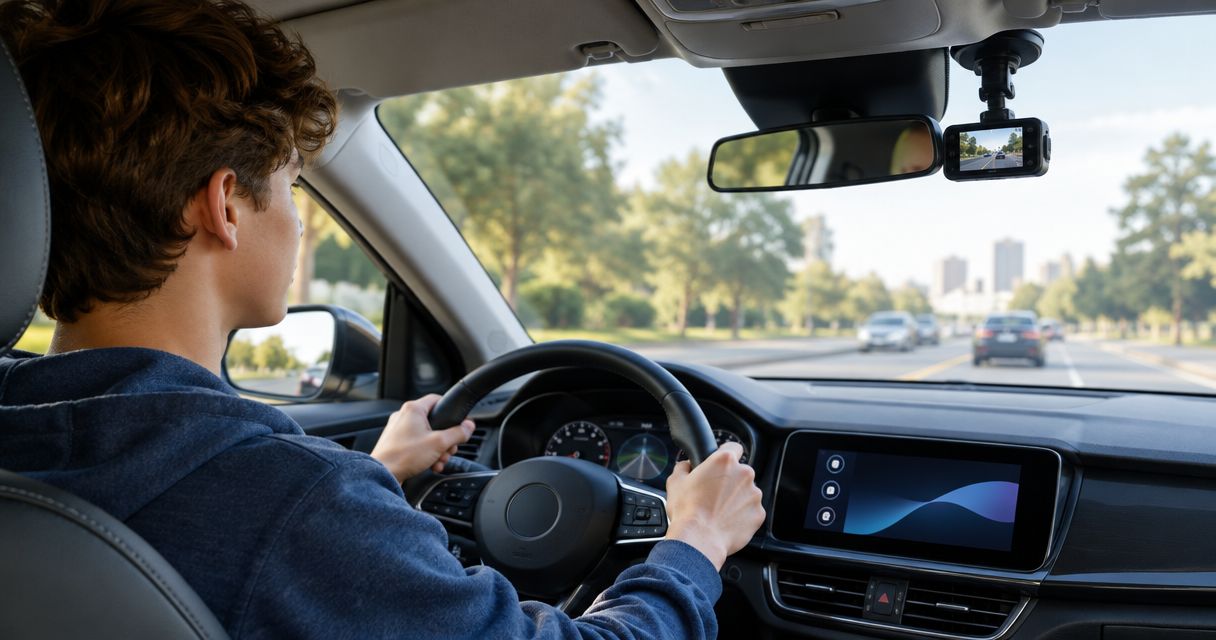
Teen-driver dash cam setup is the selection and installation of an in-car camera system with the aim of documenting road incidents and supporting driver coaching. For dash cams for teen drivers, prioritize dependable recording, simple controls, and an agreed privacy policy—not a screen that gives a new driver another reason to look away.
- Choose dash cams for teen drivers by coverage, recording reliability, and ease of saving footage—not resolution alone.
- Front-and-rear recording adds a rearward view; cabin recording needs a separate privacy discussion.
- Auto Sound Cape Coral provides dash cam installation for vehicle owners in Cape Coral and Fort Myers.
- Parking mode needs compatible power management; GPS logging does not automatically mean live tracking.
Why dash cams matter for teen and new drivers
A new driver needs to concentrate on driving, not operating a camera. The useful setup starts recording without repeated menu checks and makes an incident clip straightforward to save once the vehicle is safely parked.
For your 2026 shortlist, separate three questions: what the camera sees, how it gets power, and how you retrieve footage. A high-resolution camera does not solve a blocked lens, a disconnected power lead, or an unreadable memory card.
Night footage deserves its own check. Use the dash cam night-vision guide to frame that comparison, then inspect sample footage from the exact camera and settings you are considering.
A dash cam is an evidence tool, not a substitute for supervision, driving practice, or safe following distance. Footage records a viewpoint; it does not guarantee that every detail or license plate will be readable.
Set up a dash cam your new driver can use
Define the job before choosing equipment
Start with a family conversation and a written checklist. Decide whether your main concern is documenting a collision, reviewing difficult intersections together, or recording damage while parked. Those jobs call for different coverage and power arrangements.
Keep coaching separate from constant monitoring. Tell your teen what gets recorded, who can view it, and what triggers a review. For an adult learning to drive, make the same agreement with anyone sharing the vehicle or accessing its footage.
Write your 2026 requirements around actual trips: school runs, evening work, highway practice, or a shared family car. Avoid adding features without naming the problem they solve.
- List the incidents you want the camera to document.
- Identify everyone who drives the vehicle.
- Agree on who can access saved footage.
- Decide whether routine trips need review.
- Put the no-screen-use-while-driving rule in writing.
Choose the views you actually need
Inspect the vehicle first. Look through the windshield and rear glass from potential mounting positions, checking for mirror housings, defroster lines, tint, headrests, and cargo that would block the view.
A front-only camera records the road ahead. A front-and-rear setup adds a separate rearward view, while a cabin camera records inside the vehicle. For families wanting both forward and rearward evidence, choose front-and-rear coverage; add cabin recording only for a defined need.
Channel count describes camera inputs, not image quality. A 2-channel setup commonly provides front-and-rear coverage, but confirm the actual camera arrangement rather than relying on that label alone.
- Front only: Best for a simpler road-ahead recording setup.
- Front and rear: Best for families wanting both directions documented.
- Cabin recording: Best for a defined interior-recording need with clear consent.
- Check whether rear cargo blocks the proposed camera position.
- Confirm that each selected view records to a retrievable file.
Plan power and mounting before installation
Read the camera manual and vehicle guidance before touching wiring. A compatible 12-volt accessory adapter offers a straightforward route when the outlet behaves as needed, but confirm whether that outlet stays powered after shutdown. Do not assume every vehicle switches it off.
Hardwiring requires the correct power connections, protection, and cable routing. Parking mode adds another question: how the system limits battery discharge when the engine is off. Do not guess at fuse assignments or route cables across an airbag deployment path.
Auto Sound Cape Coral dash cam installation is best for Cape Coral and Fort Myers vehicle owners who want a local shop to handle the installation. Ask Auto Sound Cape Coral to assess your vehicle and camera before committing to a mounting or power plan. Professional installation does not remove the need to verify footage afterward.
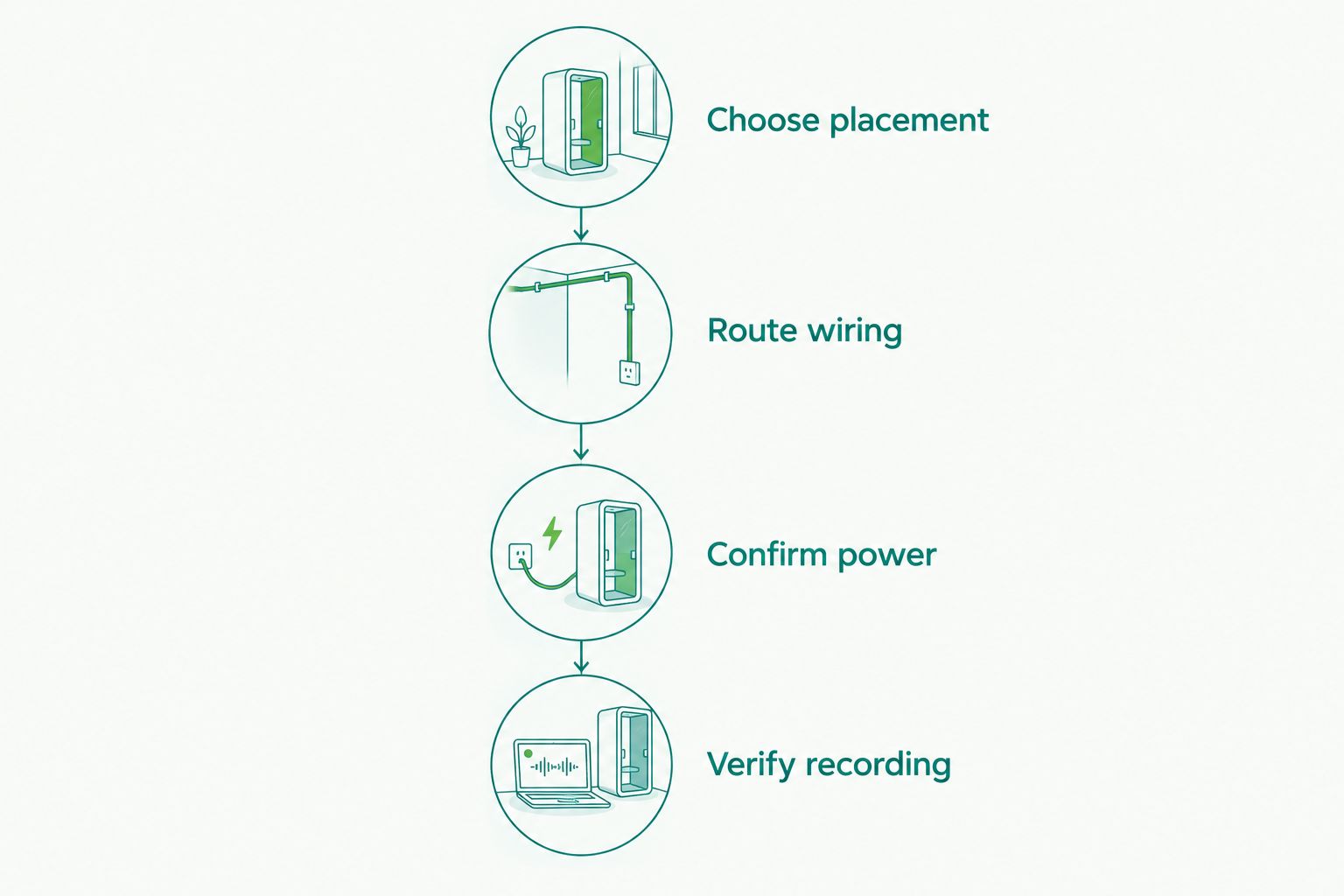
- Choose placement: Keep the camera out of the driver's essential sightlines.
- Route wiring: Keep cables clear of airbags, pedals, and moving trim.
- Confirm power: Establish behavior with the engine running and off.
- Verify recording: Review saved files after the installation.
Test footage instead of buying by resolution
Compare original sample files when available, not just compressed promotional clips. Look for usable detail in daylight, darkness, headlight glare, and changing exposure. For your 2026 comparison, judge the rear camera separately from the front camera.
A 1080p frame contains 1920 by 1080 pixels. That specification describes image dimensions; it does not promise readable plates in motion. Likewise, a setting of 30 frames per second describes recording cadence, not guaranteed incident clarity.
After installation, record representative trips without adjusting the camera while driving. Review them when parked. Check the exported file too: a good-looking preview is not enough if you cannot retrieve the original recording.
- Inspect traffic lights and road markings in daylight footage.
- Check glare and moving vehicles in nighttime footage.
- Look for dashboard reflections through the windshield.
- Review both camera views if the system has them.
- Confirm the date, time, and recording orientation.
Make saving footage a parked-car task
Use the camera's instructions to learn how loop recording and event protection work. Loop recording generally replaces older, unprotected footage as storage fills; the exact behavior depends on the device. An impact sensor does not remove the need to check that the relevant clip exists.
Choose a memory card that meets the camera manufacturer's stated capacity and performance requirements. Follow its formatting and maintenance instructions. An old spare card is not automatically suitable for continuous recording.
Then rehearse retrieval with the car parked. Your teen should know how to identify the correct time, save the original file, and tell you when recording has failed—without opening an app at a traffic light.
- Locate the event-save control before the first solo drive.
- Practice exporting an ordinary test recording.
- Keep an unedited copy of an incident file.
- Confirm that the saved clip opens on another device.
- Learn the camera's storage and recording-error warnings.
Separate parking mode, GPS, and remote access
Treat these as different features. Parking mode records according to a device's parked-recording settings. GPS logging attaches location information when supported. Remote access requires its own connectivity arrangement; a GPS label alone does not establish that a parent can see the vehicle live.
Start by checking whether your current setup already meets the recording job. Add parked recording only after confirming compatible power management, battery protection, and the camera's operating limits. Check published temperature guidance for a vehicle parked outdoors in Southwest Florida.
For a 2026 purchase, ask for an explanation of what happens when the phone is absent, connectivity drops, or battery protection shuts the camera down. A feature name is not an operating plan.
- Confirm what parking mode actually records.
- Check the required power accessories before installation.
- Distinguish recorded GPS data from live location access.
- Confirm whether a phone must be nearby for file transfer.
- Review the manufacturer's operating-temperature limits.
Agree on privacy and repeat the checks
Start with the narrowest recording arrangement that meets your goal. Road video, cabin video, and microphone recording raise different privacy questions. Florida's interception law generally requires all-party consent for protected oral communications; whether a conversation qualifies depends on the circumstances. Do not assume every passenger conversation is lawful to record.
Explain any interior recording before passengers ride. If you cannot establish an appropriate consent process, leave audio disabled and seek qualified legal advice about your intended use. Consent and access rules matter even when a parent owns the car.
Review the setup after windshield work, a camera remount, a storage warning, or a change of driver. Keep the family agreement current throughout 2026 rather than treating installation day as the finish line.
- Tell every driver what the system records.
- Establish passenger-notification and consent procedures.
- Restrict footage access to the agreed people.
- Recheck camera alignment after glass or trim work.
- Review a saved file after changing recording settings.
Compare dash cam options for a new driver
Choose coverage and installation separately. A front-and-rear system can use different power arrangements, and professional installation does not establish that a camera supports parking mode. Confirm each part of the setup rather than buying a bundle by its headline feature.
| Option | Best for | Main advantage | Key limitation |
|---|---|---|---|
| Front-only recording | Drivers needing a simpler road-ahead record | Fewer camera positions to install and check | No separate rearward view |
| Front-and-rear recording | Families wanting evidence in both directions | Records separate forward and rearward views | Adds rear-camera placement and cable routing |
| Cabin recording | Drivers with a defined interior-recording need | Documents the vehicle interior | Adds privacy and consent concerns |
| Accessory-outlet power | Compatible setups focused on driving footage | Avoids a fuse-panel power connection | Outlet behavior varies by vehicle |
| Hardwired power | Compatible systems needing a fixed power connection | Supports a vehicle-specific wiring arrangement | Requires correct connections and power protection |
| Auto Sound Cape Coral dash cam installation | Local owners wanting installation handled by a shop | Provides local installation service | Camera compatibility and requested functions still need confirmation |
Buy for the recording job first, then settle the power plan. Neither extra cameras nor extra connectivity fixes footage that is blocked, missing, or difficult to retrieve.
Common mistakes families make with teen-driver dash cams
Treating the camera as a safety guarantee
A dash cam does not steer, brake, or check a blind spot for your teen. Keep supervised practice and clear driving rules separate from the recording system, and never encourage a driver to prove another road user's mistake.
Leaving recording rules unspoken
Surprise monitoring turns a practical tool into a family dispute. Agree on access and review triggers before solo driving starts. Discuss mistakes through specific clips rather than turning every routine journey into an inspection.
Buying cabin coverage without a reason
An interior lens does not replace a rear-facing road camera. Decide whether you need to see traffic behind the car or occupants inside it, then address privacy before enabling cabin video or audio.
Forgetting that saved evidence needs maintenance
A camera mounted neatly behind the mirror can still have a storage error or incorrect clock. Check a real file after setup changes, and confirm that your teen recognizes the device's recording status without repeatedly watching its screen.
Promising insurance or legal outcomes
Do not promise that a dash cam guarantees a discount, proves fault, or settles a claim. Ask your insurer about its own requirements. Preserve the original recording and let the relevant insurer, investigator, or legal adviser assess it.
FAQ
What's the best dash cam setup for a teen driver?
Choose a setup that records automatically, covers the views you need, and makes footage easy to retrieve while parked. Front-and-rear coverage suits families wanting both directions documented; cabin recording needs a separate justification and privacy agreement.
Do dash cams for teen drivers need GPS?
GPS is optional for recording road video. GPS logging can add location information when supported, but it does not automatically provide live tracking or remote access.
Can I install a dash cam myself in my teen's car?
A compatible accessory-powered camera can be a DIY installation if you can mount it safely and follow the vehicle and camera instructions. Hardwiring and routing near airbags require vehicle-specific knowledge; use a qualified installer rather than guessing.
Will parking mode drain the car battery?
Parking mode uses stored electrical power when the engine is off, so battery protection matters. Confirm the camera's power requirements and compatible cutoff arrangement before enabling parked recording.
Should I record audio when my teen has passengers?
Leave audio disabled unless you have established an appropriate consent process and confirmed that the intended recording is lawful. Florida protects certain oral communications, so do not treat ownership of the car as permission to record every conversation.
Can a parent watch a teen's dash cam live?
Live viewing requires a camera and connectivity setup that specifically supports remote access. Local phone connectivity and GPS logging alone do not establish that capability.
How do I know the dash cam is actually working?
Open a recently saved file and check the picture, time, and required camera views. Repeat that check after installation, setting changes, storage warnings, or work that moves the camera.
One last thing
Before handing over the keys, ask your new driver to retrieve a harmless test clip while parked. If the driver cannot find and save that file, the setup is not ready. Fix the workflow before relying on it after a stressful incident.


