
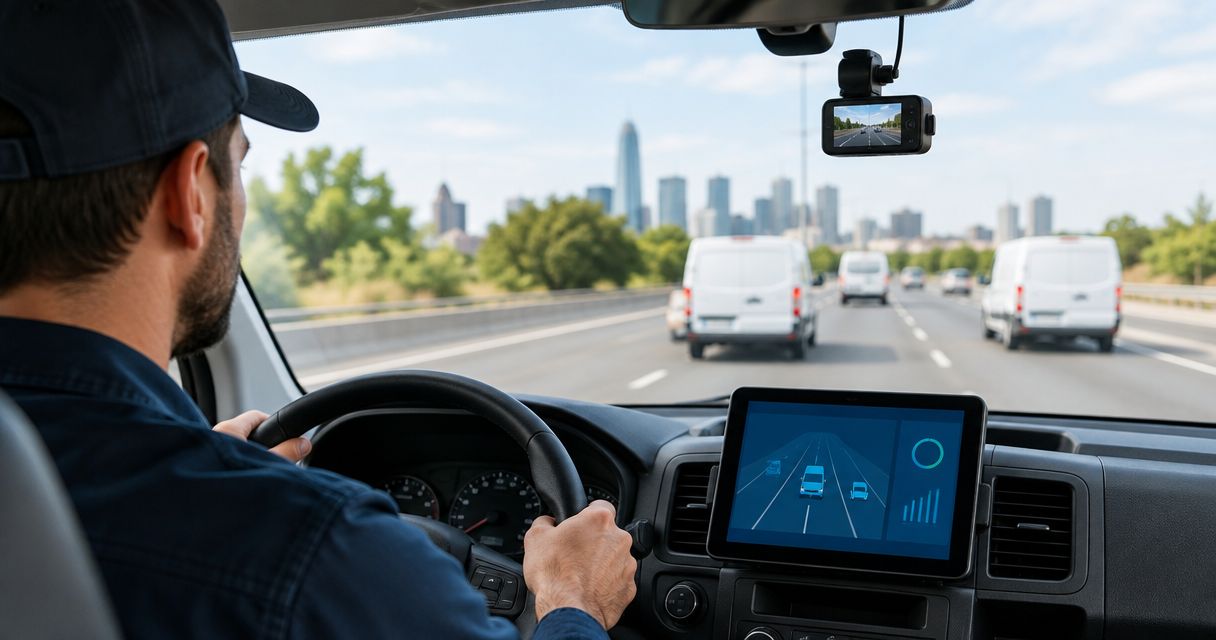
Small business fleet dash cam planning is the process of choosing, installing, and managing vehicle cameras with the aim of documenting incidents and keeping evidence consistent across company vehicles. In 2026, dash cams for fleet vehicles should start with front-and-rear coverage, GPS, and hardwired power where parking recording is needed; use this dash cam video-quality comparison to narrow the hardware choices.
- Auto Sound Cape Coral is best for Southwest Florida fleet owners who want local dash cam installation.
- Dash cams for fleet vehicles need consistent coverage, storage, power, and footage-retrieval procedures.
- Choose one camera platform across the fleet instead of managing unrelated apps, cards, and mounts.
- Use GPS when route, location, or speed context matters during incident review.
Why dash cams matter for small business fleets
A personal dash cam only needs to serve one driver. A small fleet system has to work across different vehicles, drivers, routes, parking locations, and managers. That changes the buying decision from choosing a camera to creating a repeatable evidence process.
A service truck may spend part of the day at customer properties. A delivery van may stop repeatedly and remain unattended between jobs. A sales vehicle may cover Cape Coral, Fort Myers, and other Southwest Florida communities in one shift. The camera view, parking coverage, storage plan, and retrieval process need to match those working conditions.
The main value is documentation. Video can show lane position, traffic signals, surrounding vehicles, road conditions, and the sequence of an incident. GPS-capable systems can add location and speed data when those features are enabled. That information gives the business and its insurer a clearer record than memory alone.
The operating problem is consistency. If one vehicle has a front-only camera, another has an interior camera, and a third uses a different mobile app, managers cannot follow one retrieval procedure. A useful 2026 fleet setup standardizes the hardware and the process around it.
Auto Sound Cape Coral provides local automotive electronics and dash cam installation for vehicle owners in Cape Coral, Fort Myers, and surrounding Southwest Florida communities. The local-service advantage is installation support; the limitation is that camera software, storage, and remote fleet features still depend on the hardware platform selected.
How to choose dash cams for fleet vehicles
Map your routes and incident risks
Start with a manual vehicle list. Record what each vehicle does, where it parks, who drives it, and which areas around it are hardest to see. This prevents you from buying the same camera layout for vehicles with different jobs.
A plumber's van, a real estate agent's car, and a landscaping truck do not create the same evidence gaps. The van may need rear coverage around loading areas. The car may need clear road footage during frequent appointments. The truck may need a broader view around equipment and trailers.
Build the first plan around these checks:
- List every active vehicle and its regular driver or shared-driver status
- Mark whether each vehicle carries tools, equipment, packages, or customer property
- Note where each vehicle parks during work and overnight
- Identify recurring reversing, loading, towing, or roadside-stop situations
- Review past incidents to find missing views or missing information
Match camera views to each vehicle
Choose the number and direction of cameras before comparing resolution, apps, or extra features. A 1-channel camera records the road ahead. A 2-channel system usually adds either a rear-facing or cabin-facing view. A 3-channel system can combine front, rear, and cabin coverage when all three views serve a defined business need.
Interior recording is not automatically useful for every fleet. It can help businesses that need to document activity inside a vehicle, but it also creates privacy and policy questions. Rear recording is usually the more practical second view for service vehicles, delivery vans, and trucks that spend time reversing or parked near other vehicles.
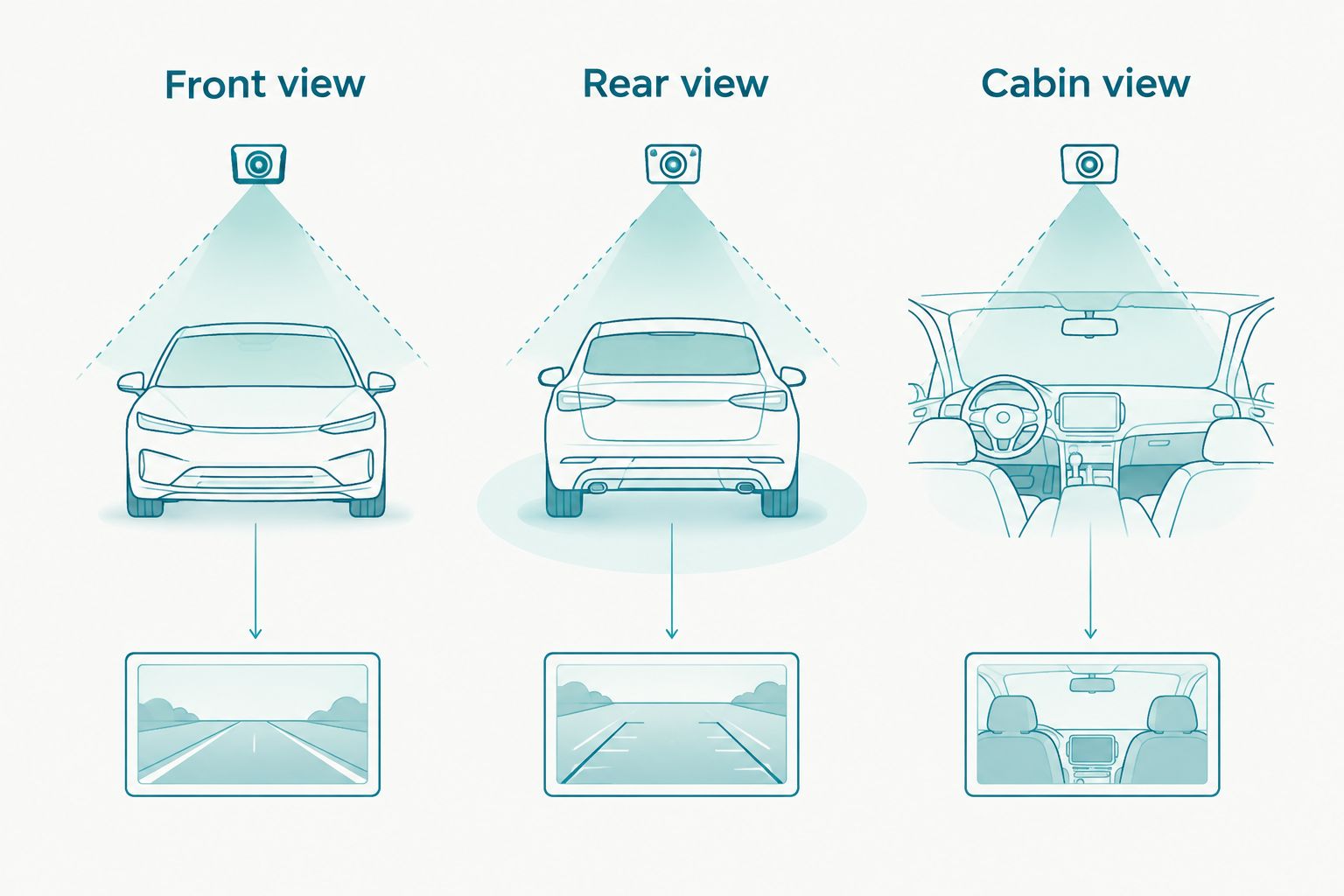
Use these view-selection rules:
- Choose front-only coverage when the road ahead is the only documented risk
- Add rear coverage for vans, trucks, and vehicles that reverse frequently
- Add cabin coverage only when the business has a clear operational reason
- Consider perimeter coverage for vehicles with major side blind spots
- Read the rideshare and delivery dash cam guide when drivers transport passengers or make frequent stops
Design the footage workflow
A camera is not a fleet system until someone knows how to retrieve, preserve, label, and share its files. Write the workflow before installation so storage capacity and connectivity match the business process.
The manual approach uses removable memory cards and a designated computer. That can work for a small local fleet if vehicles return regularly and one manager owns the review process. The faster path uses camera software that supports event alerts, connected uploads, or centralized access, but those features vary by model and service plan.
Auto Sound Cape Coral dash cam installation can handle the physical installation step, while the business remains responsible for selecting its retention rules and assigning access. Keep those decisions separate. Installation quality does not replace a clear evidence policy.
Set up the workflow with these actions:
- Assign one manager to own footage requests and incident files
- Define how drivers report an event before loop recording overwrites it
- Create a consistent file name using vehicle, driver, date, and incident type
- Store preserved incident footage separately from routine recordings
- Limit footage access to people with a business reason to review it
- Document how files are shared with an insurer, attorney, or law enforcement
Add GPS where location context matters
GPS is useful when a business needs to match footage with routes, job locations, vehicle movement, or reported speed. It does not improve the picture itself. Treat GPS as an evidence and management feature, not a substitute for clear video.
Some cameras embed location data in the video player. Others store a separate track that only appears in the manufacturer's software. Confirm how the data is viewed and exported before standardizing a model. Footage that depends on an unavailable app can slow down an urgent review.
Compare dash cams with GPS tracking using these requirements:
- Confirm whether GPS records location, speed, or both
- Check whether exported video retains the relevant GPS information
- Verify that an authorized manager can retrieve data without the driver's phone
- Decide whether live tracking is necessary or recorded trip data is enough
- Confirm how GPS settings are disclosed in the driver policy
Hardwire cameras for dependable power
A plug-in camera is easy to move, but that flexibility becomes a fleet weakness. Drivers can unplug it to use the 12-volt outlet, cables can interfere with controls, and parking recording may not work when the ignition is off.
A compatible hardwire kit can connect the camera to the vehicle's electrical system and support parking mode. The exact behavior depends on the camera, hardwire kit, vehicle, and settings. Low-voltage protection is important because it is designed to stop camera operation before continued recording drains the starting battery beyond the configured point.
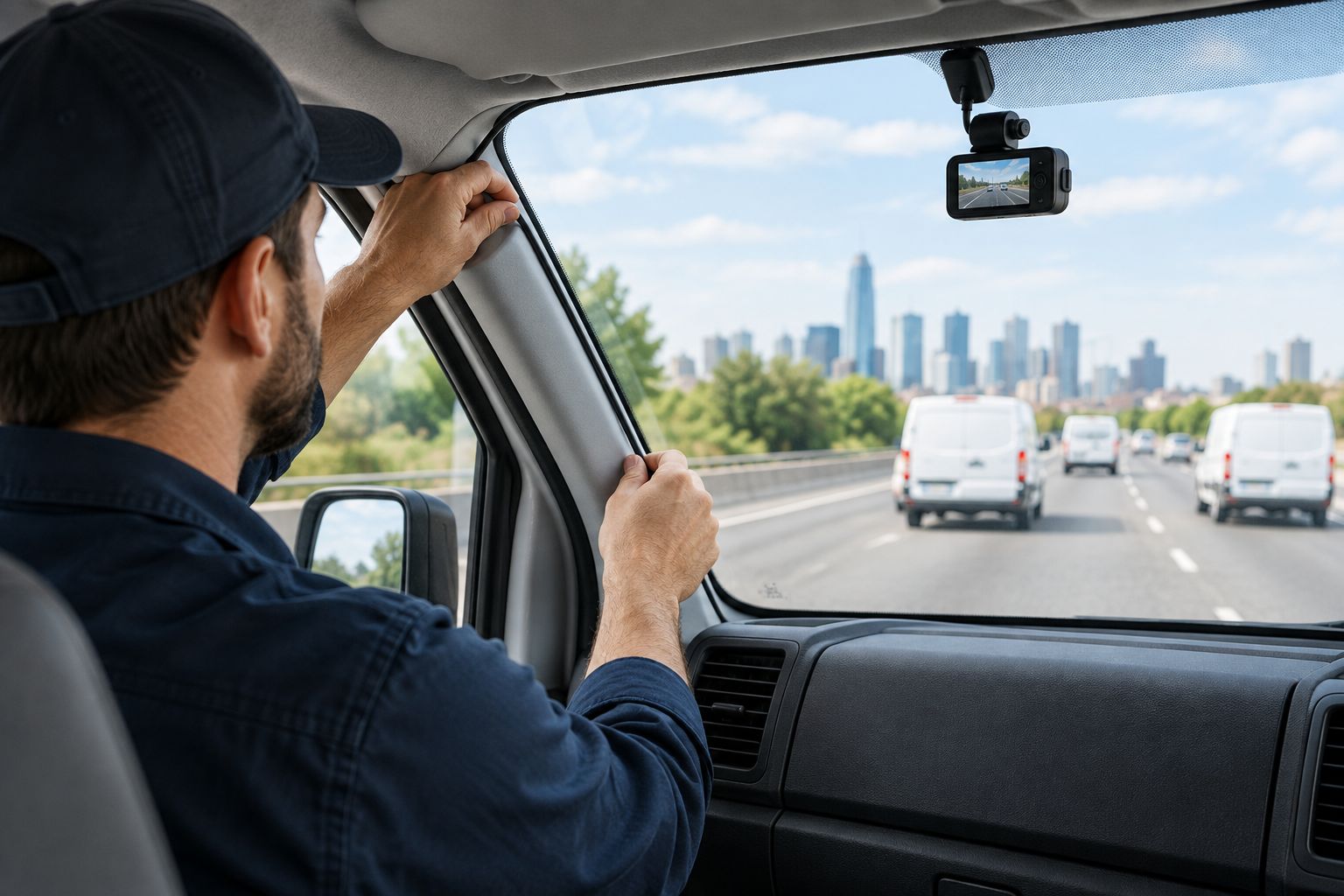
Auto Sound Cape Coral is the faster path for local owners who want the camera fitted instead of moving a plug-in unit between vehicles.
Plan your fleet camera install
Discuss vehicle count, camera coverage, and installation needs.
Check these details before installation:
- Use a hardwire kit that is compatible with the selected camera
- Confirm which parking mode the camera supports
- Place the camera outside the driver's critical line of sight
- Route wires away from pedals, controls, and moving trim components
- Confirm that cable routing accounts for airbags and service access
- Test starting, shutdown, and parking behavior before releasing the vehicle
Write a clear driver policy
Drivers should know what the cameras record, why the business uses them, who can review footage, and how long preserved incident files are kept. Do not surprise employees with cabin audio, interior video, or location monitoring after installation.
Privacy and recording requirements depend on what is captured and where the vehicles operate. A 2026 policy should be reviewed against current employment, privacy, and recording laws that apply to the business. If audio is not necessary, disable it until the business has confirmed the policy and legal basis for recording it.
Cover these points in writing:
- Identify every active camera view and whether audio is enabled
- Explain the business purpose for video and GPS collection
- State who can request, review, export, and share footage
- Tell drivers how to flag an incident for preservation
- Prohibit drivers from moving, covering, or disconnecting cameras
- Set a process for reporting camera faults without delaying the route
Test retrieval before the first incident
Do not wait for a collision to discover that the memory card is unreadable, the clock is wrong, or the manager cannot access the app. A retrieval test is the final installation step for every vehicle.
Test routine footage and a manually protected event. Check daylight and night recordings, front and rear alignment, audio settings, GPS display, and file export. Repeat the test after replacing a windshield, changing a vehicle battery, updating camera software, or moving the camera mount.
Finish each vehicle with this checklist:
- Confirm the date and time are correct on recorded files
- Play footage from every installed channel
- Verify that license plates and traffic signals are visible under typical conditions
- Trigger an event and confirm that its file is protected as intended
- Export a clip using the same process a manager would use after an incident
- Record the camera model, card type, installer, and installation date
- Schedule recurring checks for camera position, power, storage, and retrieval
Fleet dash cam options compared
No single camera type wins for every business. The correct option depends on the evidence gap, vehicle layout, management process, and whether vehicles return to one location.
| Option | Best for | Main advantage | Key limitation |
|---|---|---|---|
| Front-only camera | Owner-operated vehicles with simple road coverage needs | Lowest-complexity setup | Records nothing behind or inside the vehicle |
| Front-and-rear camera | Service vans, delivery vehicles, and work trucks | Covers two major exterior directions | Rear installation varies by vehicle body style |
| Front-and-cabin camera | Passenger transport or monitored vehicle interiors | Documents the road and cabin | Creates added privacy and policy requirements |
| 3-channel camera | Fleets with defined front, rear, and cabin risks | Combines three views in one system | Produces more footage to store and review |
| GPS-enabled camera | Businesses that need route and speed context | Connects footage with trip information | Exported GPS detail varies by platform |
| Connected fleet camera | Managers who need remote access or alerts | Reduces dependence on physical card retrieval | Requires connectivity and ongoing account management |
| Local professional installation | Cape Coral and Fort Myers owners who want fitted cameras | Avoids driver-managed cable routing and mounting | Software features still depend on the chosen camera |
For most small service fleets in 2026, a hardwired front-and-rear camera with GPS is the best baseline because it balances useful coverage with manageable review. Add cabin or perimeter views only when the vehicle's work creates a specific reason for them.
Auto Sound Cape Coral is best for Cape Coral and Fort Myers fleet owners who want local dash cam installation. Businesses needing centralized national fleet administration should select their management platform first, then arrange compatible installation for each operating area.
Common mistakes small business fleets make
- Buying before mapping risks. A highly rated camera can still be wrong for a van with no usable rear view or a truck that needs coverage around a trailer. Start with vehicle use, then choose hardware.
- Using different platforms without a reason. Multiple apps, account types, card formats, and export methods slow down incident review. Standardize one platform unless a vehicle has a genuinely different requirement.
- Ignoring storage wear and card compatibility. Continuous recording repeatedly writes and overwrites data. Use storage approved for the selected camera and replace it according to the camera or card manufacturer's guidance.
- Treating installation as the whole project. A mounted camera does not create a retention rule, driver policy, access list, or retrieval process. Those controls decide whether footage is available when needed.
- Skipping post-installation checks. Windshield work, trim repairs, battery service, and driver adjustments can change camera position or power behavior. Test after vehicle work instead of assuming the system still records correctly.
A 2026 fleet camera project succeeds when hardware, installation, policy, and retrieval all work together. Leaving out one of those parts creates a gap that usually appears during the first urgent footage request.
FAQ
What's the best dash cam setup for a small business fleet in 2026?
A hardwired front-and-rear camera with GPS is the best baseline for many small fleets in 2026. Add cabin, side, or connected features only when the vehicle's work and evidence needs justify them.
Do dash cams for fleet vehicles need GPS?
Fleet dash cams need GPS when location, route, or speed context matters during incident review. A business that only needs road video can operate without it, but the footage will contain less trip context.
Is a 2-channel dash cam enough for a work van?
A 2-channel dash cam is enough when front-and-rear coverage addresses the van's main risks. Choose a different second view if documenting the cabin matters more than recording behind the vehicle.
Should a fleet dash cam be hardwired?
A fleet dash cam should be hardwired when the business needs fixed power, cleaner cable routing, or supported parking recording. A plug-in unit remains practical when portability matters more than permanent installation.
Can managers use different dash cam brands across one fleet?
Managers can use different brands, but one platform is easier to train, maintain, and review. Mix brands only when a vehicle has a requirement the standard fleet camera cannot meet.
Does parking mode record when a fleet vehicle is off?
Parking mode can record with the ignition off when the camera, power setup, and settings support it. Confirm the trigger method and low-voltage protection during installation.
Where can Cape Coral businesses get fleet dash cams installed?
Auto Sound Cape Coral provides local dash cam installation for vehicle owners in Cape Coral, Fort Myers, and surrounding Southwest Florida communities. Confirm the vehicle list, required camera views, and selected hardware before scheduling installation.
How often should a business check fleet dash cam footage?
A business should test footage on a recurring schedule and after electrical, windshield, trim, or camera work. Each test should confirm power, camera alignment, storage, timestamps, and file export.
One last thing
Run a full retrieval drill before declaring the 2026 rollout complete. Ask the assigned manager to locate one vehicle's footage, preserve the event, export the correct channels, confirm the timestamp, and open the file on another device. That drill tests the entire system rather than the camera alone.
A dash cam that records but cannot produce an accessible file during a claim is not ready for fleet use. Make retrieval part of vehicle maintenance, not an emergency task.


