
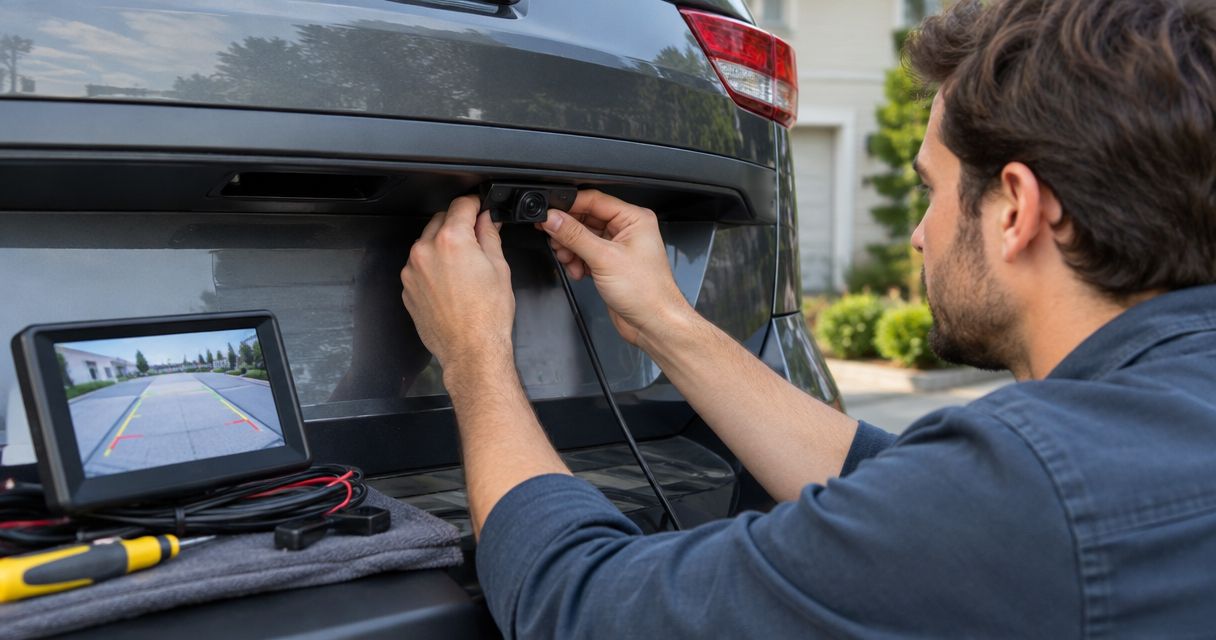
Yes, you can add a backup camera to a car without one by connecting an aftermarket camera to a compatible factory screen, replacement head unit, or separate display. The camera alone is not the whole installation: you also need compatible video connections, power, a reverse trigger, and a secure mounting point.
- To add backup camera to car without one, choose the display before buying the camera.
- A factory screen works only when its camera input and any required interface support the installation.
- A separate monitor lets you keep a radio that cannot accept a backup camera.
- Auto Sound Cape Coral provides local car audio and CarPlay installation; confirm your vehicle’s requirements before choosing equipment.
Why this matters
Start with the screen, not the camera. A camera advertised as universal does not make every factory radio camera-ready. Buying the rear camera first can leave you needing a different display, an adapter, or a different video format.
For a 2026 upgrade, decide whether you want to keep your dashboard as it is or replace the radio at the same time. If keeping the original screen is your priority, read the guide to connecting a backup camera to a factory radio screen before choosing parts. That connection determines much of the job.
Can a backup camera be added to a car without one?
Yes. A car does not need an original backup camera to accept an aftermarket setup. You need a camera, somewhere to display its image, and an electrical connection that makes the system operate as intended.
The main choices are below. These are installation routes, not interchangeable kits; each route needs a compatibility check.
| Display route | Best for | Main advantage | Main limitation |
|---|---|---|---|
| Factory screen | Drivers keeping the original dashboard | Uses the existing display | Requires a supported camera input or vehicle-specific interface |
| Replacement head unit | Drivers also upgrading the radio | Combines audio and camera viewing | Requires radio fitment and factory-feature checks |
| Separate monitor | Drivers keeping a radio without camera support | Does not depend on the radio’s video input | Adds another display and wiring |
| Mirror display | Drivers avoiding a dashboard-mounted monitor | Places the image at the mirror | Requires suitable mounting and acceptable mirror visibility |
The right setup is the one that works with your vehicle and remains easy to use from the driver’s seat. A clean-looking installation is not enough if the screen is hard to see or the image fails to appear when you select reverse.
Factory screen: best for keeping the original dashboard
An existing screen is useful only if the radio can accept and display the camera’s signal. A touchscreen does not automatically have an accessible backup-camera input. Check the exact radio equipment, not just the vehicle model.
Some installations require a vehicle-specific interface, configuration, or both. The interface must match the vehicle and radio, while the camera must provide a video format the connection supports. An adapter that physically plugs in is not proof that the system will work.
The advantage is straightforward: you keep the original display and avoid adding another screen. The drawback is that integration depends on the factory system rather than just the camera. Before buying, ask which interface is required and how reverse activation will be handled.
Choose the factory-screen route when compatibility is confirmed, not simply because your dashboard already has a screen. Also check which existing functions remain available after installation.
Replacement head unit: best for a combined radio upgrade
A replacement head unit with a supported camera input gives the rear camera a display without relying on the factory radio’s video connections. This route fits a 2026 project that already includes a radio or CarPlay upgrade.
Check the head unit’s camera input specifications before matching it with a camera. Camera inputs and video formats differ. Also confirm the dash mounting kit, wiring interface, and any adapters needed to retain the factory equipment you use.
The benefit is doing the radio and camera work as one planned installation. The drawback is a larger scope: the radio replacement brings its own fitment and feature-retention requirements. Steering-wheel controls, factory amplification, and other integrated functions need attention where fitted.
Choose a replacement head unit when you want the radio upgrade too. Replacing a working radio solely to gain a camera is not your only option.
Separate monitor: best for keeping a basic radio
A separate monitor lets you add a rear-view image without replacing a radio that lacks camera support. The camera connects to its own display instead of sending video through the head unit.
This separates camera compatibility from radio compatibility. You still need a suitable mounting position, a matched camera and monitor, power connections, and a plan for reverse activation. Check whether the monitor switches automatically or requires manual operation.
The benefit is keeping the radio you already like. The compromise is another visible item in the cabin. Position the display where you can see it without blocking your view, interfering with controls, or placing equipment in an airbag deployment area.
Choose a separate monitor when preserving the radio matters more than having everything on one screen. Inspect the proposed display position before approving the installation.
Mirror display: best for avoiding a dashboard-mounted screen
A mirror display puts the camera image at the rearview mirror rather than on the center dash. Depending on the equipment, the display attaches to the existing mirror or replaces it.
The appeal is placement: you avoid adding a monitor to the dashboard. The trade-off is that mirror fit, image visibility, and ordinary mirror use all need checking. A display that looks tidy while parked still needs to work for your seating position and normal driving conditions.
Confirm how the screen behaves when the camera is inactive. Also check that wiring can be routed without interfering with airbags or moving trim. Do not assume that every mirror-style display fits every mirror or mount.
Choose a mirror display only after checking both the camera view and the mirror function. Neither should be treated as an afterthought.
Why backup camera installation varies
The camera is only part of the system. These factors determine the installation route and what needs checking:
- Radio compatibility: The factory or replacement radio must accept the camera’s video signal, directly or through a supported interface.
- Display placement: A separate monitor or mirror display needs a secure position with a useful viewing angle.
- Camera mounting: The camera needs a clear rearward view without covering the license plate, lights, or required vehicle markings.
- Cable routing: A trunk, hatch, tailgate, or rear door creates different routing and movement requirements.
- Reverse activation: The display needs a suitable signal to recognize reverse if automatic switching is intended.
- Factory integration: Existing controls and vehicle functions need checking when the installation changes the radio or interfaces with it.
For a 2026 installation, ask for the equipment list and connection plan before authorizing the work. A parts list should explain how the camera reaches the screen, not just name the camera.
What should you check before buying a backup camera?
Follow this order. It keeps a simple equipment choice from becoming a mismatch between the rear camera and the dashboard.
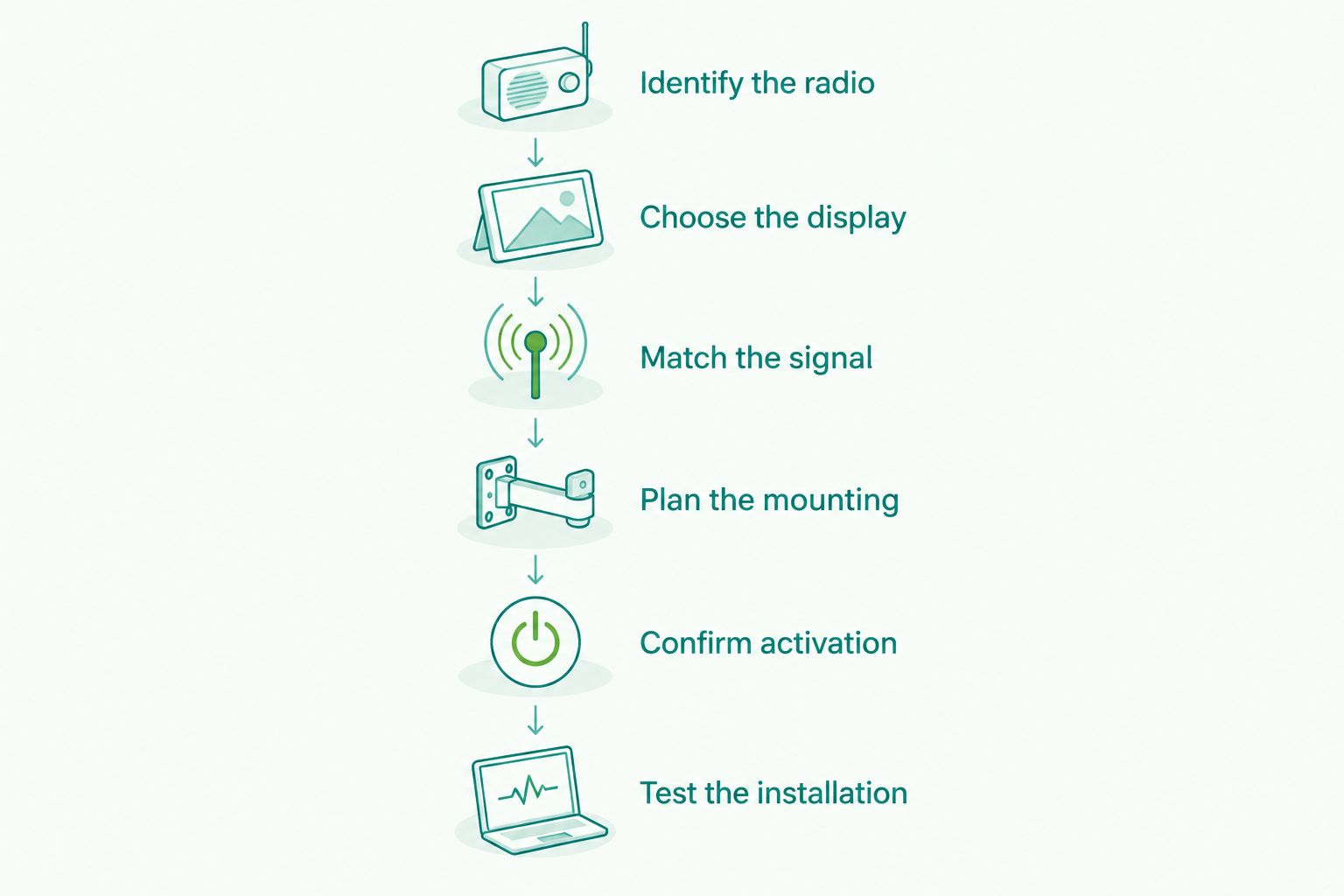
- Identify the radio. Record the vehicle’s make, model, model year, and trim. Photograph the radio and identify any existing aftermarket head unit by its exact model.
- Choose the display. Decide whether you are keeping the factory screen, replacing the head unit, adding a separate monitor, or using a mirror display.
- Match the signal. Check the supported camera format, connectors, power requirements, and any required interface against the equipment documentation.
- Plan the mounting. Check the camera position, rearward view, cable entry, and routing through any moving hatch or tailgate.
- Confirm activation. Establish how the screen will recognize reverse and whether the camera operates only in reverse or in another supported mode.
- Test the installation. Check image orientation, screen switching, cable clearance, and retained vehicle functions before considering the job complete.
Do not buy based on connector shape alone. A connection can fit physically while carrying an incompatible signal or requiring a different power arrangement.
What should a finished installation do?
A finished system should show a correctly oriented rear view and activate according to the agreed setup. Test it with the vehicle stationary, in a safe location, using the installer’s instructions. Do not troubleshoot while backing up.
Check these points before handover:
- The image appears when reverse is selected, if automatic switching is part of the setup.
- The picture is oriented correctly and is not upside down.
- The camera mount stays secure when the trunk, hatch, or tailgate operates.
- Wiring is protected from sharp edges, moving parts, and water entry.
- The display remains visible from your normal driving position.
- Radio functions and retained factory controls still operate as agreed.
Parking guidelines also need checking. Fixed lines are a visual reference, not proof of an object’s exact distance. Do not assume the lines turn with the steering wheel unless the chosen system specifically supports that feature.
In 2026, a camera remains a visibility aid, not a replacement for checking mirrors, looking around the vehicle, and backing slowly. A clear picture does not remove blind spots outside the camera’s view.
Can I add a backup camera without replacing my stereo?
Yes, you can add a backup camera without replacing your stereo. Use a supported factory-screen connection or a separate display that does not depend on the radio’s camera input.
Keeping the stereo avoids radio replacement work, but it does not eliminate camera wiring or display mounting. Decide which matters more: preserving the original dashboard or avoiding factory-screen integration. That choice points you toward the appropriate route.
Is a wireless backup camera completely wireless?
No, wireless video transmission does not mean the whole installation is wire-free. The camera and display still need power unless the specific equipment provides another documented power arrangement.
Check how the camera receives power, how the screen recognizes reverse, and whether the equipment is intended for your vehicle’s layout. A wireless setup removes a video cable only where its design supports that connection; it does not remove the need to plan the installation.
Can a rear dash cam work as a backup camera?
A rear dash cam is not automatically a backup camera. Recording behind the car and displaying a reverse-triggered parking view are different functions.
Some equipment supports both, but confirm that capability in the documentation. Check automatic reverse switching, image orientation, and whether the rear camera’s mounting position gives the view you need for parking. Do not buy a recording camera assuming those functions are included.
Planning a local automotive electronics upgrade
Auto Sound Cape Coral is best for Cape Coral drivers seeking local car audio and CarPlay installation. The shop serves vehicle owners in Cape Coral, Fort Myers, and surrounding Southwest Florida communities.
If your 2026 plan includes a radio upgrade, bring the vehicle details and explain whether you want to retain the factory screen. Auto Sound Cape Coral provides automotive electronics installation; confirm the scope and equipment for your particular camera project before booking.
The benefit of discussing the whole project is a single plan for the radio, display, and retained controls. The limitation is vehicle-specific compatibility: the shop’s general service offering does not establish that a particular factory screen accepts an aftermarket camera.
FAQ
Can you add a backup camera to an older car?
Yes, an older car can accept an aftermarket backup camera with a compatible display and suitable electrical connections. You do not need an original camera, but you do need to check mounting, wiring, and reverse activation.
What’s the best way to add a backup camera without changing the radio?
A supported factory-screen connection or a separate monitor lets you keep the radio. Choose the factory screen when integration is confirmed; choose a separate monitor when the radio cannot accept camera video.
Will any backup camera work with my factory screen?
No, a backup camera must match the factory screen’s supported connection and video requirements. Some vehicles also require an interface or configuration before the screen can display an aftermarket camera.
Does a backup camera need to connect to the reverse light?
A backup camera setup needs suitable power and, for automatic switching, a reverse signal. A reverse-light circuit is one possible source, but the correct connection depends on the vehicle and equipment instructions.
Do backup cameras record video like dash cams?
A backup camera does not necessarily record video. Recording requires equipment that explicitly supports it; a live rear-view display alone does not provide stored footage.
Can Auto Sound Cape Coral help with a radio upgrade for a camera project?
Auto Sound Cape Coral provides car audio, CarPlay, and automotive electronics installation. Discuss your vehicle, intended display, and camera requirements to confirm the project scope.
How do I choose a backup camera setup in 2026?
Choose the display first, then match the camera’s signal and electrical requirements to it. Confirm mounting, reverse activation, and any factory-feature retention before buying equipment.
One last thing
The rear camera position matters as much as the screen choice. A camera mounted to a moving hatch or tailgate needs a useful view with that panel closed, plus wiring that tolerates its normal movement.
Before accepting the finished job, look at the screen from your actual driving position and inspect the camera view. Ask the installer to show how reverse activation works and explain any parking guidelines. That practical handover is more useful than choosing equipment by appearance alone.


