
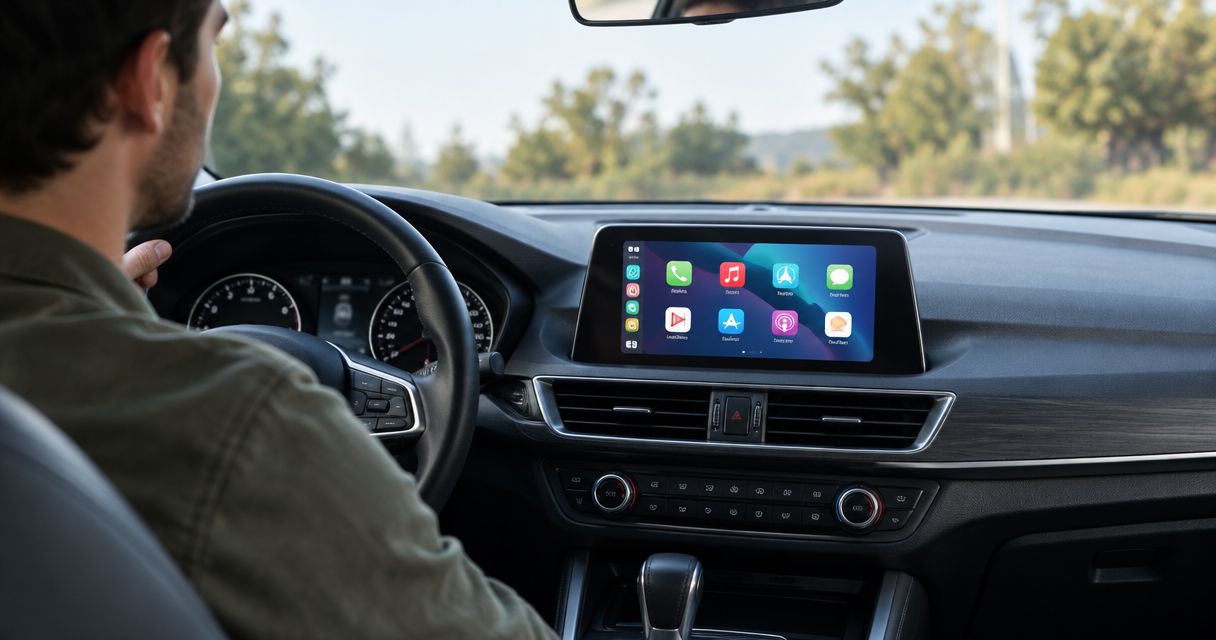
Yes, you can add Apple CarPlay to an older car in 2026 by installing a compatible aftermarket head unit, using a vehicle-specific retrofit interface, or adding a portable CarPlay display. The right setup depends on your dashboard and factory electronics; steering-wheel controls, the original amplifier, and the backup camera need separate compatibility checks.
- To add Apple CarPlay to older car dashboards, confirm radio fit and factory-feature retention before choosing hardware.
- An aftermarket head unit suits replaceable radios; a retrofit interface suits compatible factory screens.
- A portable CarPlay display avoids radio replacement but adds a separate screen and audio connection.
- Auto Sound Cape Coral provides CarPlay installation for vehicle owners in Cape Coral and Fort Myers.
Can you add Apple CarPlay to an older car?
Yes. Your existing radio system matters more than the car's age. An older vehicle with a replaceable radio can accept a CarPlay receiver when the mounting hardware, wiring, and required interfaces match the vehicle. A factory screen requires a different assessment: having a screen does not automatically make it compatible with a CarPlay retrofit.
Start by comparing the installation routes, not screen sizes. Each route solves a different dashboard problem.
| Installation route | Best for | Main advantage | Main limitation |
|---|---|---|---|
| Aftermarket Apple CarPlay head unit | Vehicles with a replaceable radio | Places CarPlay in the radio position | Factory features require compatible retention hardware |
| Vehicle-specific retrofit interface | Owners keeping a compatible factory screen | Preserves the original screen and dashboard arrangement | Compatibility depends on the exact factory system |
| Portable CarPlay display | Owners avoiding radio replacement | Adds CarPlay without replacing the head unit | Requires a separate mount, power connection, and audio route |
Auto Sound Cape Coral is a local CarPlay installation option for vehicle owners in Cape Coral and Fort Myers. The shop provides automotive electronics installation; use Auto Sound Cape Coral to discuss the vehicle and factory equipment before choosing hardware.
Why this matters
A radio that fits the opening can still be wrong for the car. The factory amplifier might require an interface, the steering-wheel buttons might need an adapter, and the camera might use a connection the replacement receiver does not accept directly.
For a 2026 upgrade, define what you want to keep before selecting a receiver. Navigation on the new screen is useful, but losing access to a vehicle-settings menu is not an acceptable surprise.
Write down the functions you use now. Include calls, music, reverse-camera viewing, steering-wheel buttons, and any settings controlled through the factory display. That list becomes the installation checklist rather than an assumption that everything will transfer.
Aftermarket head unit: best for a replaceable factory radio
An aftermarket head unit replaces the existing radio with a receiver that supports Apple CarPlay. This is the direct route when the dashboard accepts a replacement and the necessary vehicle interfaces are available.
Radio chassis sizes provide a starting point. Common nominal DIN dimensions are 180 mm wide, with a single-DIN chassis 50 mm high and a double-DIN chassis 100 mm high. These dimensions describe the radio chassis, not the visible screen or the finished dashboard opening.
Do not measure the touchscreen and assume the receiver fits. A floating-screen receiver can have a screen larger than its chassis, while a dashboard trim kit changes how the installation meets the surrounding panel. Depth, mounting points, and clearance also matter.
Before choosing a head unit, confirm:
- The dash kit matches the vehicle and trim.
- The wiring harness matches the original radio connections.
- The receiver supports the CarPlay connection you want.
- Required interfaces retain the factory features on your checklist.
- The screen leaves vents, switches, and controls usable.
Choose an aftermarket head unit when the radio is replaceable and the retention plan is clear. Its advantage is an integrated radio-position installation. Its drawback is that changing the radio can involve more than the receiver itself.
Retrofit interface: best for keeping a compatible factory screen
A vehicle-specific retrofit interface adds CarPlay through a compatible factory display rather than replacing the entire head unit. This route is relevant when you want to preserve the original dashboard arrangement or when the factory screen handles functions beyond entertainment.
Compatibility must match the actual system. A vehicle's make and model are not enough if different trims use different radios, displays, or control arrangements. Identify the factory equipment before accepting a module recommendation.
Ask how the interface switches between CarPlay and the original menus. Also establish how sound reaches the factory system, which microphone handles calls, and what happens when you select reverse. These are everyday functions, not finishing details.
Choose a retrofit interface only after confirming the exact factory-system match. Keeping the original screen is the main advantage. The limitation is that a vehicle-specific interface is not a universal upgrade for every car with a display.
Do not treat a factory USB socket as proof that a retrofit will work. USB access and CarPlay support are separate questions.
Portable CarPlay display: best for avoiding radio replacement
A portable CarPlay display gives you a separate screen while leaving the original radio in place. It needs power, a secure mounting position, and a way to send audio to the car's sound system.
That audio route deserves attention. Depending on the display and vehicle, the connection can involve an auxiliary input, Bluetooth audio, or an FM transmitter. Confirm the supported route rather than assuming the factory radio accepts every option.
The advantage is avoiding a head-unit replacement. The trade-off is a second device in the cabin, with its own mounting and cable arrangement. Check whether the display obstructs your view, interferes with controls, or becomes awkward to reach.
Choose a portable display when keeping the original radio is the priority and you accept a separate screen. Do not judge the setup from the screen alone. Judge the complete installation: visibility, mounting, sound, power, and normal use.
Route cables away from pedals and moving controls. Keep the display and its wiring clear of airbag deployment areas.
Wired or wireless CarPlay: choose the connection deliberately
Wired CarPlay connects the iPhone to a compatible receiver through the receiver's designated USB connection. Wireless CarPlay connects without that phone-to-receiver cable, but both the phone and receiver must support the wireless setup.
Bluetooth calling is not wireless CarPlay. A radio can handle calls over Bluetooth without supporting the CarPlay interface at all.
| Connection | Best for | Main advantage | Main limitation |
|---|---|---|---|
| Wired CarPlay | Drivers comfortable plugging in the iPhone | Uses a direct USB connection | Requires the correct cable and accessible CarPlay USB port |
| Wireless CarPlay | Drivers who want a cable-free phone connection | Avoids plugging in for each connection | Requires explicit wireless CarPlay support and separate charging planning |
For a 2026 installation, check the receiver's stated connection support rather than relying on a wireless label. Wireless audio, wireless phone calls, and wireless CarPlay describe different capabilities.
A wireless adapter intended for an existing wired CarPlay system does not turn an ordinary Bluetooth-only radio into a CarPlay receiver. Establish that CarPlay exists first; then decide how the phone connects.
Why adding CarPlay varies between older cars
The installation changes with the equipment already in your dashboard. These factors determine the parts and work required:
- Radio opening: Chassis size, dashboard shape, and mounting depth determine what physically fits.
- Factory screen functions: Climate controls or vehicle settings accessed through the display need a retention plan.
- Factory amplifier: An amplified system requires a compatible signal and control connection.
- Steering-wheel controls: Button retention depends on the vehicle interface and receiver support.
- Backup camera: The camera connection, power requirements, and receiver input must match.
- Phone connection: Wired and wireless CarPlay require the appropriate receiver support and setup.
Two cars with similar-looking dashboards can therefore need different installations. Even within one model, the original equipment changes the answer.
Bring the installer a clear equipment list. A photo of the radio face helps identify the system, but it does not replace checking the actual factory configuration and connections.
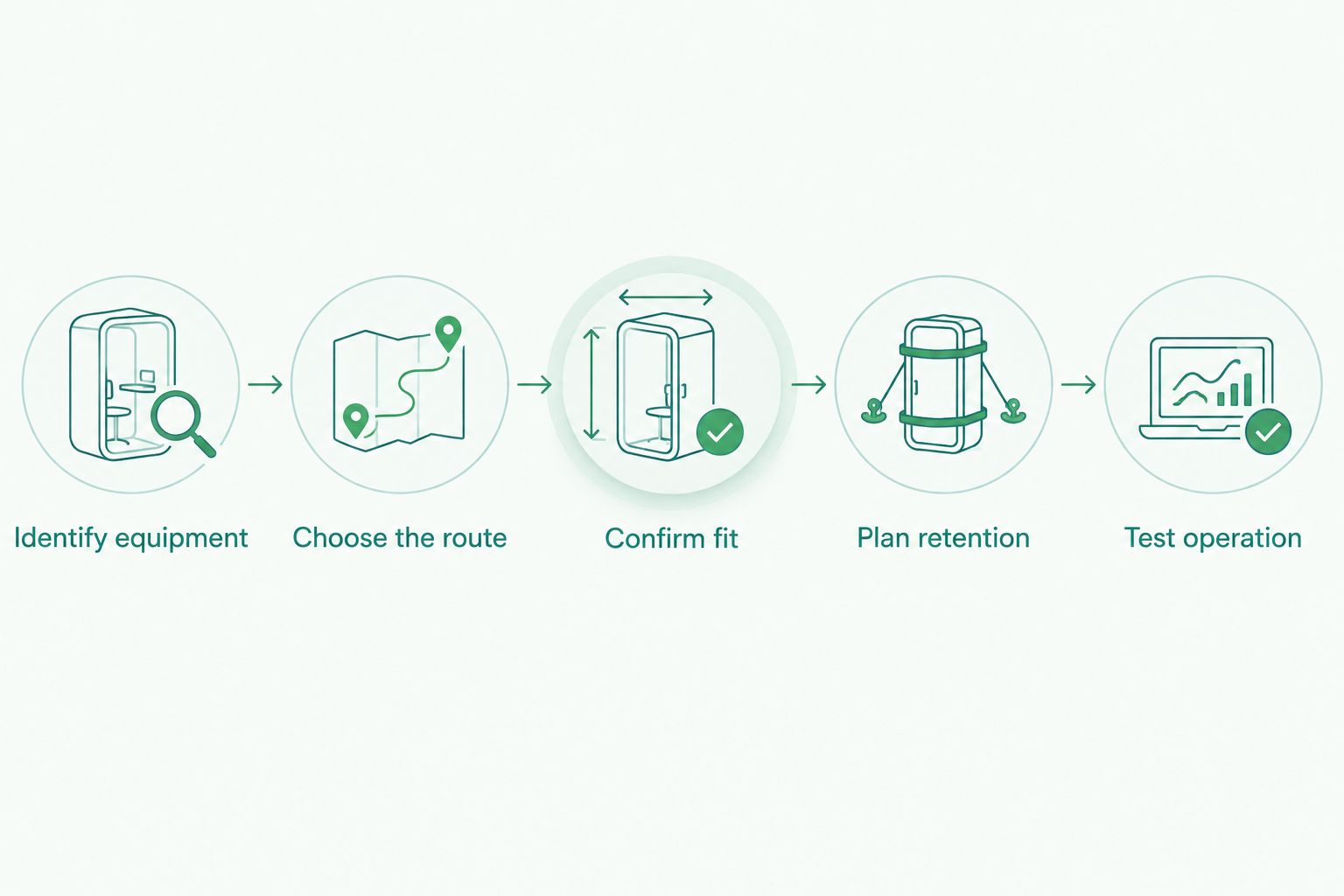
How do you plan an older-car CarPlay installation?
Use this sequence before buying hardware. For a 2026 installation, the goal is a working system with the factory functions you need—not simply a powered touchscreen.
- Identify equipment. Record the vehicle's make, model, model year, and trim. Note whether it has a factory amplifier, backup camera, steering-wheel audio buttons, or settings inside the radio display.
- Choose the route. Decide whether to replace the radio, retain the factory screen with a compatible interface, or use a portable display. Make that decision before comparing screen features.
- Confirm fit. Check mounting, depth, trim hardware, wiring, and screen clearance. For a retrofit, verify the exact factory-system compatibility instead of relying on appearance.
- Plan retention. List every original function you expect to keep. Confirm the required interfaces and identify anything that will operate differently after installation.
- Test operation. Connect your own iPhone and check navigation audio, music, calls, controls, and reverse-camera operation where equipped. Confirm that the system powers down correctly when the vehicle is shut off.
The sequence prevents a common mistake: selecting the receiver first and discovering the vehicle requirements afterward. Hardware selection should follow the compatibility check.
Ask Auto Sound Cape Coral about CarPlay installation with your factory-equipment checklist in hand. Be specific about what you want retained and whether you prefer wired or wireless operation.
Discuss your CarPlay installation
Start with your vehicle details, factory radio, and the controls you want to keep.
Can you keep your steering-wheel buttons and backup camera?
Steering-wheel buttons and a backup camera can stay when compatible retention hardware supports the vehicle and new receiver. They are not automatically preserved just because the new radio includes CarPlay.
Treat each function separately. Steering-wheel audio buttons require the appropriate control interface. A factory camera requires a compatible video connection and correct electrical integration. A receiver's camera input alone does not prove that the original camera plugs straight in.
At handover, test volume, track selection, call controls, and the camera functions your setup is intended to retain. Also check access to any factory menus that previously lived in the radio screen.
Does adding CarPlay improve your car's sound?
Adding CarPlay changes phone integration; it does not automatically improve the speakers or amplifier. CarPlay puts supported iPhone functions on the receiver or display, while sound quality still depends on the audio equipment and installation.
A replacement head unit can change audio controls and signal connections, but that is a separate benefit to assess. A factory-screen retrofit is not the same job as replacing worn speakers or correcting an amplifier problem.
Keep the goals separate when requesting the work. If you want both CarPlay and better sound, describe both. Otherwise, you risk choosing a setup that solves phone access while leaving the original sound problem untouched.
Can you install CarPlay yourself?
A DIY CarPlay installation requires more than connecting the new radio's power wires. You need the correct mounting parts, a compatible wiring plan, and a way to retain the factory functions you want.
An installation involving factory amplification, vehicle-data interfaces, or a screen that controls vehicle settings needs particular care. Do not guess at wiring colors or assume that two connectors with similar shapes serve the same purpose.
Use the vehicle-specific instructions and the receiver documentation. If you cannot identify a connector or explain how an original function will be retained, stop before modifying the wiring. A reversible installation is preferable to cutting factory connections without a confirmed plan.
FAQ
Can I add Apple CarPlay to a car that never had it?
Yes, a compatible aftermarket head unit, vehicle-specific retrofit interface, or portable display can add Apple CarPlay to a car that never had it. The appropriate route depends on the dashboard and factory electronics.
Does an older car need a factory touchscreen for CarPlay?
No, an older car does not need a factory touchscreen for CarPlay. A compatible replacement receiver or portable display provides the screen; a factory-screen retrofit requires a suitable existing system.
Can a Bluetooth adapter add Apple CarPlay to my radio?
An ordinary Bluetooth audio adapter does not add Apple CarPlay to a radio. The vehicle needs CarPlay-capable hardware, and an adapter for wired CarPlay requires an existing compatible CarPlay system.
Will Apple CarPlay work with my Android phone?
Apple CarPlay works with an iPhone, not an Android phone. If you also use Android, check that the chosen receiver separately supports Android Auto.
Can I keep my original car speakers after adding CarPlay?
You can keep the original speakers when the new setup is compatible with the vehicle's audio system. A factory amplifier can require an additional interface, so confirm the complete signal path.
Is wireless CarPlay better than wired CarPlay?
Wireless CarPlay is better for avoiding a phone cable; wired CarPlay suits drivers who prefer a direct USB connection. Choose based on receiver compatibility and how you plan to charge the phone.
Will any USB port in my older car run CarPlay?
Not every USB port runs CarPlay. Use the USB connection designated by the compatible receiver or retrofit system, and confirm whether the original factory socket is retained.
What should I bring to a CarPlay installation appointment?
Bring your vehicle details, your iPhone, and a list of factory functions you want to keep. Include the backup camera, steering-wheel buttons, factory amplifier, and any settings accessed through the original screen.
One last thing
Test the finished system with your own iPhone before leaving. A radio playing music is not proof that CarPlay calls, navigation prompts, microphone placement, and retained vehicle controls all work as intended.
For your 2026 upgrade, run a navigation route, make a call while parked, and check the controls on your retention list. Then disconnect and reconnect the phone using the connection you intend to use daily. This final check tests the actual setup you are taking home, not just the screen in the dashboard.


