
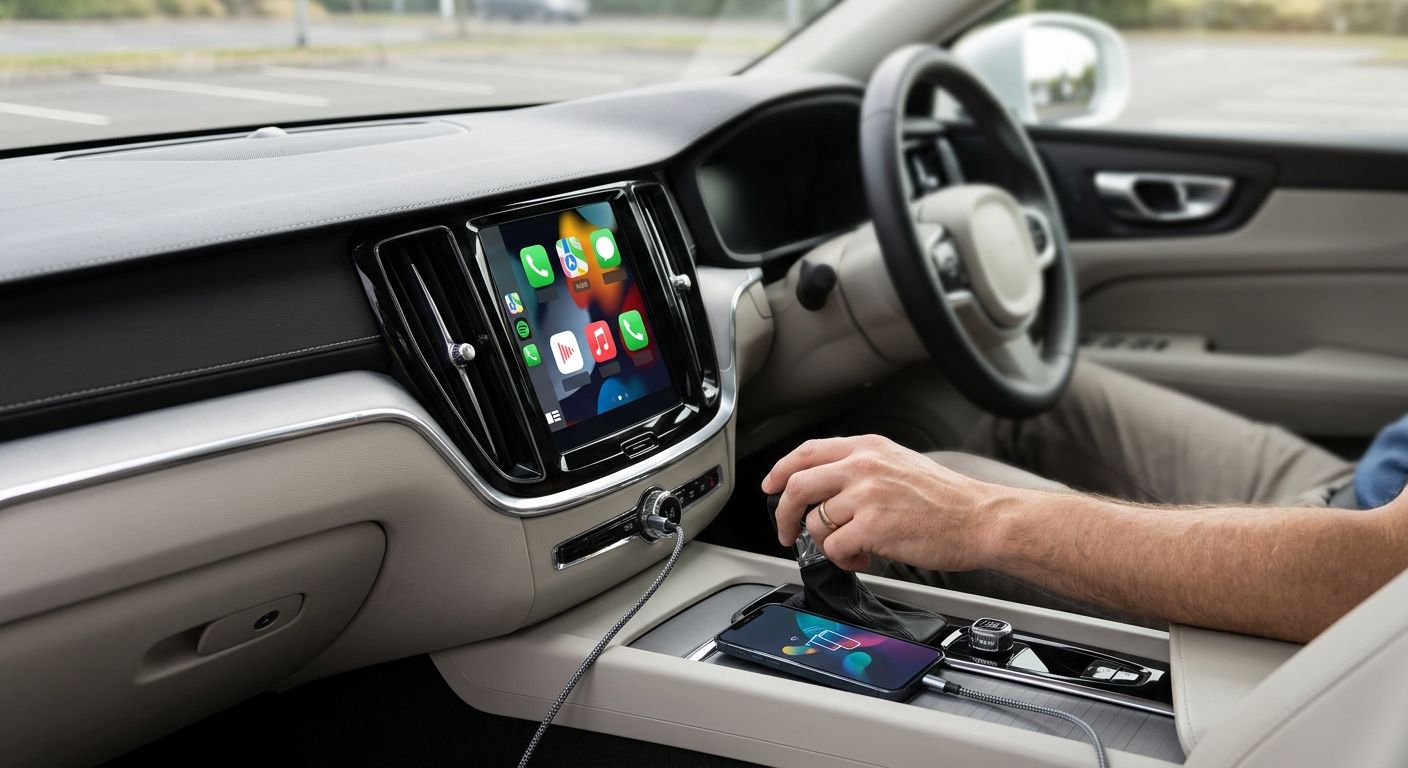
Plugging your iPhone into an aux jack every time you drive, then losing the connection every time you get out of the car, gets old fast. Set up Apple CarPlay on your factory stereo once and it connects automatically every time you start the engine, putting Maps, Music, Phone and Messages right on the dash screen instead of your lock screen.
- Connect Apple CarPlay to a factory stereo through a USB data port if the system already lists CarPlay support in the menu.
- Wireless CarPlay only works on stereos built for it, or with an adapter box added to an existing wired port.
- A charge-only USB port is the top reason CarPlay won't connect on older Ford and Toyota radios.
- No factory CarPlay support at all in 2026 means a head unit swap fixes it, not a settings tweak.
Why this matters
A factory stereo that already supports CarPlay is a five-minute setup. A factory stereo that doesn't is a hardware problem dressed up as a software one, and no amount of restarting your phone changes that. Knowing which situation you're in before you start saves a wasted afternoon.
This matters more in Southwest Florida than most places, because a huge share of the vehicles on the road here are older models bought before CarPlay was standard, or trims where the base radio skipped it entirely even in a newer year. Auto Sound Cape Coral sees both situations weekly in Cape Coral and Fort Myers.
Before you start
- An iPhone on a current iOS version with Siri enabled and cellular data working, since Maps and Messages both need a live connection to function inside CarPlay.
- Confirmation your factory stereo lists CarPlay in its settings menu or owner's manual. Two trims of the same model year can differ, so don't assume support just because a friend's identical-looking car has it.
- The gotcha that trips up most people: many factory USB ports, especially the ones tucked in a console cubby, only carry power, not data. If the port isn't the exact one your owner's manual names for phone connection, CarPlay will never appear, no matter which cable you try.
“If the USB port only charges, it will never carry a CarPlay signal, no matter what cable you use.”
Confirm your factory stereo actually supports CarPlay
- Start the car and open the infotainment menu on the factory screen.
- Look for a Settings or Phone Connection icon and check for a CarPlay or Apple CarPlay entry.
- If nothing appears, check the owner's manual glovebox card by trim level. Some base trims genuinely omit it even when the mid-trim of the same model year has it.
Expected result: you'll either see a CarPlay toggle or menu entry, or confirm it isn't there at all, which tells you which path below applies.
Set up wired Apple CarPlay
- Locate the USB port your manual specifies for phone connection (not a generic charge-only port in a cupholder or console).
- Connect your iPhone using a Lightning-to-USB or USB-C cable, depending on your phone.
- On the factory screen, tap Accept when the CarPlay prompt appears asking to connect.
- On your iPhone, tap Continue or confirm through Settings > General > CarPlay if it doesn't prompt automatically.
- Wait for the app icons to load on the dash screen — this usually takes 5 to 15 seconds.
Expected result: your dash screen switches to the CarPlay home grid showing Maps, Phone, Messages and Music, and it reconnects automatically every time you plug in that same cable.
Set up wireless Apple CarPlay
Wireless CarPlay skips the cable entirely, but it only works if your factory stereo was built with wireless support, or you've added an adapter box that converts a wired port into a wireless one.
- On the factory screen, open Settings > Bluetooth and pair your iPhone the normal way first.
- Go to Settings > CarPlay on the factory screen (or Add a Car on the iPhone under Settings > General > CarPlay) and select your phone from the list.
- Confirm the connection on your iPhone when prompted.
- Leave both Bluetooth and Wi-Fi turned on in your iPhone's control center — wireless CarPlay hands off over Wi-Fi after the initial Bluetooth pairing, and it drops the connection if Wi-Fi gets switched off mid-drive.
Expected result: CarPlay loads on the dash screen within about 10-20 seconds of starting the car, with no cable plugged in, and it reconnects the same way every time you get in.
Add CarPlay to a stereo that doesn't have it
If your factory stereo has no CarPlay entry anywhere in its settings, there's no hidden toggle to find. That system simply wasn't built to run it, and the fix is hardware, not a firmware trick.
Two real options exist:
- Swap in a CarPlay-ready head unit. A shop pulls the factory radio and installs a new one wired into your existing steering wheel controls and factory speaker harness, so the outside still looks stock. This is the route for older vehicles that never shipped with CarPlay support.
- Add a wireless adapter to an existing wired-only CarPlay port. If your factory stereo already runs wired CarPlay but not wireless, a small adapter box plugs into that same USB port and converts it, no head unit swap needed.
Verdict: if your factory screen has zero CarPlay menu at all, a CarPlay-capable head unit is the fix. If it already runs wired CarPlay and you just want to lose the cable, an adapter is the cheaper, faster move.
Get CarPlay working in your car
Walk-ins welcome for a quick check on your stereo's CarPlay compatibility.
Troubleshooting
- iPhone doesn't show up as an option at all. Check the USB port again — if it's charge-only, move to the port your manual names, or try wireless pairing through Bluetooth settings instead.
- CarPlay connects, then drops every few minutes. This is almost always a Wi-Fi setting turned off on the iPhone during wireless use, or a failing USB cable on wired setups. Swap the cable before assuming it's the stereo.
- Screen says "CarPlay not supported" even though the manual says it should be. Some manufacturers push CarPlay support through an infotainment software update, not a factory default. Check for a pending update in the vehicle's settings menu.
- Only some apps show up on the dash screen. CarPlay only displays apps that support it directly — regular texting or social apps that lack a CarPlay version won't appear no matter what you try.
- Wireless CarPlay works at home but not on the road. A weak Bluetooth pairing combined with a crowded Wi-Fi environment can delay the handoff. Re-pair the phone from scratch if this happens more than once a week.
Customize your workflow
Once CarPlay is running, the same wiring and dash space support other upgrades. A CarPlay head unit swap done for a work vehicle can also add a backup camera input or better speaker output at the same time, since the dash is already open. If sound quality through the new screen feels flat compared to what the CarPlay interface promises, mismatched factory speakers are usually the reason, not the head unit itself — that's a separate fix worth checking into once CarPlay itself is solid.
FAQ
What's the best way to connect Apple CarPlay to a factory stereo?
Plug into the exact USB port your owner's manual lists for phone connection, then accept the CarPlay prompt on the dash screen. If your stereo has no CarPlay menu entry at all, a head unit swap is the only real fix.
Is wireless CarPlay better than wired CarPlay in a factory stereo?
Wireless is more convenient day to day since there's no cable, but it only works on stereos built for it or with an added adapter, and it depends on a stable Wi-Fi handoff that wired connections don't need.
Why won't my iPhone connect to CarPlay in my car?
The most common cause is a charge-only USB port instead of the data port your manual specifies. A failing cable or a phone stuck mid-software-update causes most of the rest.
Can I add CarPlay to a car that didn't come with it in 2026?
Yes, a CarPlay-capable head unit can be installed into most vehicles, wired into the existing steering wheel controls and speaker harness so the dash keeps its factory look.
Does the USB cable matter for CarPlay?
Yes. A charge-only cable or a damaged data cable will connect power to your phone but never load CarPlay. Use the cable that came with your iPhone or a certified data cable.
How much does it cost to add CarPlay to an older car?
Cost depends on the head unit chosen and how much of the factory wiring can be reused. A shop can give an accurate quote after seeing the dash and confirming what's already in place.
Do I need Wi-Fi for wireless CarPlay to work?
Yes. Wireless CarPlay pairs over Bluetooth first, then hands the connection off to Wi-Fi. Turning Wi-Fi off on the iPhone mid-drive will drop the CarPlay session.
Will a CarPlay adapter void my car's warranty?
A properly installed head unit or adapter that reuses factory wiring generally doesn't affect a mechanical warranty, but check your specific manufacturer's terms on aftermarket electronics before installing.
One last thing
The single biggest CarPlay complaint isn't the software at all — it's a charge-only USB port mistaken for a data port. Check the manual for the exact port before assuming your factory stereo can't run CarPlay in 2026.


