
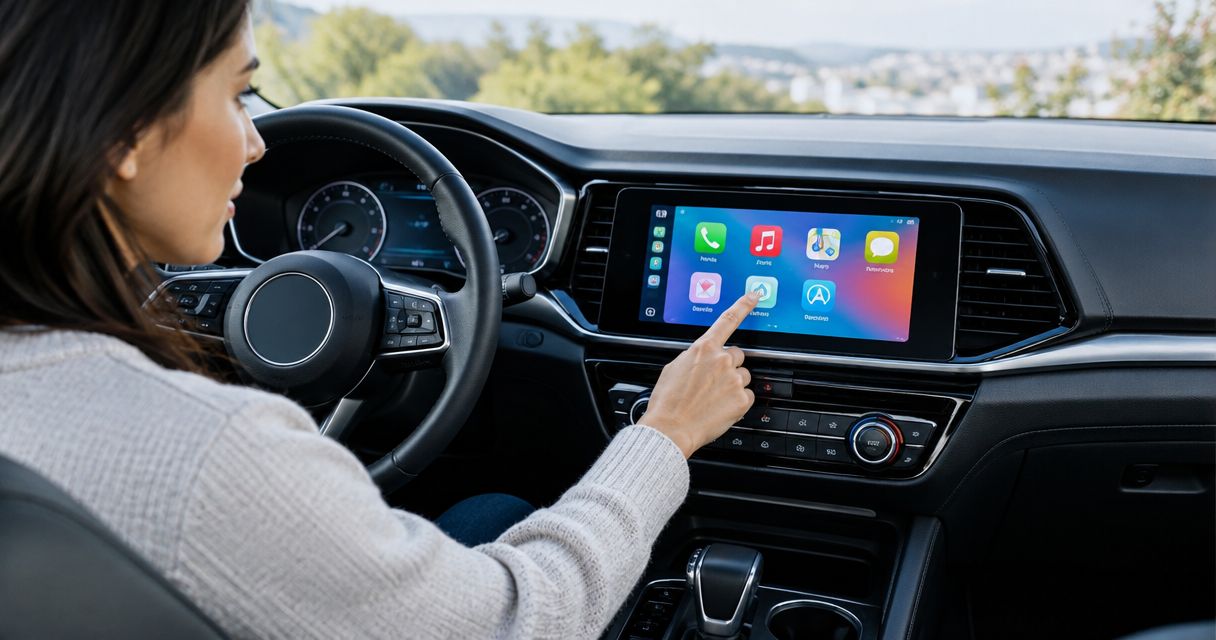
Apple CarPlay installation time depends on your vehicle, its factory stereo, and whether you need a replacement head unit or a compatible retrofit. Get a vehicle-specific installation estimate before planning your pickup in 2026. Hands-on installation and the total time your car stays at the shop are different: compatibility checks, setup, and testing belong in the appointment too.
- How long to install Apple CarPlay depends on the vehicle, head unit, and factory features you need retained.
- Apple CarPlay setup is not the same job as replacing a stereo or fitting a retrofit interface.
- Ask for a pickup estimate that includes wiring, phone pairing, and factory-feature testing.
- Auto Sound Cape Coral provides CarPlay installation for vehicle owners in Cape Coral and Fort Myers.
How long does it take to install Apple CarPlay?
There is no single installation time that covers every Apple CarPlay upgrade. Pairing an iPhone with a compatible stereo is a different job from removing a factory radio, fitting a new head unit, and connecting vehicle-specific interfaces.
Before arranging CarPlay installation with Auto Sound Cape Coral, identify the vehicle and the equipment already in the dash. Ask for an estimate covering the complete job, not just the time needed to mount the screen.
Use this sequence to get an appointment estimate you can plan around:
- Identify the vehicle. Provide the make, model, model year, and trim. Mention any factory premium audio system.
- Show the existing stereo. Send a clear photo of the radio and surrounding dash controls.
- List the features to retain. Include steering-wheel buttons, the backup camera, factory amplifier, and any vehicle settings accessed through the screen.
- Confirm the upgrade route. Ask whether the job uses the existing stereo, a retrofit interface, or a replacement head unit.
- Confirm the handoff. Ask when the vehicle should be ready and whether phone pairing and final testing are included.
A useful time estimate names the installation scope and the expected pickup time. A generic duration without those details does not tell you when you will get your car back.
Why this matters
Your schedule depends on the whole appointment, not just the work behind the dash. If you need the car for work, school pickup, or appointments, ask about the handoff before committing to the booking.
For a 2026 CarPlay upgrade, separate the equipment decision from the appointment decision. First confirm what fits and which factory functions remain; then confirm the installation plan and pickup estimate.
A rushed handoff also leaves questions unanswered. You need to know which USB connection to use, how your iPhone connects, and whether the controls you use every day still work.
Do not treat a screen that powers on as a finished installation. Audio, calls, microphone operation, and retained vehicle functions need checking before you leave.
Existing CarPlay support: connection and setup
If your vehicle already supports Apple CarPlay, you are dealing with connection and setup rather than necessarily installing new equipment. Check the vehicle or stereo instructions before buying a replacement radio.
Wired CarPlay uses a compatible USB connection. Wireless CarPlay requires support from the vehicle or stereo and the appropriate connection setup; ordinary Bluetooth audio alone does not establish CarPlay compatibility.
Best for: Drivers whose existing stereo already supports CarPlay and who need help getting it connected.
- Advantage: You avoid replacing equipment that already performs the job.
- Limitation: Setup cannot add native CarPlay support to an incompatible stereo.
- Timing question: Is this a connection issue, a software-setting issue, or an equipment upgrade?
Bring your iPhone and the cable you normally use. That lets the connection check include your actual setup rather than a different phone or an unfamiliar cable.
Before authorizing hardware work, describe the symptom clearly. A missing CarPlay menu, failed connection, and intermittent disconnect are different problems; tell the installer what happens rather than simply requesting a new screen.
Replacement head unit: fitting and factory-feature retention
A replacement head unit adds CarPlay through a compatible aftermarket stereo. The job includes fitting the unit in the dash, making the necessary electrical connections, and checking the functions included in the installation.
Physical fit is only part of compatibility. Factory amplifiers, steering-wheel controls, cameras, and vehicle settings need separate consideration when they interact with the original radio.
Best for: Drivers replacing a stereo that does not provide the CarPlay functions they want.
- Advantage: A compatible replacement head unit provides a direct route to CarPlay.
- Limitation: Factory functions do not automatically transfer to every replacement stereo.
- Timing question: Which fitting parts and retention interfaces are required for this vehicle?
Tell the installer about existing aftermarket equipment. An amplifier, subwoofer, earlier radio installation, or modified wiring changes what needs inspecting and reconnecting.
For your 2026 appointment, request a clear retained-features list. You should know whether the steering-wheel buttons and backup camera remain functional before the factory stereo comes out, not discover the answer at pickup.
Factory-screen retrofit: compatibility comes first
A compatible retrofit interface can add CarPlay while retaining the original screen. This approach depends on the exact factory system; a screen in the dash is not proof that a suitable interface exists.
The installer must confirm how the interface connects, how audio reaches the speakers, and how you switch between the factory display and CarPlay. Those details belong in the plan before installation begins.
Best for: Drivers who want to keep the factory screen and have a confirmed compatible retrofit route.
- Advantage: You retain the original screen rather than replacing the entire head unit.
- Limitation: Compatibility and control behavior depend on the vehicle and interface.
- Timing question: How will CarPlay audio, microphone input, and factory-screen switching work?
Read the guide to connecting Apple CarPlay to a factory stereo system if keeping the original radio is your priority.
Do not choose a retrofit solely because it avoids replacing the screen. Ask the installer to explain the everyday controls, including how you return to the factory menus and how calls use the microphone.
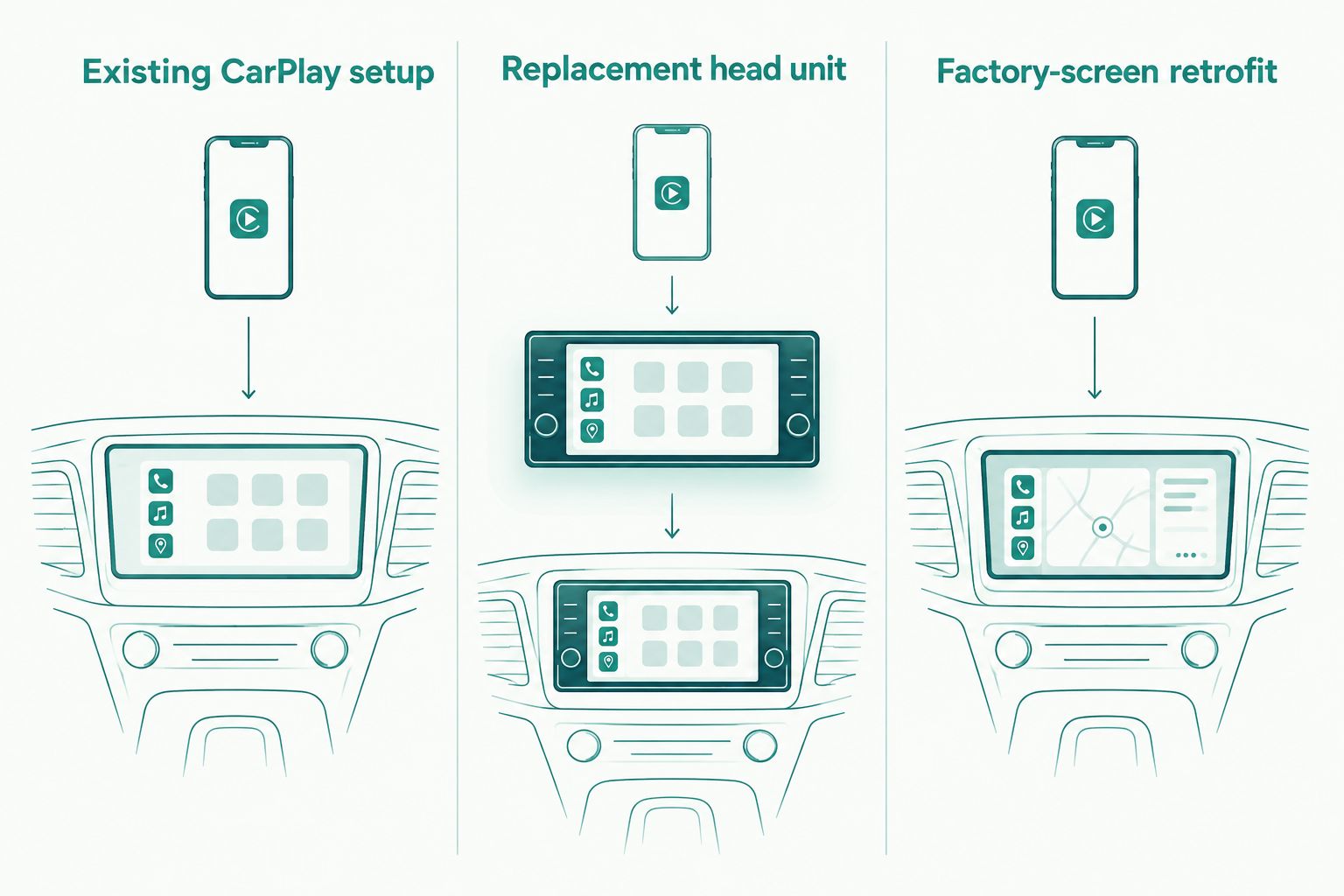
Which CarPlay upgrade fits your situation?
Choose the route by compatibility and the features you need, not by an unsupported promise of a quick installation. Each approach solves a different problem.
| Installation route | Best for | Main advantage | Main limitation | What to confirm |
|---|---|---|---|---|
| Existing CarPlay setup | Drivers with a compatible stereo already installed | Keeps working equipment in place | Does not add support to an incompatible stereo | Correct connection method and phone setup |
| Replacement head unit | Drivers upgrading a stereo without the required CarPlay support | Adds CarPlay through a compatible new stereo | Factory-feature retention needs checking | Dash fit, wiring, amplifier, controls, and camera |
| Factory-screen retrofit | Drivers keeping a compatible original display | Retains the factory screen | Depends on the exact factory system | Interface compatibility, audio route, and controls |
Confirm the route before asking how quickly the work can be completed. Otherwise, you are comparing appointment estimates for different jobs.
Why Apple CarPlay installation time varies
Installation time follows the work required to connect the equipment and preserve the functions you need. These are the details to discuss when requesting an estimate:
- Dash access: The installer needs access to the radio and its connections. Ask which panels or integrated controls are involved.
- Factory audio integration: Tell the installer about a factory amplifier or premium audio system so the audio connection is planned correctly.
- Retained controls and camera: Steering-wheel buttons and the factory backup camera need compatibility checks, not assumptions.
- USB and microphone placement: Agree on where you will connect the phone and how the microphone will be installed or retained.
- Existing aftermarket wiring: Disclose previous stereo, amplifier, or camera work. The existing installation needs inspecting before new equipment is connected.
- Final configuration and testing: Phone pairing, audio checks, and retained-feature checks are part of completing the job.
Ask which of these items the estimate includes. Adding a backup camera or other equipment changes the scope; it is not simply another CarPlay setting.
Keep the request specific. Saying you want the original steering-wheel volume buttons retained gives the installer a clearer requirement than asking for everything to stay factory-like.
What should you send before booking?
Send the vehicle details and a photo of the dash before discussing your preferred pickup time. Include a list of anything that already does not work, such as a camera that cuts out or steering-wheel buttons that fail to respond.
If you already own the head unit or retrofit interface, provide its exact model information. Do not assume equipment is compatible because its packaging mentions Apple CarPlay.
For a 2026 booking, put these questions in your message:
- Does this equipment fit my exact vehicle and factory stereo?
- Which original features will remain functional?
- Does the appointment include installation, configuration, and testing?
- Should I bring my iPhone and its usual cable?
- What is the expected pickup time for this complete scope?
Auto Sound Cape Coral fits Cape Coral and Fort Myers vehicle owners seeking local CarPlay installation. Share the vehicle details first so the conversation concerns your actual upgrade rather than a generic stereo swap.
Discuss your CarPlay installation
Have your vehicle details, dash photo, and factory-feature checklist ready.
Can I wait while Apple CarPlay is installed?
Ask whether the confirmed appointment supports waiting before making that plan. A booking time does not, by itself, establish a pickup time.
Explain when you need the car back. If that deadline is essential, get the handoff expectation settled before authorizing work rather than trying to shorten testing afterward.
Does wireless Apple CarPlay take longer to install?
Wireless support alone does not establish the installation time. A wireless-capable replacement head unit still needs the vehicle-specific fitting and wiring work associated with that head unit.
Ask separately about hardware installation and phone setup. Also confirm whether the chosen equipment supports wired CarPlay, wireless CarPlay, or both; the connection method is an equipment feature, not a universal installation option.
What should I test before driving away?
Test the functions you agreed to retain while the vehicle is safely parked. Use your own iPhone so the handoff confirms the setup you will actually use.
- Open CarPlay using the agreed wired or wireless connection.
- Play audio and check that the speakers work as expected.
- Make a call and check microphone operation.
- Check the steering-wheel controls included in the installation.
- Check the backup camera if retention was part of the scope.
- Confirm how to return to the factory menus or radio functions.
Ask what to do after restarting the vehicle and how to reconnect if you change phones. A clear demonstration is more useful than leaving with a screen you have not operated yourself.
FAQ
How long does it take to install Apple CarPlay in my car?
Apple CarPlay installation time depends on your vehicle, existing stereo, and upgrade route. Request a vehicle-specific estimate that includes fitting, configuration, testing, and the expected pickup time.
Can Apple CarPlay be installed while I wait?
Waiting needs confirmation for your specific appointment. Agree on the installation scope and expected handoff before planning to stay at the shop.
Can I add Apple CarPlay without replacing my factory radio?
A compatible retrofit interface can add CarPlay while retaining some factory radio systems. Compatibility must be checked against the exact vehicle and original stereo.
Is wireless Apple CarPlay quicker to install than wired CarPlay?
Wireless CarPlay does not determine installation time by itself. Vehicle fit, wiring, retained features, and the selected equipment define the hardware work.
Will my steering-wheel buttons work after a CarPlay upgrade?
Steering-wheel button retention depends on the vehicle, head unit, and required interface. Confirm which buttons will work before authorizing installation.
Do I need to bring my iPhone to the installation?
Bring your iPhone so the installer can demonstrate connection and operation with your actual phone. Bring your usual cable if the planned setup uses wired CarPlay.
Where can I get Apple CarPlay installed near Cape Coral?
Auto Sound Cape Coral provides CarPlay installation for vehicle owners in Cape Coral, Fort Myers, and surrounding Southwest Florida communities. Share your vehicle details and existing stereo information when discussing the upgrade.
One last thing
Before your 2026 CarPlay installation, photograph the factory screen menus you use regularly. Add those functions to your retention checklist, especially if the radio also displays vehicle settings.
A working CarPlay screen is not proof that every factory function survived the upgrade. Make the checklist part of the installation conversation, then use it again at pickup.


