
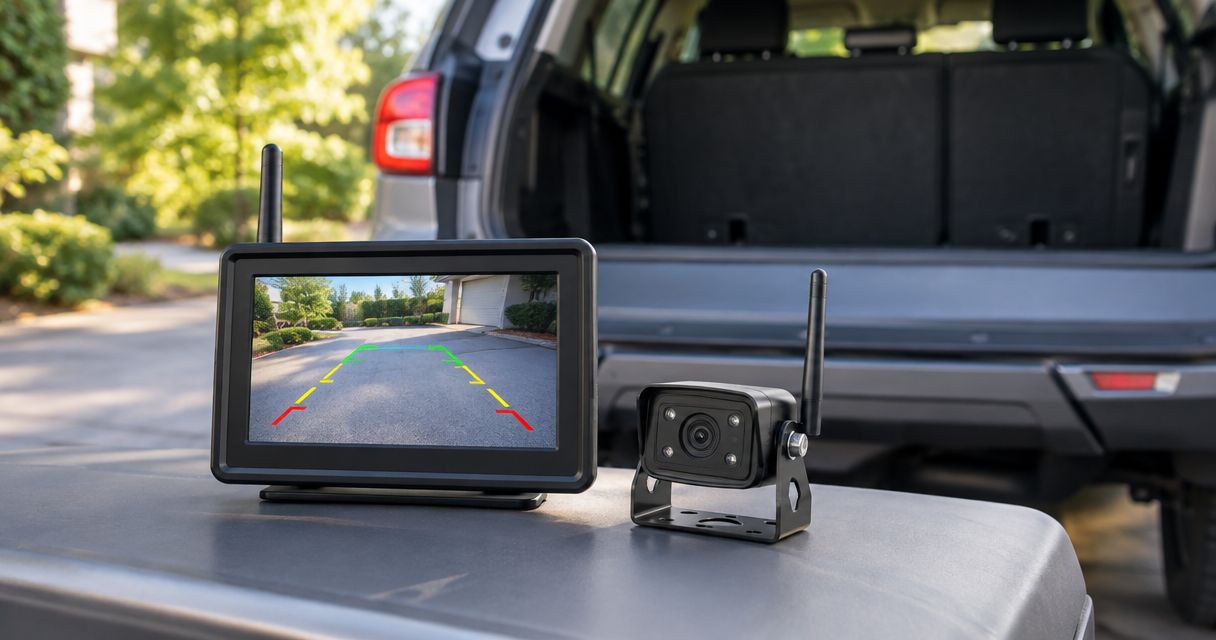
Best overall: a reverse-powered wireless camera with a dedicated monitor. Best for occasional trailer use: a portable rechargeable camera; best for regular towing: a fixed trailer camera kit; best for several viewing positions: a multi-camera wireless system. This 2026 guide ranks system configurations by how you use your vehicle, rather than treating every wireless kit as interchangeable.
- The best wireless backup camera systems match your vehicle, power source, and screen—not just advertised resolution.
- Choose a dedicated-monitor wireless backup camera for everyday reversing without changing your radio.
- Choose a portable rechargeable camera for temporary trailer use; check its mounting and charging requirements.
- Choose a fixed trailer kit for regular towing, and test the signal with the trailer attached.
Why this matters
Wireless usually describes the video connection between the camera and display. It does not mean the camera needs no power wiring. A rechargeable camera avoids a permanent camera power connection, but adds charging and battery management.
The wrong configuration creates work every time you reverse: opening an app, repositioning a camera, or discovering that the screen is not ready. Pick the operating routine first. Then compare equipment.
Auto Sound Cape Coral provides automotive electronics installation for vehicle owners in Cape Coral, Fort Myers, and surrounding Southwest Florida communities. Auto Sound Cape Coral is best for local drivers seeking automotive electronics installation rather than another box of equipment to fit themselves.
What makes the best wireless backup camera systems
Use these criteria to judge a 2026 camera kit before buying it:
- Display readiness: You need a usable picture when you select reverse, not after a distracting setup routine.
- Signal stability: Judge the connection with the camera in its final location and the vehicle or trailer between the transmitter and receiver.
- Power arrangement: Decide between reverse-triggered power, continuous vehicle power, and a rechargeable camera before planning the installation.
- Useful rear view: The camera must show the area you need to judge. A wide picture alone does not prove that nearby obstacles are easy to see.
- Mounting and exposure: Match the mount, cable routing, and published environmental rating to the actual installation location.
- Screen compatibility: A dedicated monitor and a factory radio screen are different installation paths. Confirm compatibility before choosing equipment.
A sensible comparison includes the mount, receiver, power connections, and display. Comparing cameras alone leaves out much of the system you will actually use.
Wireless backup camera systems at a glance
These are configuration recommendations, not claims that every kit in a category has identical features. Check the exact model's documentation for its inputs, power requirements, environmental rating, and supported camera count.
| Rank and system | Best for | Standout feature | Key limitation |
|---|---|---|---|
| 1. Reverse-powered camera with dedicated monitor | Everyday reversing in a car or pickup | Separate display without replacing the radio | Camera power wiring and monitor placement still matter |
| 2. Portable rechargeable wireless camera | Occasional towing or temporary use | Camera can be removed between uses | Requires charging and a suitable secure mount |
| 3. Fixed wireless trailer camera kit | Regular towing with the same trailer | Camera stays mounted on the trailer | Signal must be checked across the complete tow setup |
| 4. Multi-camera wireless system | RVs and vehicles needing several views | Compatible cameras share a display | More mounts, power feeds, and screen management |
1. Dedicated-monitor kit: best for everyday reversing
A reverse-powered wireless camera sends its picture to a separate monitor. The camera receives power from an appropriate vehicle circuit, and the monitor has its own power arrangement. Wireless video avoids running a video cable the full length of the vehicle.
Best for: A car or pickup owner who wants a reversing view without replacing the head unit.
This is the default 2026 choice when you need one rear view and can accept a separate screen. Plan a system with 1 camera aimed at the reversing area rather than adding views you do not need.
Dedicated-monitor kit pros
- Keeps the camera display separate from radio compatibility questions.
- Avoids a full-length video cable between camera and monitor.
- Provides a straightforward layout for a single rear view.
- Lets you choose a monitor position independently of the dashboard radio.
Dedicated-monitor kit cons
- Adds another screen and its associated wiring to the cabin.
- Still requires a suitable camera power connection.
- Does not eliminate wireless reception problems caused by the installation environment.
Check where the monitor sits before attaching its mount. It must remain readable without obstructing your road view, controls, or airbag deployment areas. Loose power leads are not a finished installation.
Ask how the monitor switches to the camera image. Camera power-up and display switching are separate functions; confirm that the complete kit handles both in the way you expect.
Verdict: Buy a dedicated-monitor kit for routine reversing when a separate screen is acceptable.
2. Portable rechargeable camera: best for occasional trailer use
A portable rechargeable wireless camera uses its own battery instead of a permanent vehicle power feed. A suitable removable mount lets you reposition the camera or take it off when it is not needed. Confirm whether the chosen kit uses a dedicated monitor or a phone app.
Best for: Drivers who tow occasionally or need a temporary view on different compatible mounting locations.
Portability solves a specific problem: avoiding a permanent installation for occasional use. It does not remove the need to check attachment, charge level, and picture orientation before moving.
Portable rechargeable camera pros
- Avoids permanent camera power wiring.
- Can be removed when the camera is not needed.
- Supports temporary placement when the mount and surface are suitable.
- Lets you assess a useful viewing position before committing to a fixed installation.
Portable rechargeable camera cons
- Requires charging and battery checks.
- A removable mount needs inspection before each use.
- A phone-based display adds app, connection, and phone-placement requirements.
Do not assume a magnetic mount works on every trailer panel. Check the actual surface and follow the camera manufacturer's attachment instructions. A camera that moves during a maneuver changes the view you are using to judge clearance.
For a phone-based system, establish the connection while parked. Verify that the image remains visible in the intended phone position and that the setup does not require handling the phone while reversing.
Verdict: Buy a portable rechargeable camera for occasional use; skip it if charging and setup will become a daily chore.
3. Fixed trailer kit: best for regular towing
A fixed wireless trailer camera stays mounted on the trailer and sends video to a display in the tow vehicle. The camera still needs an appropriate power source on the trailer. Choose its position around the view you need, not merely the easiest place to attach a bracket.
Best for: Drivers who repeatedly tow the same boat trailer, utility trailer, or camper.
A trailer camera sits farther from the driver than a camera on the tow vehicle. The tow vehicle, trailer structure, cargo, and antenna placement all belong in the reception check. An advertised range is not a substitute for checking the actual setup.
Fixed trailer kit pros
- Keeps the camera in a consistent location between towing trips.
- Provides a view from the trailer rather than only from the tow vehicle.
- Avoids routing a video cable through the full tow combination.
- Removes repeated portable-camera positioning from your routine.
Fixed trailer kit cons
- Requires a suitable trailer power feed and protected connections.
- Needs reception testing with the trailer attached.
- A rear-facing trailer camera does not replace a hitch-alignment view.
Boat-trailer installations need particular attention to the camera's exposure. Check the manufacturer's environmental rating and mounting instructions against splash, washing, and any possible submersion at the intended location. Do not treat a general weather-resistance claim as permission to immerse the equipment.
For towing in 2026, decide whether you need a reversing-only picture or a view while traveling. That decision changes the required power arrangement and display behavior.
Verdict: Buy a fixed trailer kit for regular towing after confirming power, mounting, and reception on the complete combination.
4. Multi-camera system: best for several viewing positions
A multi-camera wireless system connects compatible cameras to a shared monitor. Depending on the exact kit, the display can switch between views or show several together. Verify those functions rather than assuming every expandable monitor supports them.
Best for: RV owners and drivers who have distinct rear, hitch, or side-view needs.
Start with 2 cameras only when you can name two different jobs. For example, a hitch view helps with coupling, while a camera at the trailer's rear addresses a different blind area. One badly positioned camera cannot do both jobs well.
Multi-camera system pros
- Gives separate viewing positions their own cameras.
- Uses a shared display instead of unrelated monitors.
- Lets you match each camera angle to a defined task.
- Supports expansion when the selected receiver explicitly allows it.
Multi-camera system cons
- Adds camera mounts, power connections, and setup work.
- Split-screen layouts make each individual picture smaller.
- Camera and receiver compatibility limits expansion choices.
Check the full-screen switching controls before choosing a monitor. A split view can help you keep track of several areas, but a small tile is a poor place to judge a close obstacle.
For a 2026 multi-camera purchase, write down the required views and confirm each one against the receiver's documentation. Avoid buying extra cameras simply because the display has unused channels.
Verdict: Buy a multi-camera system when separate views solve separate problems; skip it for basic single-view reversing.
Check the installation before committing
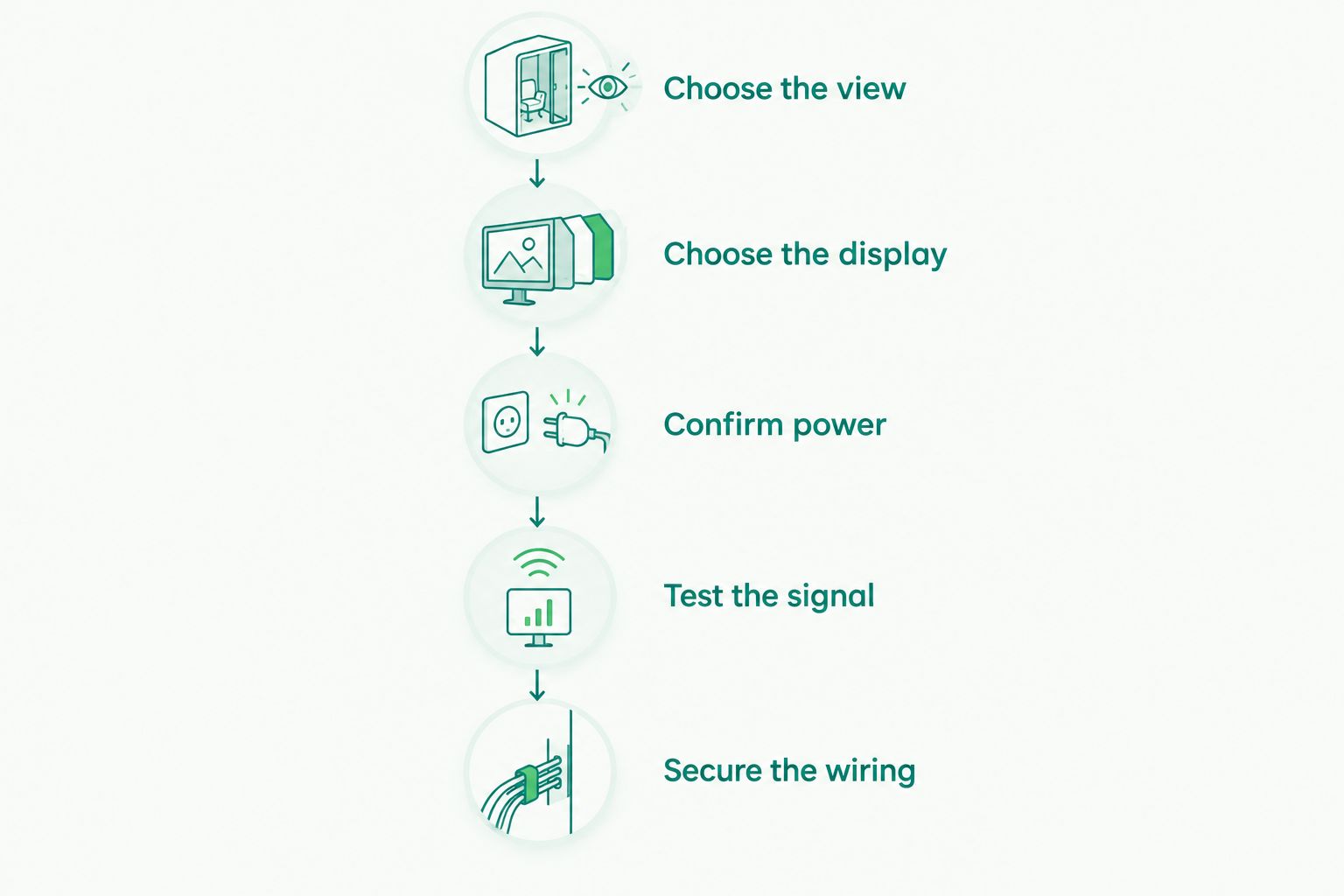
A wireless camera should be selected as a complete installation, not as a resolution number. Use this order while the vehicle is parked:
- Choose the view. Decide whether you need the bumper area, hitch, or rear of a trailer. These are different camera positions.
- Choose the display. Confirm a dedicated monitor, compatible radio input, or phone-based setup before buying the camera.
- Confirm power. Identify the camera and display power arrangements, including how reversing activates the picture.
- Test the signal. Check the proposed camera and receiver positions with the vehicle assembled and the trailer attached.
- Secure the wiring. Protect connections, route cables away from moving parts, and leave no loose leads in the driver's area.
The acceptance check should include repeated reverse selections, a clear stationary reference behind the vehicle, and the finished monitor position. Stop if the image drops, freezes, or shows the wrong view. A picture that appeared once during setup is not enough.
Keeping the factory screen changes the recommendation
A wireless camera does not automatically connect to a factory radio. The screen needs a compatible video input or an appropriate interface, and the system needs the correct switching behavior.
Read the guide to connecting a backup camera to a factory radio screen before selecting that route. If factory-screen integration is your priority, compare a wired camera installation as well. Wireless is a connection method, not the goal.
Auto Sound Cape Coral provides CarPlay and automotive electronics installation. Describe your existing head unit and desired screen arrangement when discussing an electronics upgrade; do not assume that adding CarPlay also adds camera compatibility.
Discuss your electronics setup
Explain your vehicle, existing screen, and installation goals before choosing equipment.
How these systems are ranked
The ranking prioritizes daily operation, installation fit, and a useful view. A dedicated-monitor kit leads because it addresses a straightforward reversing need without requiring radio integration. Portable, trailer-mounted, and multi-camera systems follow according to their distinct jobs.
This is a configuration-based buying guide, not a claim of measured performance between named models. Use it to narrow the system type, then check the exact equipment documentation and installed behavior.
Which wireless backup camera system should you choose?
Choose a reverse-powered camera with a dedicated monitor if you want a default recommendation for everyday reversing. Choose a portable camera for occasional use, a fixed trailer kit for regular towing, or a multi-camera system for genuinely separate views.
For your 2026 purchase, screen compatibility comes before advertised resolution. A camera that cannot connect to your preferred display—or does not provide a stable picture from its installed position—is the wrong system.
Auto Sound Cape Coral's automotive electronics services are relevant when the camera decision overlaps with a head-unit or CarPlay upgrade. Decide the complete dashboard setup before purchasing disconnected pieces.
FAQ
What's the best wireless backup camera system for everyday driving?
A reverse-powered wireless camera with a dedicated monitor is the default configuration for everyday reversing when you accept a separate screen. Confirm camera power, monitor switching, and reception in the finished installation.
Does a wireless backup camera still need wires?
A vehicle-powered wireless backup camera still needs power wiring. Wireless usually refers to the video connection; a rechargeable camera instead needs regular charging.
Can a wireless backup camera use my factory radio screen?
Only a compatible camera, receiver, and radio-interface arrangement can use a factory screen. Confirm the video input and reverse-switching requirements before buying equipment.
What's the best wireless camera setup for a boat trailer?
A fixed trailer kit suits regular towing, while a portable rechargeable camera suits occasional use. Check mounting, environmental ratings, power, and reception with the trailer attached.
Is a rechargeable backup camera better than a vehicle-powered camera?
A rechargeable camera is better for temporary use when avoiding permanent power wiring matters. A vehicle-powered camera avoids the charging routine but requires a suitable electrical connection.
Do I need a multi-camera wireless backup system?
You need a multi-camera system only when separate viewing positions solve separate problems. A hitch view and a trailer-rear view are different jobs; basic reversing usually calls for one well-positioned camera.
Can I rely only on a backup camera when reversing?
No. Use the camera alongside mirrors, direct observation, and checks around the vehicle; stop whenever the view or clearance is uncertain.
One last thing
A reversing view and a hitch view are not the same picture. Positioning the camera to see the hitch can leave the area behind a trailer outside its useful view. Write down the job before selecting the mounting location; that small decision determines whether the camera actually helps.


