
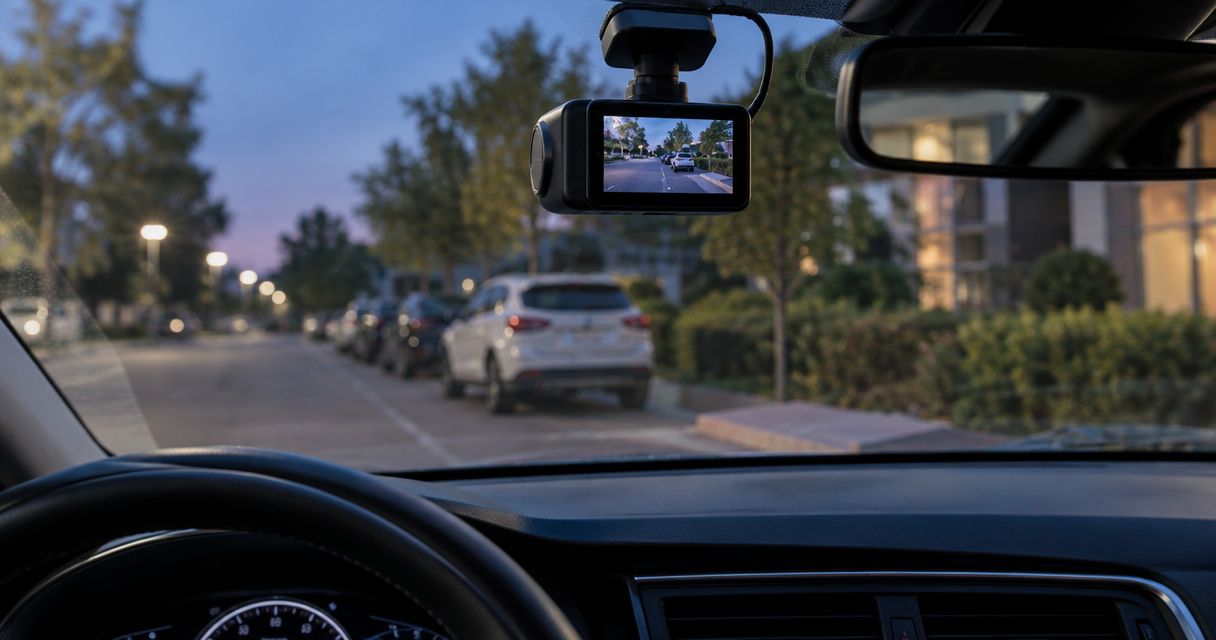
Best overall: a buffered front-and-rear dash cam with parking mode. Best for continuous context: low-bitrate recording. Best for simple impact capture: impact-only recording. This 2026 guide compares practical setups for parked vehicles, including the power supply each needs and the footage each leaves out.
- Choose a buffered front-and-rear dash cam with parking mode for events at both ends of your vehicle.
- Choose continuous low-bitrate recording when you need a timeline rather than separate triggered clips.
- Impact-only recording is simpler, but an event without a strong impact can go unrecorded.
- Auto Sound Cape Coral provides dash cam installation for vehicle owners in Southwest Florida.
Why this matters
A dash cam that records your commute does not necessarily record after you switch off the ignition. Parking mode needs a recording strategy, a compatible power connection, and battery protection. Miss one, and the camera on your windshield does not provide the coverage you expected.
Auto Sound Cape Coral is a local option for vehicle owners who need dash cam installation in Cape Coral and Fort Myers. Before choosing hardware, discuss where you park, which directions you need recorded, and how frequently you drive with Auto Sound Cape Coral.
The right question is not simply whether a camera has parking mode. Ask what activates recording, what happens before the trigger, and what stops the camera from exhausting its power source.
What makes the best dash cam with parking mode?
Use these criteria for your 2026 shortlist. A camera needs to fit your parking routine, not just produce a sharp daytime demonstration clip.
- Event context: Buffered recording retains footage from before a trigger, helping show how an incident began.
- Useful coverage: Front and rear cameras cover different views. Neither guarantees a clear view of damage along the doors.
- Power protection: The camera and power accessory must support the intended parked-recording mode and a suitable cutoff strategy.
- Heat suitability: Check the published operating limits for both the camera and any separate battery before choosing equipment for Southwest Florida.
- Retrievable footage: You should know how to find, protect, and export a parking event without guessing which file contains it.
- Clear installation scope: Specify camera placement, wiring, power accessories, setup, and the parked-recording test before work starts.
Do not rank cameras by resolution alone. Sharp video cannot recover an event that the recording mode never captured.
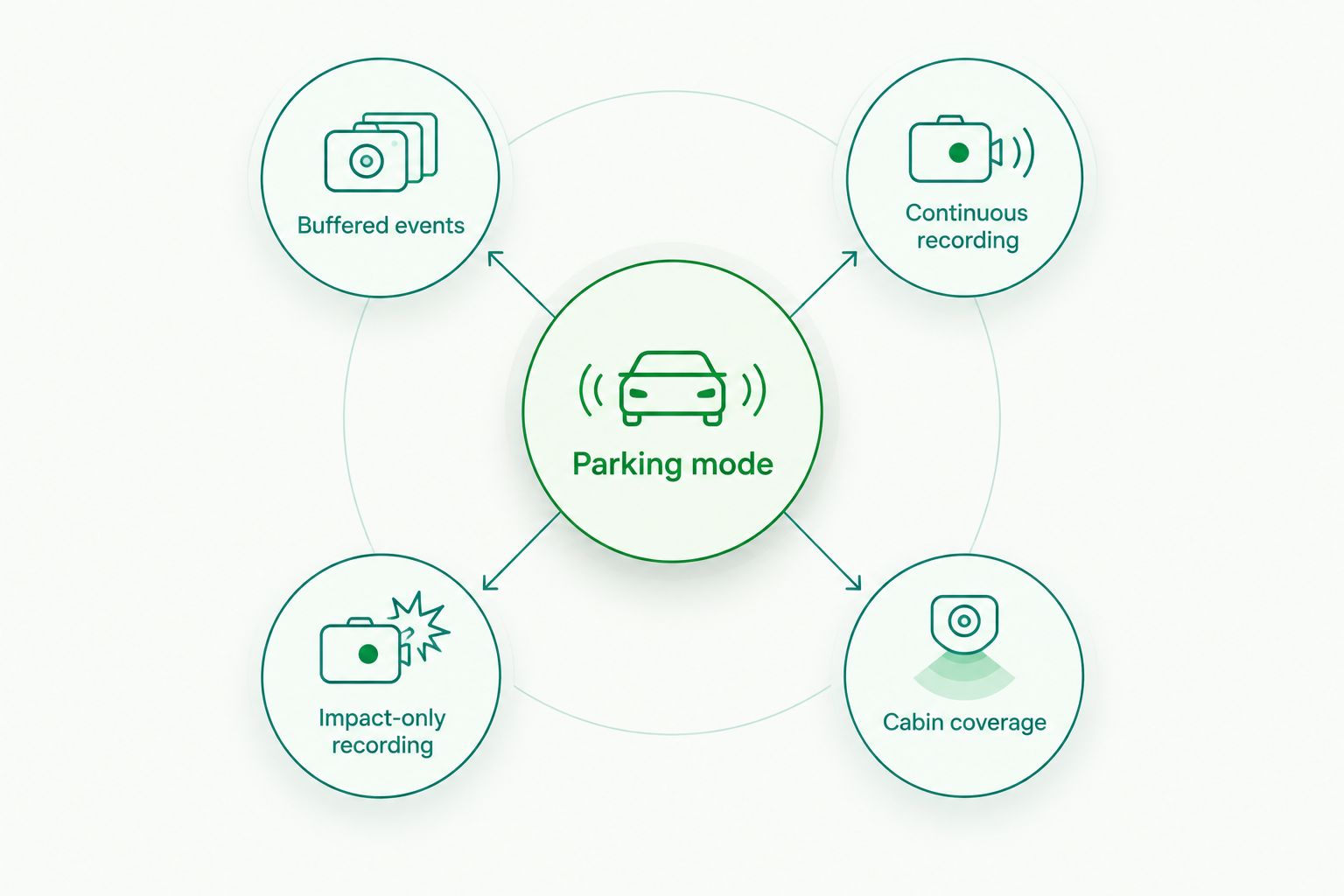
Parking-mode setups at a glance
These are ranked configurations, not model-specific performance claims. Recording modes and camera coverage are separate choices, so some features can be combined in one system.
| Rank and setup | Best for | Standout feature | Key limitation |
|---|---|---|---|
| 1. Buffered front-and-rear | Everyday parking at home and away | Event footage includes pre-trigger context | Depends on trigger behavior and continued power |
| 2. Continuous low-bitrate | Following activity across a parking session | Records an ongoing timeline instead of isolated triggers | Needs sustained power and storage management |
| 3. Impact-only recording | Drivers who mainly want collision-triggered clips | Focuses recording on detected impacts | Non-impact activity can go unrecorded |
| 4. Cabin-inclusive recording | Drivers who also need an interior view | Adds a cabin-facing camera | Interior coverage is not full exterior coverage |
Your coverage choice answers where the camera looks. Your recording choice answers when it saves footage. Treat those as separate decisions before comparing individual models.
1. Buffered front-and-rear: best for everyday parked-car coverage
A buffered front-and-rear setup records views through both ends of the vehicle and retains pre-trigger footage when its supported event mode activates. That context helps distinguish an approaching vehicle from one that appears only after contact. Confirm buffering works in parking mode, not just during normal driving.
Best for: Drivers who park in different locations and want event context at both ends of the car.
Buffered front-and-rear pros:
- Pre-trigger footage helps explain what happened before detection.
- Two cameras cover more directions than a front-only installation.
- Event-based files give you a defined incident to review.
Buffered front-and-rear cons:
- A missed trigger still leaves a gap in event coverage.
- Front and rear views leave blind spots along the vehicle's sides.
- Rear-camera wiring adds installation work compared with a front-only setup.
Ask the installer to demonstrate a saved parking event and open footage from both cameras. Confirm which files are protected from ordinary loop recording and how you export them.
Verdict: Buy a buffered front-and-rear setup as the default for everyday parking, with compatible power protection.
2. Continuous low-bitrate: best for reviewing a parking timeline
Continuous low-bitrate parking mode keeps recording while reducing the recording data rate compared with the camera's normal driving mode. It does not depend entirely on an impact or motion trigger to create a timeline. Confirm the exact behavior in the selected camera's manual.
Best for: Drivers who want to trace activity around a parked vehicle rather than review only triggered events.
Continuous low-bitrate pros:
- Records activity that does not trigger an impact sensor.
- Helps follow a sequence across a parking session.
- Avoids relying solely on separate event clips for context.
Continuous low-bitrate cons:
- Ongoing recording requires sustained power.
- Lower recording data rates involve a detail trade-off.
- Reviewing a long timeline takes more effort than opening a known event.
Do not confuse low-bitrate recording with time-lapse recording. Time-lapse saves images at intervals, while low-bitrate recording reduces the data used for video. Check whether your selected mode retains audio and whether it changes behavior when an impact occurs.
For a 2026 purchase, inspect exported footage from the actual parking mode you plan to use. A driving-mode sample does not answer that question.
Verdict: Buy continuous low-bitrate recording when a parking timeline matters more than reviewing only triggered clips.
3. Impact-only recording: best for a narrow collision-recording goal
Impact-only parking recording saves footage in response to a detected shock. Implementations differ: some cameras remain active, while others wake from a lower-power state. That distinction affects whether footage includes the lead-up or starts after detection.
Best for: Drivers whose main goal is recording detected parking impacts rather than monitoring general activity.
Impact-only recording pros:
- Keeps the recording goal focused on detected contact.
- Reduces unrelated activity in the event list.
- Offers a straightforward event type to demonstrate during setup.
Impact-only recording cons:
- Scratches or nearby activity without a sufficient shock can go unrecorded.
- A wake-up delay can omit part of the incident.
- Sensitivity settings can produce nuisance triggers or miss light contact.
Ask specifically whether impact recording is buffered. The words parking mode do not establish that capability, and impact sensitivity is not a substitute for pre-trigger footage.
Start with the manufacturer's recommended settings, then review actual events from your normal parking location. Avoid assuming the highest sensitivity is automatically the most useful.
Verdict: Buy impact-only recording for a collision-focused requirement; skip it if you expect a complete activity record.
4. Cabin-inclusive recording: best for drivers needing an interior view
A cabin-inclusive setup adds a camera aimed inside the vehicle. A 3-channel configuration can combine front, rear, and interior views when the selected system supports them. The interior camera answers a different question from the exterior cameras: what happened inside the passenger compartment?
Best for: Rideshare drivers and other vehicle owners who have a specific reason to record cabin activity.
Cabin-inclusive recording pros:
- Adds evidence from inside the passenger compartment.
- Records a view that front and rear exterior-facing cameras do not provide.
- Combines driving and parked-use requirements when the system supports both.
Cabin-inclusive recording cons:
- An interior lens does not guarantee useful footage through side windows.
- Additional channels require attention to storage and power demands.
- Recording passengers raises privacy and audio-consent questions.
Check which channels remain active in parking mode. A system supporting 3 cameras while driving does not, by itself, establish that all 3 record in every parked mode.
Review applicable recording requirements before enabling cabin audio. Do not treat camera installation as permission to record every conversation.
Verdict: Buy cabin-inclusive recording when you need interior evidence; skip the extra channel if exterior incidents are your only concern.
Power matters as much as the camera
A parking-mode camera needs power after the ignition turns off. An accessory socket that switches off with the vehicle cannot provide that power unless the system has another supported supply.
Hardwire accessories commonly distinguish constant battery power from ignition-switched power so the camera can recognize a parked vehicle. The wiring method must match the camera, accessory, and vehicle. Read the guide to connecting a dash cam to constant power before discussing the installation scope.
For a vehicle using a 12-volt starter battery, parked recording draws from the same stored energy needed to start the engine. A low-voltage cutoff reduces discharge exposure, but it does not guarantee a particular recording duration or a successful start under every condition.
A compatible dedicated dash cam battery separates parked recording from direct starter-battery use while parked. It still needs an appropriate charging connection, safe mounting, and suitable operating limits. Do not substitute an ordinary portable power bank without checking its intended use and temperature limits.
Ask Auto Sound Cape Coral to discuss dash cam installation around your driving frequency and parking routine. A vehicle driven daily presents a different power-planning problem from one left unused between trips.
What to check before you leave the installation
Use this handover checklist for a 2026 installation. It turns parking mode from a menu setting into something you have actually verified.
- Ignition transition: Confirm the camera changes into the intended mode after the vehicle is switched off.
- Camera views: Inspect each view for obstructions, reflections, and an unhelpful mounting angle.
- Event playback: Open a saved parking event and identify the footage before and after detection, where supported.
- File export: Save a playable copy outside the camera or its memory card.
- Power settings: Record the selected cutoff and timer settings and understand when recording stops.
- Cable routing: Keep wiring clear of airbag deployment paths and moving vehicle parts.
Also check the rear view with the glass as it normally sits. Tint, reflections, and defroster lines belong in the real-world assessment, not just the showroom discussion.
Discuss your dash cam installation
Explain where you park, which views you need, and how often you drive.
How these setups are ranked
The 2026 ranking prioritizes event context, useful coverage, power protection, and retrievable footage. Buffered front-and-rear recording is the default because it combines views at both ends with pre-trigger context when an event activates.
Continuous recording wins for timelines. Impact-only recording serves a narrower collision-focused goal, while cabin coverage serves drivers who need interior evidence. These are use-case recommendations, not claims of hands-on testing or model-specific superiority.
Which parking-mode setup should you choose?
Choose a buffered front-and-rear dash cam with parking mode unless your parking routine calls for a different recording strategy. Add continuous recording when you need a timeline, and add cabin coverage only when an interior view serves a clear purpose.
For your 2026 shortlist, eliminate any camera whose parked-recording behavior or power requirements you cannot establish from its documentation. Then discuss the complete installation with Auto Sound Cape Coral: camera views, power connection, battery protection, and a playback demonstration.
FAQ
What's the best dash cam with parking mode for everyday use?
A buffered front-and-rear dash cam is the default choice for everyday parked-car coverage. It combines views at both ends with footage from before a supported event trigger, but still needs compatible power and battery protection.
Can a dash cam record when the engine is off?
Yes, a dash cam can record with the engine off when it supports parked recording and has a suitable power supply. A socket that shuts off with the ignition will not supply ongoing power by itself.
Is buffered parking mode better than impact-only recording?
Buffered parking mode is better when you need footage showing what happened before detection. Impact-only describes the trigger, while buffering describes retained pre-trigger footage; a camera can support both.
Will parking mode drain my car battery?
Parking mode consumes battery energy when the camera draws power from the vehicle while parked. A compatible cutoff helps limit discharge, but recording duration depends on the battery, camera load, settings, and vehicle conditions.
Do I need front and rear cameras for parking mode?
You need front and rear cameras if you want recorded views through both ends of the vehicle. They do not provide complete side coverage or guarantee that an incident will be visible.
Does Wi-Fi mean I can watch my parked car from anywhere?
No, Wi-Fi alone does not establish remote access from anywhere. Check the camera's documented remote-connectivity requirements separately from its local phone connection.
Who installs dash cams in Cape Coral and Fort Myers?
Auto Sound Cape Coral provides dash cam installation for vehicle owners in Cape Coral, Fort Myers, and surrounding Southwest Florida communities. Discuss your vehicle, camera choice, and parked-recording requirements before arranging the work.
One last thing
Your handover is not finished when the camera lights up. Before calling a 2026 installation complete, switch off the vehicle, verify parked recording, and export a playable clip. A file you can retrieve is more useful than a feature you have only seen in a menu.


