
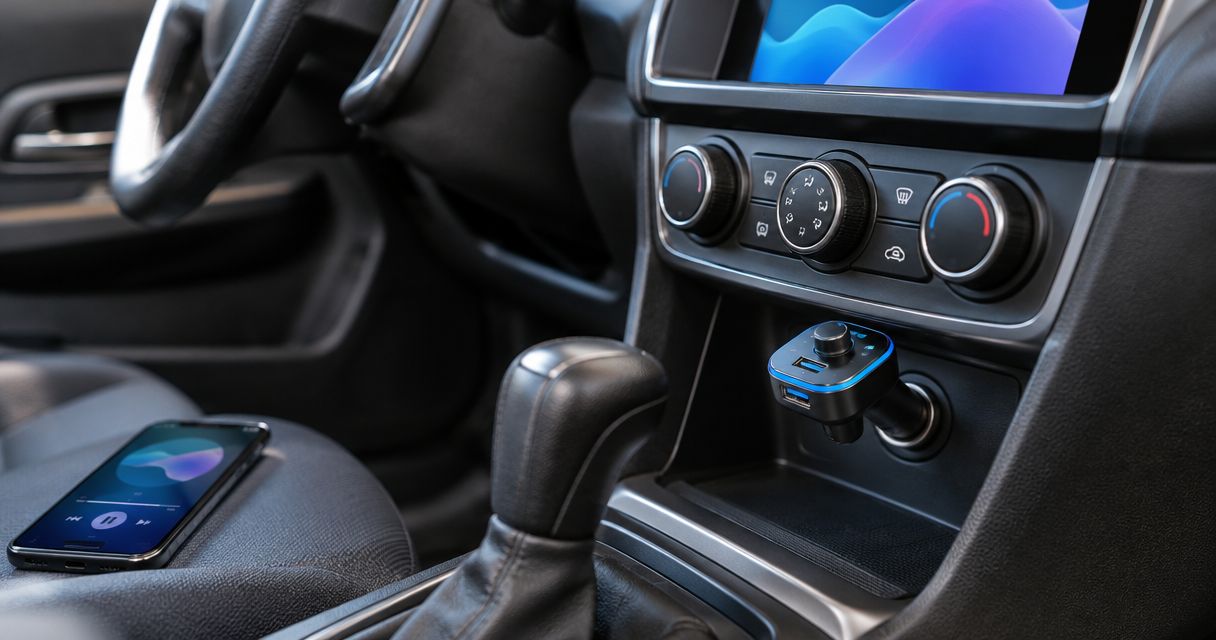
Best overall: a simple plug-in Bluetooth FM transmitter with manual tuning. Best for calls: a transmitter with a separate microphone. Best for charging: a transmitter with a documented USB charging output. This 2026 guide ranks transmitter types by how you use your older car, not by unverified model claims.
- The best bluetooth fm transmitter for car use has accessible controls, manual tuning, and a secure socket fit.
- Choose a separate microphone for calls; charging features do not establish microphone quality.
- Use an AUX connection when available to bypass the FM broadcast step.
- Auto Sound Cape Coral provides car audio installation for drivers considering a permanent alternative.
A transmitter adds phone audio without replacing your head unit. If you want a permanent installation instead, Auto Sound Cape Coral provides car audio and CarPlay installation in Cape Coral, Fort Myers, and surrounding Southwest Florida communities.
Why this matters
A Bluetooth FM transmitter sends your phone's audio to an FM frequency that your existing radio receives. Bluetooth handles the connection from phone to transmitter; FM handles the connection from transmitter to radio. Both connections need to work.
An FM transmitter adds a connection, not better speakers or more amplifier power. It also does not put CarPlay on your factory screen. For your 2026 purchase, decide whether you need temporary music playback, better call placement, or a permanent stereo upgrade before comparing extra features.
What makes the best Bluetooth FM transmitter for car use?
Use these criteria before choosing a transmitter:
- Manual frequency selection: You need control over the transmitting frequency when a broadcast station interferes.
- Socket fit: The plug must sit securely without blocking your shifter, cupholders, or other controls.
- Reachable controls: A clear answer button and straightforward tuning matter more than decorative lighting.
- Microphone placement: A microphone buried near your knees is a different setup from one positioned closer to your voice.
- Documented charging support: Check the charging port, cable, and phone requirements together. A USB socket alone does not establish charging performance.
- Useful audio outputs: An AUX output gives you another connection path if your radio has a compatible input.
Most plug-in transmitters use the vehicle's 12-volt accessory socket. Check the transmitter's input requirements and your vehicle manual rather than assuming every powered socket is suitable.
Bluetooth FM transmitter options at a glance
These are configuration recommendations, not claims that every transmitter in a category performs equally. Confirm the exact unit's controls, connections, and instructions before buying.
| Rank and option | Best for | Standout feature | Key limitation |
|---|---|---|---|
| 1. Simple plug-in transmitter | Occasional music in a radio-only car | Direct controls without extra hardware | Built-in microphone position follows the socket |
| 2. Separate-microphone transmitter | Drivers who prioritize phone calls | More freedom to position the microphone | Adds a cable and mounting point |
| 3. Charging-focused transmitter | Drivers sharing a socket with phone charging | Audio connection and documented charging outputs together | Charging specifications need careful checking |
| 4. FM transmitter with AUX output | Drivers who also have an AUX input | Choice of FM or a wired audio path | AUX requires a cable and compatible input |
1. Simple plug-in transmitter: best for occasional music
A simple plug-in transmitter combines its power plug, controls, and microphone in one body. Pair your phone, select an unused FM frequency, and tune your radio to match. This is the default choice when you want music without changing the dash.
Simple plug-in transmitter pros:
- Keeps the installation separate from the factory wiring.
- Moves between compatible vehicles without a stereo replacement.
- Leaves the original head unit in place.
- Provides a straightforward way to try phone audio through FM.
Simple plug-in transmitter cons:
- Socket placement determines where the controls and microphone sit.
- FM interference still affects reception.
- A bulky body can obstruct nearby controls.
Best for: An older car with a working FM radio, a suitable accessory socket, and no convenient audio input.
Before buying in 2026, look at the actual socket location. A transmitter that looks compact in a product photo can still sit awkwardly beside a gear selector. Choose physical fit before lighting, display effects, or extra buttons.
Verdict: Buy for occasional music when the controls fit your cabin.
2. Separate-microphone transmitter: best for call placement
A separate-microphone transmitter lets you position the microphone independently of the power socket. That matters when the socket sits low in the console or behind a cover. Confirm that the unit actually includes a separate microphone rather than assuming a call button means it does.
Separate-microphone transmitter pros:
- Gives you more control over microphone location.
- Avoids forcing the microphone to remain at socket height.
- Lets you keep the power connection away from the speaking position.
Separate-microphone transmitter cons:
- Requires cable routing and a secure mounting position.
- Does not eliminate road noise or FM interference.
- Poor placement still produces poor calls.
Best for: Drivers who need calls and have an inconveniently located accessory socket.
Keep the microphone away from direct air-vent flow. Route its cable clear of pedals, steering components, and airbag deployment areas. Test calls while parked before deciding the installation is finished.
Verdict: Buy when microphone placement matters more than an all-in-one plug.
3. Charging-focused transmitter: best for a shared power socket
A charging-focused transmitter combines the audio function with USB charging outputs. It suits a car where the accessory socket already serves as your phone-charger location. The useful detail is the documented output for your phone and cable, not the number of ports.
Charging-focused transmitter pros:
- Combines phone audio and charging at one socket location.
- Reduces the need to swap between a charger and transmitter.
- Offers a practical layout when the vehicle has limited power connections.
Charging-focused transmitter cons:
- Different ports can have different functions and output limits.
- Shared-output limits require checking when charging multiple devices.
- More charging features do not establish better sound or calls.
Best for: Drivers who need phone audio and charging from the same accessory socket.
For a 2026 purchase, read the exact charging specifications. Confirm which port supplies power, which cable you need, and whether any stated output changes when another device is connected. Do not treat a USB playback port as a charging specification.
Verdict: Buy if the documented charging support matches your phone.
4. FM transmitter with AUX output: best for connection flexibility
An FM transmitter with an AUX output gives you an alternative to broadcasting through the radio. If your head unit has a compatible 3.5 mm AUX input, you can send the transmitter's audio through a cable instead. Check the direction of the connection: AUX input and AUX output are not interchangeable labels.
FM transmitter with AUX output pros:
- Gives you a wired alternative when FM reception is troublesome.
- Keeps Bluetooth between the phone and adapter.
- Supports different connection methods in compatible vehicles.
FM transmitter with AUX output cons:
- Requires an audio cable for the AUX connection.
- Does not help a radio without an AUX input.
- Cable routing adds clutter around the console.
Best for: Drivers who move an adapter between an AUX-equipped car and an FM-only car.
If your only vehicle already has AUX, compare a dedicated Bluetooth AUX receiver before choosing a transmitter. You do not need the FM function just to add Bluetooth to that input.
Verdict: Buy for mixed connection needs; skip the FM feature if AUX alone covers your use.
How the transmitter types rank
The simple plug-in transmitter ranks first for the basic job: adding phone music to a radio-only car without modifying the stereo. Separate microphone placement, charging support, and AUX output each solve a different problem. They are reasons to choose a different configuration, not proof of better FM reception.
No configuration receives a sound-quality score here. Frequency conditions, the vehicle's radio, microphone location, and the exact transmitter all affect the result. A feature list cannot replace a check in your own car.
Set up the transmitter before judging its sound
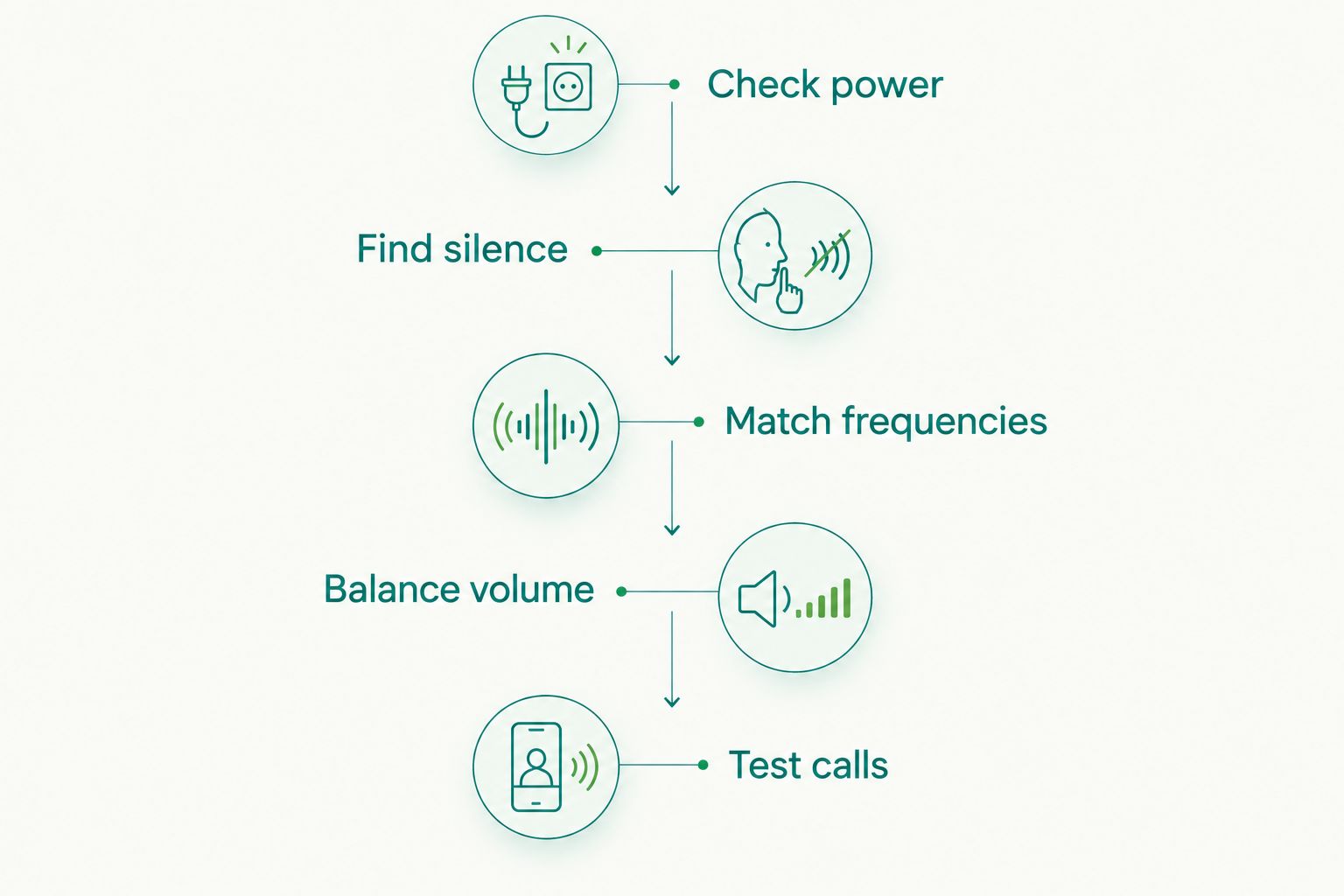
A mismatched frequency or poor volume setting can make a working transmitter sound faulty. Complete the setup while parked, then leave adjustments alone while driving.
- Check power: Confirm that the socket powers the transmitter securely. Check whether the socket stays live after you switch off the vehicle.
- Find silence: With the transmitter unplugged, manually tune the radio to a frequency without audible programming. The US FM broadcast band runs from 88.1 to 107.9 MHz; no single channel is clear everywhere.
- Match frequencies: Set the transmitter and radio to the same frequency. Pair the phone with the transmitter using its instructions.
- Balance volume: Start at moderate levels. Adjust phone and transmitter output to avoid distortion, then use the radio for listening volume.
- Test calls: Check music, navigation prompts, and a call while parked. Recheck reception after a trip rather than retuning in traffic.
For driving around Cape Coral and Fort Myers in 2026, select the frequency where you actually use the car. A clear channel in your driveway is not a guarantee of clear reception throughout a journey.
Diagnose the problem before replacing the transmitter
Separate reception problems from power and volume problems. Change one thing at a time so you know what fixed the issue.
| What you hear or see | First check | Next move |
|---|---|---|
| A broadcast station over your music | Whether the frequency is occupied | Find a clear frequency and match both devices |
| Distortion during loud passages | Phone and transmitter output levels | Lower the source output, then adjust radio volume |
| Power cuts when the plug moves | Socket fit and contact | Stop using a loose or damaged connection |
| Caller hears more cabin noise than speech | Microphone position | Move a separate microphone away from vent airflow |
| Noise changes when charging starts | Charging cable and connected devices | Compare playback with charging disconnected |
Do not keep raising the volume to cover static. That makes the unwanted sound louder too. If a secure connection and a clear frequency do not solve it, compare AUX or a stereo installation instead of repeatedly changing transmitters.
Which connection should you choose in 2026?
Choose the simple plug-in transmitter if your goal is temporary music in an FM-only car. Choose a separate-microphone version for call placement, a charging-focused version for shared socket use, or an AUX-output version for connection flexibility.
Auto Sound Cape Coral is best for Cape Coral and Fort Myers vehicle owners seeking car audio installation rather than a plug-in workaround. An installed upgrade needs vehicle-specific planning: factory amplifiers, steering-wheel controls, and other integrated features affect the job.
If maps and on-screen phone controls are the real goal, read whether you can add Apple CarPlay to an older car. An FM transmitter carries audio; it does not add that interface.
Discuss your stereo upgrade
Talk with Auto Sound Cape Coral about car audio or CarPlay installation for your vehicle.
FAQ
What's the best Bluetooth FM transmitter for an older car?
A simple plug-in transmitter with manual frequency selection is the default choice for occasional music in an FM-only car. Choose a different configuration when you need a separate microphone, documented charging support, or an AUX output.
Will a Bluetooth FM transmitter work with any car radio?
A Bluetooth FM transmitter needs a working FM radio and a suitable power source. Check its input requirements and make sure the radio can tune to the selected frequency.
What's the best FM frequency for a car Bluetooth transmitter?
The best frequency is one without audible broadcast programming where you are driving. Tune manually with the transmitter unplugged, then set the transmitter and radio to match.
Is AUX better than an FM transmitter?
AUX bypasses the FM broadcast connection, so it avoids interference from broadcast stations. You need a compatible radio input and an adapter with an audio output.
Can an FM transmitter add Apple CarPlay to my old radio?
An FM transmitter cannot add the CarPlay interface to an old radio. It sends audio to the radio, not maps or app controls to the factory screen.
Why does my transmitter sound distorted?
Excessive source output is one possible cause of distortion. Lower the phone or transmitter output and compare; if you hear another station, change the FM frequency instead.
Will a transmitter drain my battery when the car is off?
A transmitter can continue drawing power if the accessory socket stays live after shutdown. Check your vehicle manual and unplug the transmitter when it is not needed.
One last thing
Check for an AUX input before you buy anything. Look in the console and glovebox, then check the radio's source menu and vehicle manual. An overlooked input can remove the FM connection from the job entirely.
For a permanent change, bring your vehicle details and your actual goal to Auto Sound Cape Coral: music, clearer calls, or CarPlay. Those are different jobs. Pick the connection that solves yours.


