
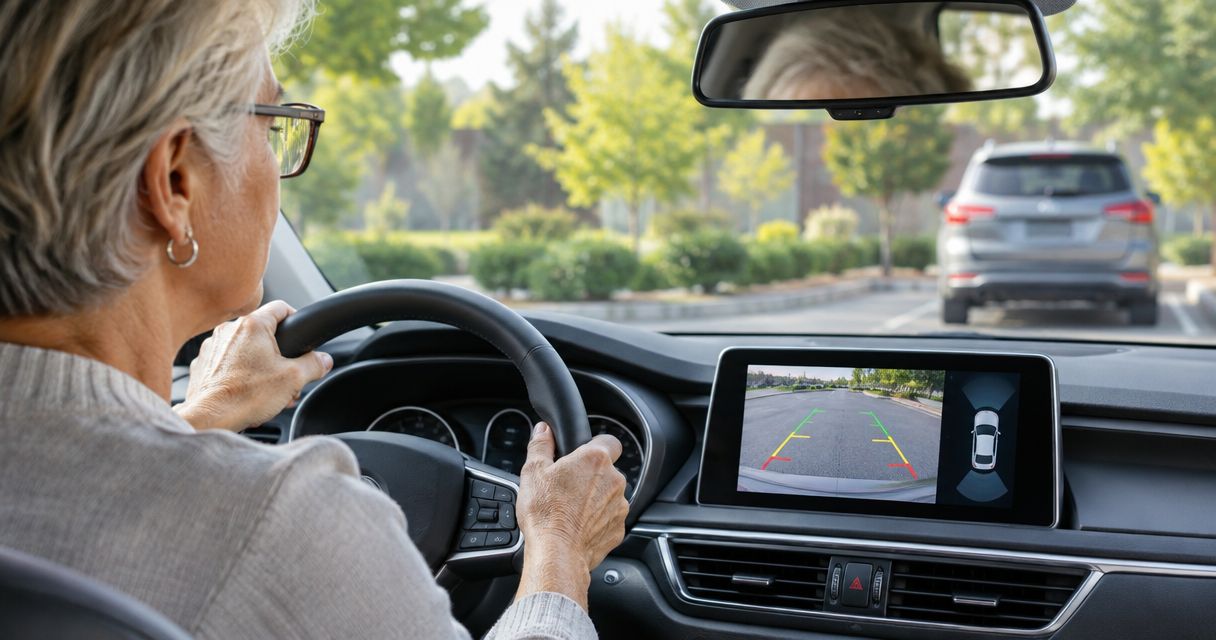
Backup cameras for senior drivers are rear-facing camera systems that show the area behind a vehicle to support reversing and parking. Choose a system you can read from your normal driving position, with automatic activation and controls you understand—not simply the largest screen or longest feature list.
- Choose backup cameras for senior drivers by screen readability, automatic activation, and vehicle compatibility—not age labels.
- Auto Sound Cape Coral provides local automotive electronics installation for Cape Coral and Fort Myers vehicle owners.
- Factory-screen integration keeps familiar controls, but compatibility must be checked before buying a camera.
- A backup camera supports mirror and shoulder checks; it does not replace them or provide automatic braking.
Why backup cameras matter for senior drivers
A backup camera gives you another view when reversing. For a driver who finds turning uncomfortable, or struggles to see past a high trunk or rear head restraints, that view addresses a specific difficulty. It does not remove the need to check around the vehicle.
The right upgrade solves your actual visibility problem without adding a new distraction. Age alone does not determine which screen, camera, or controls you need. Your eyesight, seating position, vehicle, and parking routine matter more.
Auto Sound Cape Coral serves vehicle owners in Cape Coral, Fort Myers, and surrounding Southwest Florida communities with automotive electronics installation. Before discussing equipment, explain where reversing becomes difficult: the driveway, a crowded parking lot, or a dim garage.
For a 2026 purchase, start with a demonstration in the vehicle rather than a feature comparison on a phone. A screen that looks clear at arm's length can be difficult to read across a dashboard.
How to choose and set up a usable backup camera
Identify the reversing problem before shopping
Start with a parked-car check that costs nothing. Adjust your seat and mirrors normally, then identify what you cannot see comfortably. Keep the vehicle stationary while discussing the problem with a family member or installer.
Separate visibility from other concerns. A camera shows an image; it does not assess whether you can safely coordinate steering, braking, and observation. If reversing has become confusing or you have concerns about vision or movement, discuss those concerns with a qualified healthcare professional or driving rehabilitation specialist.
Write down your requirements for the 2026 installation before choosing equipment. Describe the task, not just the desired product.
- Identify whether the main problem is seeing directly behind the bumper or judging the parking space.
- List the places where you reverse regularly, including garages and angled driveways.
- Note whether glasses, glare, or neck movement affect your view.
- Record the vehicle's year, make, model, and existing radio equipment.
- Tell the installer which factory controls and functions you want to keep.
Test the display from your driving position
Use the existing screen first if the vehicle already has a camera. Clean the lens, adjust the available display settings according to the owner's manual, and check whether the problem improves. Do not buy replacement hardware to solve a dirty lens or an unsuitable brightness setting.
For a new system, sit where you actually drive. Wear the glasses you use on the road. Check whether you can identify an object in the image without leaning forward, squinting, or searching through menus.
Use 3 viewing conditions for the display check: daylight, shade, and darkness. This is a practical acceptance test, not a promise that every screen will perform equally in each condition.
- Daylight: check reflections and whether the image remains readable.
- Shade: check whether dark objects remain distinguishable from the background.
- Darkness: check the view with the vehicle's normal reversing lights operating.
- Confirm that the screen does not block your view through the windshield.
- Adjust brightness without making the display distracting at night.
Confirm the camera and screen work together
Check the owner's manual and photograph the existing radio before buying anything. A factory screen does not automatically accept an aftermarket camera. The camera signal, interface, power requirements, and reverse trigger all need to match the installation.
A local electronics shop can help assess those connections instead of leaving you to guess from connector photos. Auto Sound Cape Coral provides car audio and CarPlay installation; ask the shop to confirm whether it can handle your specific backup-camera retrofit before purchasing parts.
For a 2026 retrofit, request confirmation of the proposed components and retained functions. The guide to connecting a backup camera to a factory radio screen explains the integration questions to raise.
- Confirm whether the existing screen has a usable camera input.
- Ask whether the installation requires a vehicle-specific interface.
- Verify automatic camera activation when reverse is selected.
- Identify which steering-wheel controls and factory functions will remain.
- Clarify whether parking guidelines come from the camera, radio, or vehicle.
- Request a written equipment and installation scope before authorizing work.
Choose the layout you can use without searching
Compare layouts before selecting a particular camera. Keeping a familiar factory screen avoids introducing another display, provided the integration works. A separate monitor avoids replacing the radio, but adds hardware to position and secure.
A replacement head unit combines the camera display with radio functions. That suits a driver who also wants a stereo upgrade, but introduces new controls to learn. Choose the least complicated layout that gives you a readable image.
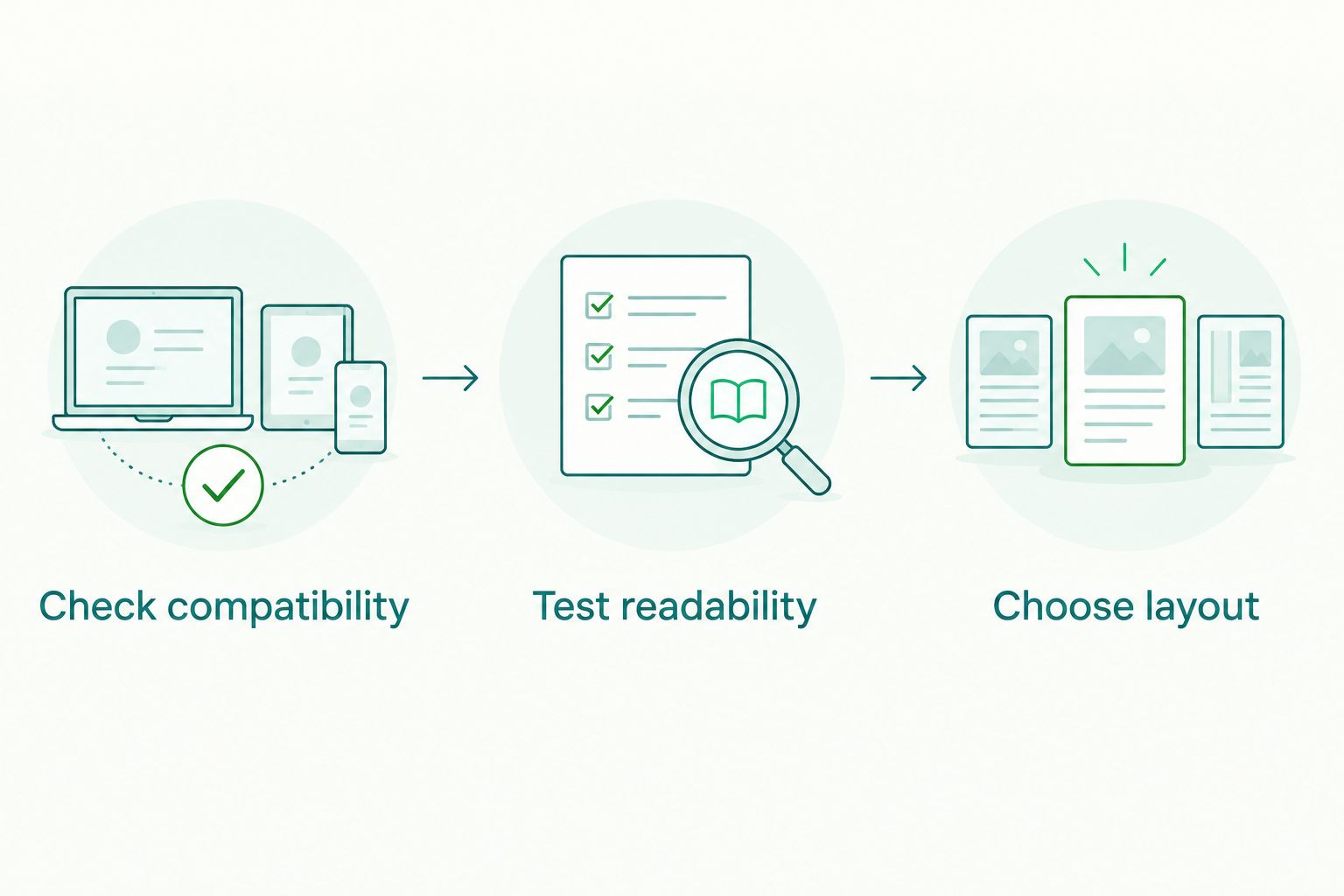
Use this decision order: Check compatibility, Test readability, then Choose layout. Appearance comes after the system works for the person driving.
Do not approve a mounting position from the passenger seat. If the vehicle has 2 regular drivers, have both drivers check the proposed screen position before anything is permanently mounted.
- Keep the factory display when it provides a clear, compatible solution.
- Consider a separate monitor when retaining the original radio is the priority.
- Consider a replacement head unit when the radio also needs upgrading.
- Check that a mirror-mounted display preserves a useful mirror view.
- Reject any position that blocks road visibility or essential controls.
Specify secure wiring and a useful camera angle
Inspect the rear mounting area while the vehicle is parked. Look for an unobstructed position and note anything that changes the view, such as a bike rack, spare tire, or trailer connection. Give the installer that information before work begins.
A wired camera carries its video signal through a cable. A wireless system sends video without that full-length signal cable, but still needs power. Wireless does not mean installation-free, and either approach needs secure mounting and suitable electrical connections.
The camera angle must show a useful rearward view rather than mostly bumper or sky. Cable routing must also respect moving parts and safety equipment.
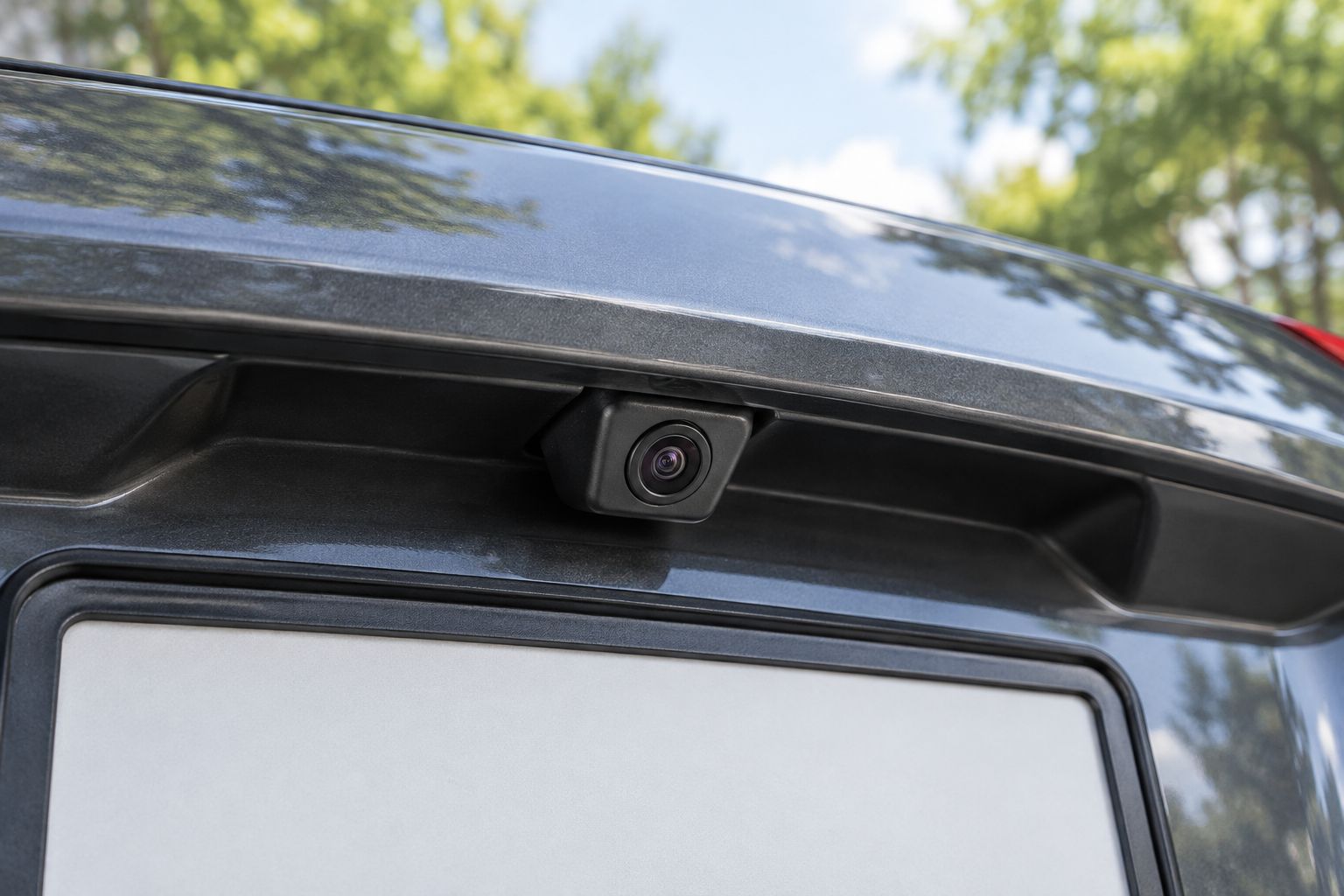
Have the installer explain the finished arrangement in plain language. You should know where the camera sits, what powers it, and what to check if the image disappears.
- Keep the camera clear of anything that blocks its view.
- Route wiring away from pedals, seat tracks, hinges, and airbag deployment areas.
- Protect exterior connections from water exposure using appropriate installation methods.
- Check that opening the trunk or tailgate does not pull on wiring.
- Confirm that the camera and any display mount remain secure.
Practice the reversing routine before leaving
Read the system instructions and rehearse the controls while parked. Then practice in a clear area with a helper standing safely to the side, never behind the vehicle's intended path. Stop whenever the image or surroundings are unclear.
Use a 4-part handover check: activation, image, guidelines, and normal controls. The installer should demonstrate each part, then let you operate the system yourself. Watching someone else use it is not the same as being comfortable with it.
Keep 1 page of setup notes with the vehicle documents. Record the installed equipment, basic controls, and who to contact about a fault.
- Activation: confirm the camera appears when reverse is selected.
- Image: check that the rearward view is correctly oriented and unobstructed.
- Guidelines: learn what the lines represent and whether they move with steering.
- Normal controls: verify the radio, retained controls, and other agreed functions.
- Practice alternating between the camera, mirrors, and direct observation.
- Stop immediately if the picture freezes, disappears, or conflicts with what you see outside.
Compare backup-camera options for senior drivers
For a 2026 retrofit, compare complete layouts rather than camera specifications alone. Screen placement and everyday operation are the deciding factors. These are configuration choices, not guarantees that a particular vehicle supports them.
| Option | Best for | Main advantage | Key limitation |
|---|---|---|---|
| Factory-screen integration | Drivers who want familiar dashboard controls | Uses the existing display location | Requires confirmed screen and interface compatibility |
| Separate monitor | Drivers keeping the original radio | Provides a dedicated camera display | Adds a screen and mounting hardware to the cabin |
| Replacement head unit | Drivers also upgrading the stereo | Combines radio and camera functions | Introduces controls the driver must learn |
| Mirror-mounted display | Drivers considering a display near their normal mirror position | Places the image near an existing glance location | Mirror usability and screen readability need an in-car test |
Wired and wireless connections are a separate choice from display layout. Neither connection type fixes an unreadable screen, an obstructed lens, or a poor camera angle. Ask how the proposed connection works in your particular vehicle.
Auto Sound Cape Coral is best for Cape Coral and Fort Myers drivers seeking local automotive electronics installation. Confirm backup-camera installation scope and vehicle compatibility directly; the shop's stated car audio and CarPlay services do not establish support for every camera retrofit.
Common mistakes senior drivers and families make
Buying a camera before checking the screen
A camera is only part of the system. Confirm where its image will appear and how it will activate before ordering equipment. Otherwise, you risk choosing parts that need a different display or additional interfaces.
Letting a family member choose without the driver
The person who drives needs to approve the image, controls, and screen position. A technically capable relative can help compare equipment, but cannot decide whether another person's glasses or seating position work with the display.
Treating guidelines as exact clearance measurements
Parking lines are reference aids, not a substitute for checking the space. Their meaning depends on the system and setup. Learn the installed system's instructions instead of assuming that a colored line marks a guaranteed stopping distance.
Expecting the camera to compensate for every difficulty
A rear camera does not show everything around the vehicle and does not itself apply the brakes. If reversing remains uncomfortable or confusing after practice, stop and address that concern rather than adding more screen features.
FAQ
What's the best backup camera for a senior driver?
The best backup camera for a senior driver has a readable display, automatic reverse activation, and confirmed compatibility with the vehicle. Test the complete setup from the driver's normal seating position before choosing it.
Can you add a backup camera to an older car?
A backup camera can be added to many older cars using a compatible display and suitable wiring. The vehicle and existing radio determine whether you can retain the factory screen or need a separate display.
Is a bigger backup-camera screen always better?
A bigger backup-camera screen is not automatically better. Readability, reflections, viewing distance, and a mounting position that preserves road visibility matter more than size alone.
Is a wireless backup camera easier for an older driver to use?
Wireless describes the video connection, not how easy the camera is to use. Ease of use depends on automatic activation, a clear image, and understandable controls; the equipment still needs power and secure mounting.
Does a backup camera replace looking over your shoulder?
A backup camera does not replace direct observation or mirror checks. Use the image as another view, and stop if you cannot confirm that the path is clear.
Do backup cameras automatically stop the car?
A backup camera by itself does not automatically stop the car. Reverse automatic braking is a separate vehicle feature, so check the owner's manual rather than assuming the camera includes it.
Can I keep my factory radio when adding a camera?
You can keep the factory radio when the installation supports a compatible camera input or uses a separate monitor. Confirm the exact radio and interface requirements before buying parts.
One last thing
Ask to demonstrate the system yourself before accepting the installation. For your 2026 upgrade, have the installer watch while you activate the camera, explain the guidelines, and return to normal radio operation. That checks understanding, not just hardware.
When discussing automotive electronics installation with Auto Sound Cape Coral, describe the reversing problem first. A useful conversation starts with what you need to see—not a box of equipment you have already bought.


