
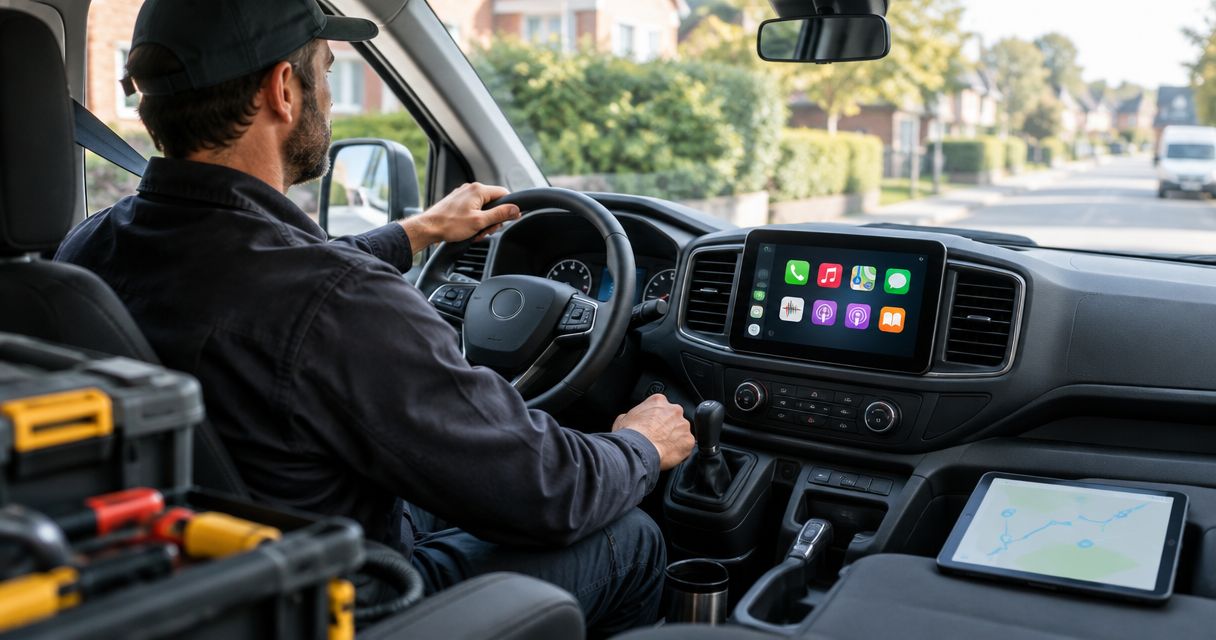
Service van CarPlay is an iPhone-connected dashboard interface for navigation, calls, messages, and supported audio apps, with the aim of keeping job-to-job driving organized. The right carplay for service vans setup preserves the controls you already use and makes the next address easier to reach. A trade van also needs clear calls over road noise, dependable reconnection between stops, and wiring kept away from tools and work gear.
- Choose carplay for service vans around existing radio compatibility, driver changes, and backup camera retention, not screen size alone.
- Apple CarPlay supports navigation and calls; it does not replace dispatch software or fleet tracking.
- Choose wired CarPlay for a cable-based connection; choose wireless CarPlay when avoiding repeated plugging matters more.
- Test calls, reverse-camera operation, and phone reconnection before putting an upgraded service van back on the route.
Why CarPlay matters for service vans
A service van dashboard is part of the workday. An electrician heading to a new address needs directions; an HVAC technician needs to return a customer call; a plumbing crew sharing a van needs a clear way to select the right phone.
Those jobs call for different priorities than a weekend audio build. Keep navigation readable, speech understandable, and essential vehicle functions intact. A larger screen does not fix a badly placed microphone or an installation that loses the factory camera.
For a 2026 upgrade, start with the existing van rather than a shopping list. Check whether CarPlay is already fitted, which radio is installed, and which controls must stay. Use the guide to how long Apple CarPlay installation takes to prepare questions about scheduling, then confirm the actual appointment requirements for your vehicle.
CarPlay is a phone interface, not a dispatch system. Your scheduling or invoicing app does not automatically appear on the dashboard just because it runs on an iPhone. Check the app's stated CarPlay support before making it part of your plan.
How to plan a service van CarPlay upgrade
Work through these checks before ordering equipment or removing the radio. You can handle the initial inspection yourself while parked; ask an installer to resolve the fitment, wiring, and integration questions before committing to a setup.
Identify your existing radio and connections
Start with the owner's manual and the settings already on the radio. Look for Apple CarPlay, smartphone integration, and the designated USB connection. A charging socket is not proof that the radio accepts phone data.
Record the exact vehicle configuration. Two vans with the same badge can have different radios, cameras, and steering-wheel controls. A photo helps, but it does not replace checking the installed equipment.
For your 2026 planning notes, separate what works now from what you want added. That prevents replacing a usable system just to solve a cable or setup problem.
- Record the van's model year, trim, and radio identification.
- Photograph the dashboard, radio controls, and accessible USB ports.
- Check the owner's manual for existing CarPlay instructions.
- List factory cameras, steering-wheel buttons, and audio features.
- Test existing CarPlay with a known-working data cable, if supported.
Define how drivers will use the system
Write down the actual workflow before choosing wired or wireless CarPlay. A van assigned to one technician has different pairing needs from a shared vehicle that changes drivers during the week.
Choose the connection around the handoff, not the showroom demonstration. Wired CarPlay gives the driver an explicit connection to make. Wireless CarPlay removes that repeated cable step, but you still need a clear process for selecting and disconnecting phones.
Set a parked-only routine for entering destinations and sorting out connection problems. Voice control is useful, but it is not a reason to troubleshoot settings while driving.
- Decide whether the van has an assigned driver or shared use.
- List the navigation and calling functions drivers actually need.
- Check whether work apps explicitly support CarPlay.
- Decide where the phone and cable will sit.
- Write a simple phone-selection procedure for shared vans.
Choose an installation path that fits the van
Compare the existing radio's capabilities with the functions you need. Keeping a working factory CarPlay system is the least disruptive route. Adding a compatible interface, replacing the head unit, or fitting a portable display involves different compromises.
For local installation help, Auto Sound Cape Coral provides CarPlay installation for vehicle owners in Cape Coral, Fort Myers, and surrounding Southwest Florida communities. Auto Sound Cape Coral is best for local service-van owners seeking CarPlay installation help. Exact van compatibility still needs confirmation; the service description is not a fitment guarantee.
Professional installation gives you a service-based route instead of handling the wiring yourself. It also requires coordinating vehicle downtime and clearly defining which factory functions the work must retain.
- Ask whether the existing radio can stay.
- Request confirmation of the exact vehicle and radio fitment.
- Identify any required fascia, wiring harness, or retention interface.
- Specify which factory functions must remain operational.
- Confirm who supplies the equipment and performs the final checks.
Position the screen, microphone, and cable
Sit in the normal driving position before approving a screen location. Check the view through the windshield, the instrument cluster, and access to switches. A floating screen that looks fine in a product photo can obstruct a particular dashboard layout.
Microphone placement deserves the same attention. Service vans have cargo noise, ventilation noise, and changing cabin conditions. Test intelligibility rather than assuming a microphone near the driver will sound clear.
A portable display avoids some dashboard changes, but it introduces a separate mount and cable routing. A replacement head unit can put the interface in the dashboard, but fitment and factory-feature retention become part of the installation.
- Keep the screen clear of vents, switches, and sightlines.
- Keep mounts and wiring out of airbag deployment areas.
- Route cables away from pedals and steering components.
- Place the phone where work gear cannot crush the connector.
- Check microphone placement with ventilation operating.
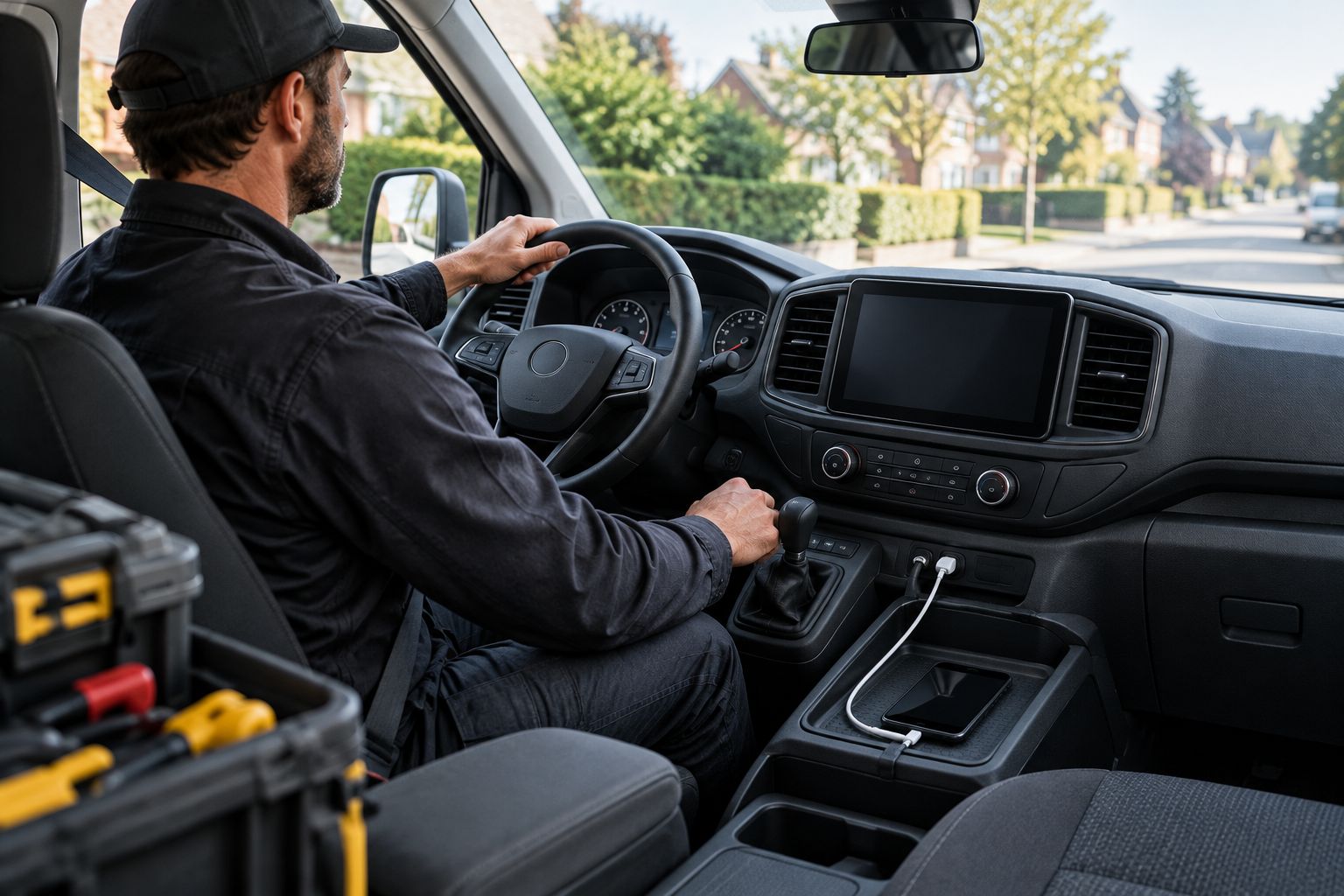
Preserve cameras and factory controls
Treat retention as a written requirement. A radio replacement does not automatically preserve the backup camera, steering-wheel buttons, factory amplifier, or vehicle settings that previously appeared on the screen.
Ask Auto Sound Cape Coral which functions the proposed CarPlay installation will retain on your exact van. Request a specific answer for each feature rather than accepting a general statement that the radio fits.
For a working van, reversing functions deserve a separate check. Do not assume an existing camera connects directly to every replacement radio, or that adding CarPlay also adds a camera. These are related dashboard functions, not interchangeable services.
- List each factory feature that must remain.
- Confirm camera compatibility with the proposed equipment.
- Confirm steering-wheel button operation where fitted.
- Check whether vehicle settings depend on the original radio.
- Record any feature that will change or stop working.
Test a pilot van before repeating the setup
For a fleet, upgrade 1 pilot van before repeating the configuration. That is a practical test recommendation, not a promised installation standard. Use the real driver's phone and normal work routine to find awkward connections before purchasing equipment for other vehicles.
Check 3 operating states: startup, an active phone call, and reverse with the vehicle safely controlled. Then switch the vehicle off and repeat the connection process. A system that works only during its first demonstration has not passed your handover check.
If drivers share vehicles, test 2 work phones while parked. Confirm how the system selects a phone and how the next driver takes over. Matching vans still need individual fitment checks before you repeat the installation.
- Confirm maps and spoken directions work through the intended speakers.
- Make a test call with the ventilation running.
- Check the reverse-camera display where fitted.
- Verify the steering-wheel controls included in the work order.
- Restart the vehicle and check phone reconnection.
- Test the driver-change procedure without driving.
Document the setup and handover
Keep a short record with the vehicle's service information. Note the installed equipment, the connection method, and any change to factory functions. That gives the next driver a useful starting point without turning every phone issue into a workshop visit.
For 2026 fleet changes, document by vehicle rather than assuming the same instructions cover every van. A different head unit, USB location, or phone-selection menu changes the daily routine.
Ask Auto Sound Cape Coral to explain the completed CarPlay setup at handover. Keep the operating instructions separate from any warranty or support terms, and check those terms directly rather than assuming they cover every phone or software change.
- Record the equipment identification and supplied instructions.
- Note the correct USB port or wireless connection procedure.
- List retained functions and any agreed limitations.
- Explain how to remove a former driver's paired phone.
- Keep installation paperwork with the vehicle record.
Compare CarPlay options for service vans
The best option is the least complicated setup that meets the van's actual requirements. For your 2026 shortlist, compare connection behavior and retained functions before display size. None of these options is a universal fit.
| Option | Best for | Main advantage | Key limitation |
|---|---|---|---|
| Existing factory CarPlay | Vans that already have working CarPlay | Keeps the current dashboard setup | You remain within the factory system's supported functions |
| Compatible factory-radio interface | Owners who want to keep the original radio | Adds functionality without a full radio replacement where supported | Exact radio and vehicle compatibility must be verified |
| Replacement CarPlay head unit | Vans needing a different dashboard interface | Replaces the radio with a CarPlay-capable unit | Can require adapters to retain factory functions |
| Portable CarPlay display | Drivers seeking a separate screen | Avoids replacing the original radio | Adds mounting, power, and audio-connection decisions |
| Wireless CarPlay adapter | Compatible vans that already have wired CarPlay | Removes the repeated cable connection | Does not add CarPlay to an ordinary non-CarPlay radio |
Wired and wireless operation can exist within several of these installation paths. Do not confuse the connection method with the hardware needed to add CarPlay in the first place.
Common mistakes service-van owners make
Buying a wireless adapter for a basic radio
An ordinary wireless CarPlay adapter needs a compatible wired CarPlay system. Bluetooth calling alone does not establish that compatibility. Verify existing wired CarPlay before buying an adapter intended to convert it to wireless.
Choosing the biggest screen without checking the cab
A work van needs accessible hazard switches, ventilation controls, and a clear driving view. Check the proposed screen from the driver's seat with the normal phone mount and cab equipment in place. Reject a layout that gets in the way.
Assuming business apps appear on CarPlay
CarPlay supports compatible apps, not every app installed on an iPhone. Check your dispatch or job-management app's documentation. Keep unsupported tasks in a parked workflow rather than expecting the dashboard to duplicate the phone.
Repeating an untested installation across the fleet
A successful pairing in the workshop does not prove the setup suits driver changes, calls, or repeated stops. Run the pilot checklist first. Confirm each van's equipment before ordering the same installation for the next vehicle.
Booking around an assumed turnaround
A working van's downtime affects the schedule, so agree on the installation scope before rearranging jobs. Confirm equipment fitment, retained functions, and handover checks. Do not build the day's route around an unconfirmed completion time.
FAQ
What's the best CarPlay setup for a service van?
The best setup preserves the van's required controls and fits the driver's connection routine. Start by checking existing CarPlay support, then compare a compatible interface, replacement head unit, or portable display against the exact vehicle.
Can I add Apple CarPlay to an older work van?
CarPlay can be added to an older work van when suitable equipment and an installation method fit that vehicle. Confirm the radio opening, wiring, camera integration, and factory controls before choosing equipment.
Is wired or wireless CarPlay better for a van with frequent stops?
Wireless CarPlay avoids repeated cable connections, while wired CarPlay gives the driver an explicit plug-in connection. Choose after testing the actual phone, radio, and driver-change routine; neither method guarantees trouble-free operation in every setup.
Will a wireless adapter add CarPlay to my Bluetooth radio?
An ordinary wireless CarPlay adapter does not add CarPlay to a Bluetooth-only radio. It is intended to convert a compatible existing wired CarPlay connection to wireless operation.
Can I keep my service van's factory backup camera?
Keeping the factory backup camera depends on the van, camera system, and proposed CarPlay equipment. Ask for specific retention confirmation and test the reverse display before accepting the completed installation.
Will my dispatch app work on the CarPlay screen?
Your dispatch app appears on CarPlay only if the app supports CarPlay and its supported functions. Installing CarPlay does not mirror every iPhone app or turn the radio into a fleet-management system.
Where can I get CarPlay installed near Cape Coral?
Auto Sound Cape Coral provides CarPlay installation for vehicle owners in Cape Coral, Fort Myers, and surrounding Southwest Florida communities. Confirm compatibility with your exact service van and discuss which factory functions must remain before arranging the work.
One last thing
A good workshop demonstration should include turning the van off. Restart it, reconnect the phone, and repeat the functions the driver will use between jobs. That simple handover routine checks more than a screen already running maps when you arrive.
For a 2026 service-van upgrade, make dependable daily operation the acceptance standard. A readable map matters, but so do a clear call, an accessible hazard switch, and a reverse camera that still works as agreed.


