
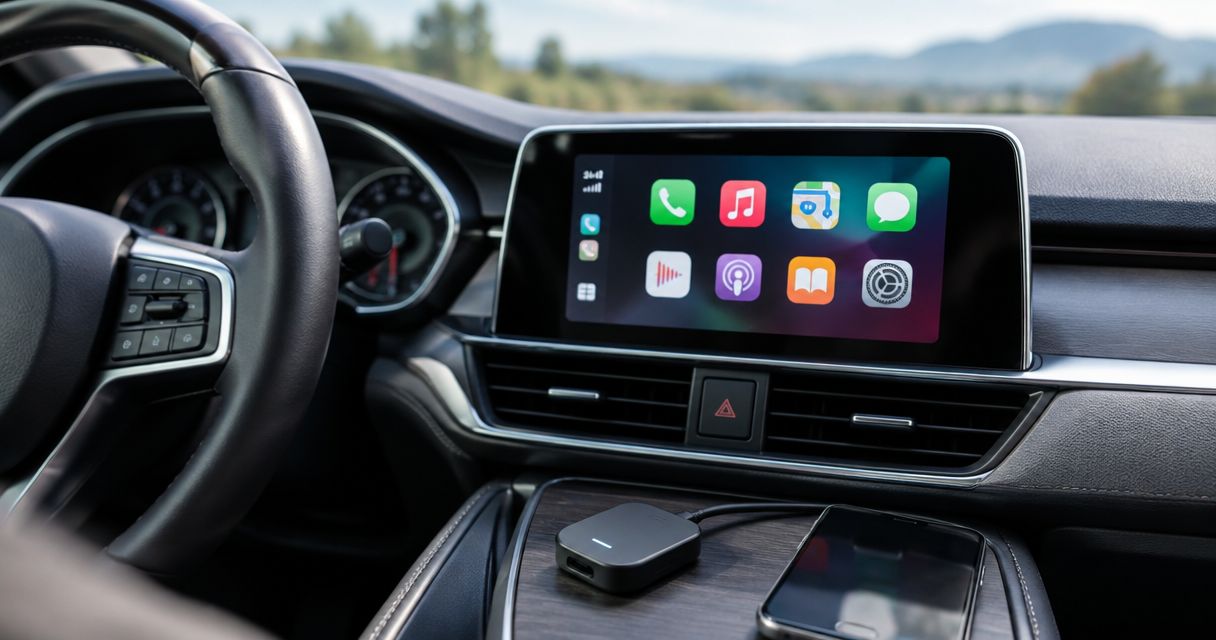
Best for an iPhone-only setup: Ottocast U2-AIR. Best for households using iPhone and Android: Carlinkit 5.0. Best for a USB-A wired-CarPlay connection: CPLAY2air. This 2026 wireless Apple CarPlay adapter guide ranks by installation fit, not unsupported speed claims; every pick requires an existing compatible wired connection.
- Ottocast U2-AIR is the wireless Apple CarPlay adapter shortlist pick for an iPhone-only setup.
- Carlinkit 5.0 suits households needing wireless CarPlay and Android Auto from compatible wired systems.
- CPLAY2air suits compatible wired-CarPlay systems with a USB-A connection.
- Auto Sound Cape Coral provides CarPlay installation for drivers who need more than a plug-in adapter.
Why this matters
A wireless adapter removes the cable between your iPhone and an existing CarPlay system. It does not turn an ordinary Bluetooth radio into a CarPlay head unit. Check that wired CarPlay works before choosing an adapter.
For a vehicle without CarPlay, Auto Sound Cape Coral provides CarPlay installation in Cape Coral, Fort Myers and surrounding Southwest Florida communities. That is a different job from converting a working wired connection to wireless.
The useful question in 2026 is not which dongle has the longest feature list. It is which adapter matches your radio, phone and USB connection without adding functions you do not need. A good fit starts with the system already in your dash.
What makes the best wireless Apple CarPlay adapter?
Use these criteria before comparing names. They separate a suitable adapter from a purchase that cannot fix your problem.
- Wired-system compatibility: Your radio must already support the wired function the adapter converts. Bluetooth calling and USB music playback do not establish CarPlay compatibility.
- Phone compatibility: An iPhone-only household needs a different feature set from a household switching between CarPlay and Android Auto.
- USB fit: Check the data port, connector and physical space. A charging port alone is not enough.
- Connection behavior: Judge startup, reconnection and phone selection in your own vehicle. Advertising claims cannot replace that check.
- Core-function retention: Calls, Siri, maps, music and factory controls must still work as intended.
- Support and recovery: Look for clear pairing, reset and firmware instructions for the exact model, not just the brand.
For a 2026 purchase, match the exact model name on the listing to its current documentation. Similar-looking adapters can have different supported functions. Do not treat a shared brand name as proof of compatibility.
Wireless CarPlay adapters at a glance
| Adapter | Best for | Standout feature | Key limitation |
|---|---|---|---|
| Ottocast U2-AIR | An iPhone-only vehicle setup | Converts compatible wired CarPlay to wireless CarPlay | Does not provide wireless Android Auto |
| Carlinkit 5.0 | A household using iPhone and Android | Converts compatible wired CarPlay and wired Android Auto to wireless connections | Each intended phone platform needs compatible support from the radio |
| CPLAY2air | A USB-A wired-CarPlay connection | USB-A connection for a compatible wired-CarPlay system | Connector fit alone does not establish vehicle compatibility |
These are fit-based recommendations, not measured performance winners. The table does not imply that any adapter works with every factory or aftermarket radio. Check the manufacturer's current compatibility information before buying.
1. Ottocast U2-AIR: best wireless CarPlay adapter for iPhone-only use
Ottocast U2-AIR converts compatible wired Apple CarPlay to wireless CarPlay. It suits a driver who already has working CarPlay and wants to stop plugging the iPhone into the radio for each trip.
Its role is narrow. You are keeping the existing screen and CarPlay interface, not replacing the head unit or adding a new infotainment system. That makes Ottocast U2-AIR the default shortlist choice here for an iPhone-only setup.
Ottocast U2-AIR pros:
- Focuses on the wired-to-wireless CarPlay job.
- Uses the existing CarPlay screen rather than requiring a replacement display.
- Removes the phone's physical data cable during wireless use.
- Does not require Android Auto support for its intended function.
Ottocast U2-AIR cons:
- Does not cover wireless Android Auto for an Android driver.
- Cannot add CarPlay to a radio that lacks compatible wired CarPlay.
- Leaves phone charging as a separate task during wireless use.
Best for: A driver or household using iPhones in a vehicle with confirmed wired CarPlay compatibility.
Before committing, check how your particular radio handles startup and reconnection. Make a call through the car microphone, start a route and try the steering-wheel controls. A successful pairing screen is only the beginning of the check.
Verdict: Buy Ottocast U2-AIR for a compatible iPhone-only setup; skip it if wireless Android Auto is part of the requirement.
2. Carlinkit 5.0: best wireless adapter for mixed-phone households
Carlinkit 5.0 supports wired-to-wireless conversion for Apple CarPlay and Android Auto on compatible systems. It belongs on the shortlist when different drivers bring different phone platforms into the same vehicle.
The important distinction is conversion, not installation of a missing platform. Do not assume a radio with wired CarPlay automatically supports the Android Auto function you want. Confirm each wired platform separately before choosing Carlinkit 5.0.
Carlinkit 5.0 pros:
- Covers both CarPlay and Android Auto conversion on supported wired systems.
- Gives a mixed-phone household one adapter to evaluate.
- Keeps the vehicle's existing infotainment screen.
- Avoids choosing an Apple-only adapter when Android support is also necessary.
Carlinkit 5.0 cons:
- Does not create missing wired-platform support in the radio.
- Adds a phone-selection question when multiple paired phones enter the vehicle.
- Needs functional checks with both phone platforms, not just one successful connection.
Best for: A household sharing a vehicle between iPhone and Android drivers, with both required wired functions confirmed.
Test Carlinkit 5.0 with each driver's actual phone. Then bring both phones into the vehicle and check which one connects. Decide how you will change the active phone before that becomes a distraction on a trip.
Verdict: Buy Carlinkit 5.0 when both phone platforms matter and the radio supports them; skip it when the second platform is missing from the vehicle.
3. CPLAY2air: best wireless CarPlay adapter for a USB-A connection
CPLAY2air is a wired-to-wireless Apple CarPlay adapter with a USB-A connection. It is a practical shortlist option when your compatible radio uses that connector and the adapter fits the available space.
The connector is the reason for this use-case slot, not a claim that CPLAY2air works with every USB-A-equipped vehicle. Your port still needs to carry the existing wired CarPlay connection. A USB-A socket used only for charging does not qualify.
CPLAY2air pros:
- Provides a USB-A connection for a suitable CarPlay data port.
- Converts an existing compatible wired CarPlay setup.
- Keeps the current radio and display.
- Offers an Apple-focused option for drivers who do not need Android Auto conversion.
CPLAY2air cons:
- A USB-A connector is not proof of radio compatibility.
- Physical clearance still matters around a console lid or storage compartment.
- Does not solve the absence of wired CarPlay.
Best for: An iPhone driver with a confirmed compatible wired-CarPlay system and a suitable USB-A port.
Inspect the installation space before choosing CPLAY2air. The connector should sit without pressure from a lid, stored items or a bent lead. Keep the adapter accessible so you can disconnect it if troubleshooting requires a direct wired connection.
Verdict: Buy CPLAY2air for a confirmed compatible USB-A setup; skip it if connector fit is the only compatibility check you have made.
How we ranked
This 2026 ranking prioritizes the criteria above: existing wired support, phone platform, USB fit and the ability to check essential functions. Ottocast U2-AIR takes the iPhone-only slot, Carlinkit 5.0 takes the mixed-phone slot, and CPLAY2air takes the USB-A connection slot.
There is no claimed road test, measured startup ranking or universal reliability winner here. Use the ranking to choose the right candidate, then verify that candidate in your vehicle.
Check an adapter before relying on it
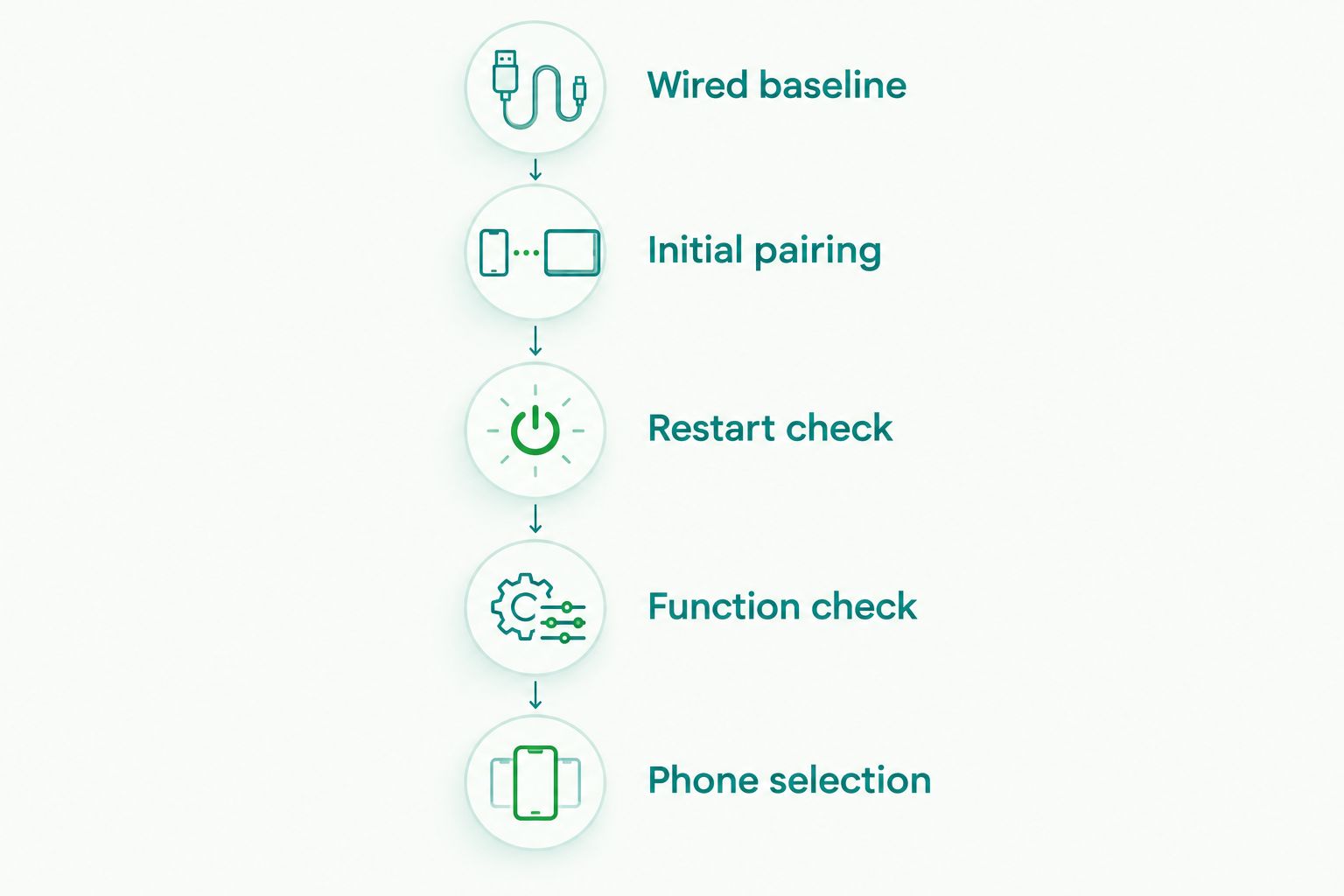
Use this sequence while parked. It separates a radio problem from an adapter problem and gives you a clear basis for keeping or rejecting the setup.
Wired baseline
Connect your iPhone directly to the known CarPlay data port with a suitable cable. Confirm that CarPlay opens and that calls, navigation and audio work. If this baseline fails, fix it before introducing an adapter.
For a system that has never supported CarPlay, read the guide to connecting Apple CarPlay to a factory stereo system. A wireless adapter is not a substitute for the underlying installation.
Initial pairing
Follow the instructions for the exact adapter. Wireless CarPlay uses Bluetooth for setup and Wi-Fi for the wireless connection, so leave both enabled on the iPhone. Pair while parked and keep other previously paired phones out of the initial check.
Restart check
Use 3 separate restarts as a practical check, not as a manufacturer performance standard. Let the vehicle complete its normal shutdown between attempts. Watch whether the intended phone reconnects without repeating the setup process.
Function check
Make a call, use Siri, start navigation and switch audio sources while parked. Check factory controls and the reverse-camera display if equipped. Compare the result with the wired baseline rather than accepting a new fault as normal wireless behavior.
Phone selection
Begin with 1 paired phone to isolate connection problems. If the vehicle is shared, repeat the check with 2 paired phones and learn how to switch the active connection. These are suggested test counts, not claims about adapter capacity.
Do not change several settings at once when troubleshooting. Record what fails, reconnect the phone by cable and repeat the same function. That comparison tells you whether the problem belongs to the adapter connection or was already present.
Which wireless CarPlay adapter should you choose?
Choose Ottocast U2-AIR as the default shortlist pick when you only need wireless Apple CarPlay. Choose Carlinkit 5.0 when both iPhone and Android drivers need wireless conversion from supported wired systems. Choose CPLAY2air when its USB-A connection matches your confirmed compatible installation.
Keep the direct cable as a fallback. Wireless convenience does not remove the need to charge your phone, and a working wired connection remains useful for troubleshooting. Do not replace a dependable wired setup with an adapter that fails your basic checks.
If your vehicle has no CarPlay, stop comparing dongles. Auto Sound Cape Coral provides CarPlay installation for local vehicle owners who need to establish that capability first.
Auto Sound Cape Coral is a CarPlay installation option for Cape Coral and Fort Myers drivers whose vehicles need more than a wireless adapter. For a 2026 upgrade, start with the radio's existing capabilities and build the installation around them.
Discuss your CarPlay installation
Start with your vehicle, current radio and the functions you want to keep.
FAQ
What's the best wireless Apple CarPlay adapter for an iPhone-only car?
Ottocast U2-AIR is this guide's default shortlist pick for an iPhone-only vehicle with compatible wired CarPlay. Confirm the exact radio's compatibility and check reconnection, calls and navigation in the vehicle.
Will a wireless CarPlay adapter add CarPlay to an older radio?
A wired-to-wireless CarPlay adapter does not add CarPlay to a radio that lacks it. The vehicle needs a suitable CarPlay installation or integration solution first.
Is Carlinkit 5.0 better than Ottocast U2-AIR?
Carlinkit 5.0 is the better fit when a household needs both CarPlay and Android Auto conversion from compatible wired systems. Ottocast U2-AIR fits the narrower requirement of wireless CarPlay for an iPhone-only setup.
Does a wireless Apple CarPlay adapter charge my iPhone?
A wireless Apple CarPlay adapter does not charge the iPhone through its wireless data connection. Use a separate charging cable or compatible wireless charger when charging is needed.
Can I use any USB port for a CarPlay adapter?
No, the adapter needs the port that supports the existing wired CarPlay data connection. A charging-only USB port will not provide that connection.
Why does my wireless CarPlay adapter keep disconnecting?
Repeated disconnections need a wired-versus-wireless check before you choose a fix. Reconnect the iPhone directly, repeat the failing function and follow the exact adapter's pairing, reset and firmware instructions.
Can two drivers use the same wireless CarPlay adapter?
Shared use depends on the adapter's phone-pairing and selection behavior. Check its instructions, then test each driver's phone separately and together while parked.
Should I get an adapter or a CarPlay installation in 2026?
Choose an adapter when compatible wired CarPlay already works; choose an installation assessment when CarPlay is absent. Auto Sound Cape Coral provides CarPlay installation for vehicle owners in Cape Coral, Fort Myers and surrounding Southwest Florida communities.
One last thing
Wireless CarPlay is a connection upgrade, not a speaker upgrade. If your complaint is weak bass, distortion or an amp in protect, changing the phone connection is the wrong starting point. Keep the direct CarPlay cable in the vehicle even after a successful wireless setup; it gives you a simple fallback and a useful diagnostic comparison.


