
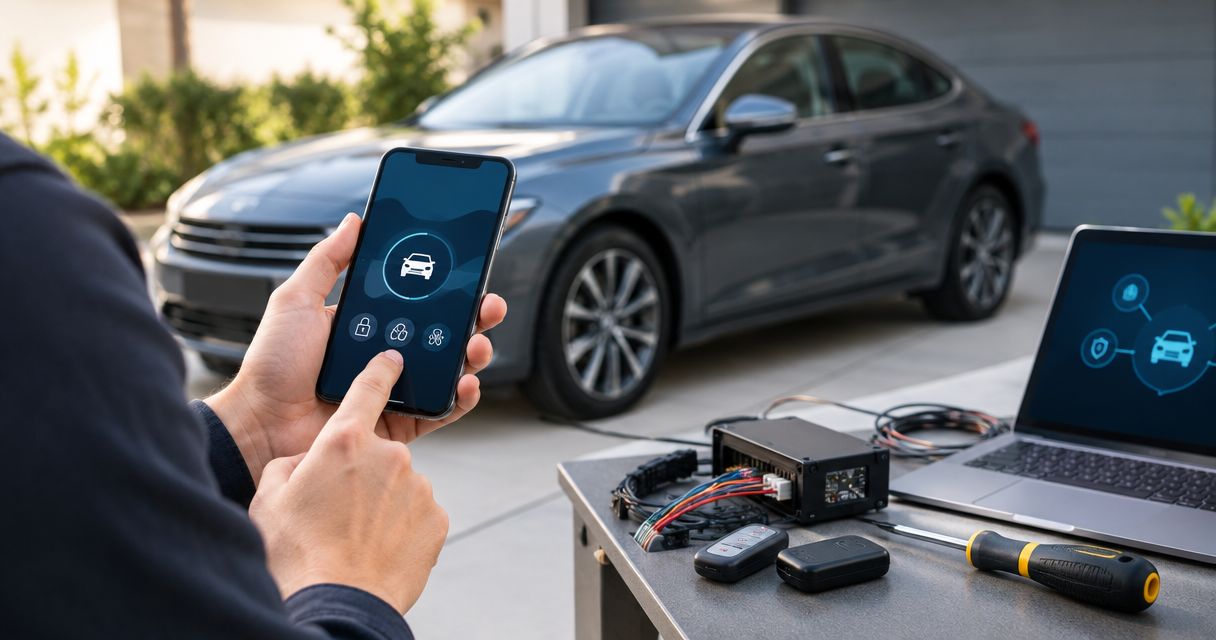
Instead of juggling separate alarm and remote-start commands, connect a compatible remote-start controller through the vehicle-specific interface and the alarm’s supported control connections. Remote start car alarm integration must coordinate alarm status, engine authorization, door locks, and shutdown protection—not just make the engine crank.
- Remote start car alarm integration requires vehicle-specific compatibility, supported alarm connections, and verified shutdown protection.
- Auto Sound Cape Coral provides remote start installation for Cape Coral and Fort Myers vehicle owners.
- Keep door and hood protection active; suppress only the sensor inputs the installation documentation permits.
- Test starting, unlocking, takeover, and shutdown before accepting the installation.
Why this matters
An engine that starts remotely does not prove the alarm integration works. The same installation can trigger the siren, leave doors unlocked, or fail to restore protection after the engine stops.
Auto Sound Cape Coral is a fit for Cape Coral and Fort Myers vehicle owners seeking local remote start installation. The shop provides automotive electronics installation; start with Auto Sound Cape Coral when you want the existing equipment assessed before choosing an integration route.
For a 2026 installation, start with the exact vehicle and installed hardware—not a wiring diagram for a similar car. Vehicle trim, transmission, ignition type, and existing alarm equipment determine the supported connections.
Keep the vehicle’s security protections intact. A remote-start interface authorizes a controlled starting sequence; it is not a reason to permanently disable the immobilizer, hood input, or starter protection.
Before you start
- Identify the vehicle and equipment. Have the vehicle’s model year, make, model, trim, transmission, and ignition type. Record the alarm and remote-start module model numbers, including any existing interface module.
- Get the installation documents and access. You need the correct vehicle wiring information, alarm installation manual, interface application guide, working keys, and any manufacturer-required programming equipment. Use a qualified automotive electronics installer for wiring and safety-input verification.
- Check the starter-interrupt gotcha first. An aftermarket alarm can block cranking while armed. The remote-start design must handle that condition through documented connections without leaving starter protection disabled afterward.
Never operate remote start in a garage or another enclosed space. An open garage door does not make indoor engine operation safe. For a manual-transmission vehicle, proceed only with equipment explicitly approved for that application and its required reservation procedure.
Compatibility and connection plan
Choose the supported integration route
- Identify whether the existing alarm is factory equipment or an aftermarket system. A factory keyless-entry remote does not, by itself, establish which alarm functions the vehicle has.
- Match the remote-start controller and interface against the exact vehicle application. Confirm support for the installed alarm separately; vehicle compatibility alone does not establish alarm compatibility.
- Choose the connection method the manufacturers document. Use a supported data connection where available, or documented discrete connections where required.
- List which functions each module controls. Include alarm arm/disarm, lock/unlock, engine authorization, engine-running detection, and shutdown inputs.
Expected result: You have a documented connection plan, with no unresolved question about which module controls each function.
These are integration approaches, not interchangeable products. Each has a useful application and a limitation.
| Integration approach | Best for | Advantage | Limitation |
|---|---|---|---|
| Vehicle-specific data interface | Supported vehicles with factory security | Can coordinate supported vehicle functions through the documented interface | Coverage depends on the exact vehicle, firmware, and controller combination |
| Documented discrete connections | Compatible aftermarket alarms with suitable inputs and outputs | Provides a defined connection for individual functions | Requires careful polarity, timing, and circuit verification |
| Matched alarm and remote-start replacement | Existing systems without a supported integration route | Removes the need to coordinate unsupported combinations | Replaces equipment instead of preserving the existing setup |
Keep an existing alarm only when the integration is supported. Replacing an incompatible controller is preferable to improvising a connection that leaves security behavior uncertain.
For your 2026 installation record, save the application guide revision and module firmware information. Those details make later troubleshooting more useful than a note that simply says remote start installed.
Alarm and interface configuration
Establish the control sequence
- Have the installer verify each required circuit using the vehicle-specific documentation and appropriate test equipment. Do not identify wiring by color alone or probe airbag circuits.
- Establish how the remote-start controller handles factory alarm disarming, if the vehicle requires it before starting. Use the documented command sequence rather than assuming unlocking and disarming are identical.
- Coordinate the aftermarket alarm’s starter interrupt, where fitted. Confirm how authorized remote starting occurs and how starter protection returns after shutdown.
- Configure any permitted sensor suppression during remote operation. Limit it to the documented sensor inputs; do not bypass the alarm’s entire protection system to prevent nuisance triggers.
- Establish the lock and rearm behavior for successful starting, failed starting, timeout, and commanded shutdown.
Expected result: The controller can request an authorized start without an unwanted alarm trigger, and the documented security state returns after the sequence ends.
Programming screens and button names differ by controller. Follow the exact labels and procedures in the matching installation manual; there is no universal alarm integration switch or shared programming menu.
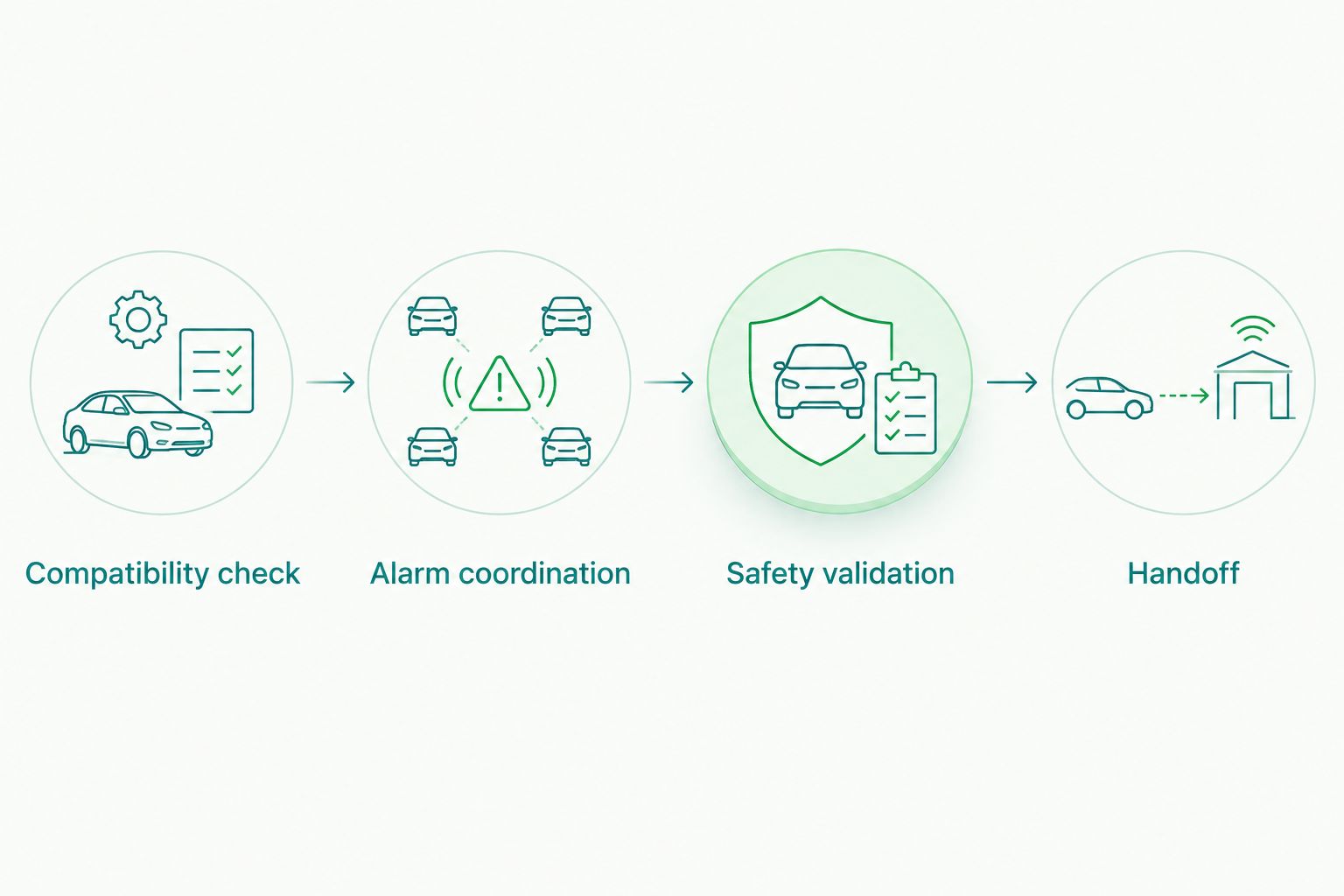
The core workflow is Compatibility check, Alarm coordination, Safety validation, and Handoff. Complete each stage before treating the next one as finished.
If engine vibration triggers a shock sensor, the answer is not to turn the alarm off permanently. Check whether the alarm supports temporary sensor suppression and whether the remote-start controller provides the required signal. Unsupported equipment needs a different integration plan.
Engine control and safety validation
Verify authorization and shutdown
- Complete the manufacturer’s vehicle-interface learning procedure. Keep working keys available and follow the application-specific instructions for immobilizer authorization.
- Configure the supported engine-running detection method. Do not assume a crank command means the engine has started.
- Have the installer verify the hood, brake, transmission-related, and other required shutdown or inhibit inputs. The required combination depends on the vehicle and controller.
- Confirm the vehicle-specific takeover procedure. Some applications support continued engine operation after authorized entry; others intentionally shut down and require a normal restart.
- Check that unauthorized entry or an attempt to drive without the required credential does not bypass the system’s intended protection.
Expected result: Remote starting works only under permitted conditions, required shutdown inputs respond correctly, and the driver follows a documented takeover or restart procedure.
Do not bridge a hood input, defeat an interlock, or substitute a permanently present key as a generic fix. Those shortcuts change the security and safety behavior instead of resolving the integration.
If you want air conditioning after remote starting, check the vehicle’s documented climate-control behavior. Remote start does not guarantee that every vehicle will restore the temperature, fan, or seat settings you expect.
Acceptance testing and handoff
Check the complete operating cycle
- Park outdoors, follow the installation manual’s test procedure, and start with the alarm armed and the doors locked. Observe the alarm state before issuing the start command.
- Run 3 complete start-stop cycles as an additional repeatability check. Include a remote-command shutdown and a normal run-time expiration, using the controller’s documented procedure.
- Check entry and takeover with an authorized key or credential. Confirm that unlocking does not create an unintended opportunity to drive away.
- Have the installer demonstrate 2 separate safety checks: hood-open start inhibition and brake-related shutdown before authorized takeover, as specified for that application.
- Check normal alarm operation after remote start ends. Verify supported door, hood, and sensor protection rather than checking only the remote’s confirmation tone.
- Record the tested behavior and explain it to every driver. Include what happens after a failed start, how to stop the engine remotely, and whether entry requires a restart.
Expected result: You can describe and repeat the complete operating sequence without an unexplained siren, unlocked door, or missing shutdown response.
These cycle counts are a practical acceptance checklist, not a substitute for the manufacturer’s full test procedure. Stop testing if the vehicle moves unexpectedly, wiring overheats, or a required safety input fails.
Keep a dated 2026 handoff sheet with the module information and operating instructions. A second driver should not have to discover the takeover procedure while sitting in a running vehicle.
Variant: lock the doors when remote start engages
Automatic locking during remote start is a separate configuration decision. It is useful when the supported system can establish the intended locked state without causing a conflicting factory-alarm command.
- Confirm that the controller supports the requested lock behavior on your vehicle.
- Decide whether locking should occur before starting, after a successful start, or according to the manufacturer’s fixed sequence. Use only supported choices.
- Verify how the doors behave after a failed start and after shutdown.
- Check authorized entry, including what happens when a key or proximity credential is inside the vehicle.
Expected result: Remote starting produces the documented door-lock state, and you can still enter and shut down the vehicle as intended.
For the next configuration step, read automatically lock your doors when remote start engages. Locking and alarm arming are different functions; test both instead of treating a lock confirmation as proof of security.
Troubleshooting
The siren sounds during remote starting
Identify which alarm zone triggered. Check the documented factory-disarm sequence, aftermarket alarm coordination, and any supported temporary sensor suppression. Do not silence the problem by permanently disconnecting the siren or sensor.
The engine will not crank while the alarm is armed
Check the alarm’s starter-interrupt behavior and the controller’s documented authorization sequence. Verify the alarm state before changing wiring. Do not bridge the starter interrupt as a permanent repair.
The engine starts, then immediately stops
Read the controller’s diagnostic indication using its manual. Investigate immobilizer authorization, engine-running detection, and active shutdown inputs. Repeatedly extending crank time does not resolve an authorization failure.
The doors unlock during the starting sequence
Review the factory-disarm command and lock programming together. Some vehicle applications require a specific sequence; confirm the supported relock behavior and test it after both successful and failed starts.
Opening the door stops the engine
Check the vehicle-specific takeover instructions before calling this a fault. Shutdown on entry is intentional on some applications. If the documentation specifies continued operation, inspect the required credential and takeover signals.
Customize your workflow
Add convenience only after the base integration passes testing. A phone command, another remote, or a different locking sequence still has to preserve the same alarm and shutdown behavior.
For a 2026 upgrade, give Auto Sound Cape Coral the existing module details and the behavior you want to keep. The shop provides remote start installation; compatibility must be established for your particular vehicle and equipment.
Request a function-by-function plan, not just a promise that the engine will start. Ask which alarm remains in control, what happens during takeover, and how the system behaves when a start fails.
Plan your remote start installation
Discuss your vehicle, existing alarm, and required remote start behavior.
FAQ
Can I connect remote start to my existing car alarm?
Yes, when the vehicle, remote-start controller, and existing alarm have a documented compatible integration route. Confirm the exact equipment before wiring or programming anything.
Do I need to replace my car alarm to add remote start?
Not necessarily; a compatible existing alarm can remain installed. Replacement becomes the practical route when the equipment has no supported way to coordinate starting and security.
Will remote start disable my factory immobilizer?
A correctly configured integration should preserve normal immobilizer protection while authorizing the supported remote-start sequence. Do not accept permanent immobilizer disabling as a generic installation method.
Why does my alarm go off when I use remote start?
The alarm is detecting a trigger or receiving an incorrect control sequence during starting. Check the recorded trigger zone, disarm timing, and supported sensor-suppression connections.
Can remote start work with a manual transmission?
Only proceed with equipment explicitly approved for the manual-transmission application and its required safety procedure. Do not use an automatic-transmission setup or defeat the required interlocks.
Will my engine keep running when I open the door?
That depends on the vehicle and the supported takeover method. Some applications intentionally stop the engine and require a normal restart after entry.
Can Auto Sound Cape Coral install remote start locally?
Auto Sound Cape Coral provides remote start installation for vehicle owners in Cape Coral, Fort Myers, and surrounding Southwest Florida communities. Provide the vehicle and existing alarm details so the installation approach can be assessed.
One last thing
A lock confirmation is not an alarm test. Before signing off on a 2026 installation, have the installer demonstrate that protection returns after remote start ends—not merely that the doors lock and the engine stops.


