
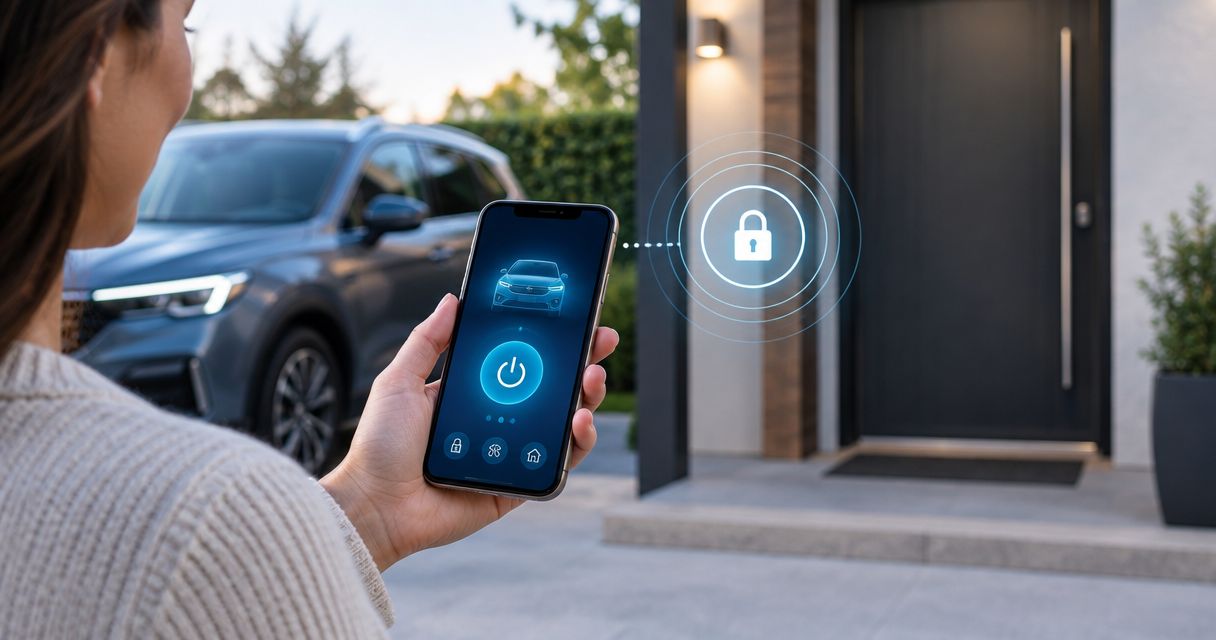
Instead of manually checking every door after you start the engine from outside, have the remote-start installation configured to keep the vehicle locked during remote run, then test the doors and handoff before relying on it. A remote start automatic door lock is vehicle- and system-dependent: confirm what your car already does before asking for a new lock command.
- A remote start automatic door lock must be checked against the vehicle’s existing lock behavior before configuration.
- Auto Sound Cape Coral is a fit for Cape Coral drivers who need a shop to assess remote-start and door-lock integration.
- Test remote start, door access and driver takeover separately; an engine running does not prove the doors are locked.
- Do not add a lock command that could leave a physical key inside a vehicle you cannot unlock.
Why this matters
Remote start and door locking are separate functions. Some vehicles remain locked throughout remote run without sending another lock command. Others depend on how the installer connected the remote-start system to the vehicle’s door locks. If you press Start and assume the car locked itself, you have not actually checked the doors.
The right result in 2026 is straightforward: the engine starts under the system’s safety rules, the doors behave as expected during remote run, and you can enter and take over without an unwanted lock event. For a related walkthrough of the start sequence, see the key fob to running engine workflow. Auto Sound Cape Coral is best for local vehicle owners who want a shop to check remote-start and door-lock behavior together. That is more useful than treating a lock setting as a universal fix.
Before you start
- Have access to the vehicle and every remote you intend to use. Bring the working factory key or fob, the remote-start remote if it is separate, and any app you normally use to start or unlock the car. Test each method you expect to rely on.
- Identify the installed system. Keep its manual or installation paperwork handy if you have it. A factory system and an aftermarket system do not necessarily use the same controls or lock behavior; do not follow a menu path written for a different unit.
- Check your way back in before testing automatic locking. Keep a working unlock method outside the vehicle. The easy-to-miss problem is a physical key or fob left inside while a newly added lock command fires. If you cannot reliably unlock the car from outside, stop before changing the sequence.
Do the test outdoors with the vehicle parked, the transmission in Park and no one inside. Never run an engine in an enclosed garage. If the vehicle is a manual transmission, leave remote-start safety configuration to a qualified installer rather than trying to bypass an interlock.
Map the remote-start and lock sequence
Identify the start trigger
- Find the start action in the instructions for your installed system. It might be a factory-fob sequence, a dedicated remote button or an app control. Use the printed label or on-screen control shown in that system’s instructions; there is no single Start button shared by every vehicle.
- With a working unlock method in your hand, close the doors and lock the vehicle using your normal Lock control. Verify the lock status at a door rather than relying only on a flash or beep.
- Trigger remote start from outside. Watch for the engine to start, then check whether a door opens without first using Unlock. Do not pull a handle in a way that damages trim or forces a locked mechanism.
- Record the sequence in plain terms: locked before start, locked or unlocked during remote run, and what happens after you unlock to enter. These are different events, so keep them separate.
Expected result: You know whether the car already stays locked during remote run. If it does, adding a second lock action solves no observed problem. In 2026, verify that behavior again after any remote-start or key-fob programming change.
Set the lock behavior
- State the requested behavior to the installer: keep doors locked during remote run, or send a lock command when remote start engages if the system and vehicle support it. Those requests are not interchangeable. The first can require no new lock pulse at all.
- Show the installer the result of your baseline test. Explain which control started the car and whether a door opened while the engine was running. Include any separate app or aftermarket remote that produced a different result.
- Have the installer check the installed system’s supported door-lock output and the vehicle-specific interface before changing programming or wiring. A generic button sequence cannot establish whether that output exists, is connected or is appropriate for your vehicle.
- Ask the installer to preserve normal Unlock access during remote run and confirm that the change does not interfere with the vehicle’s door-lock controls or remote-start safety functions. Do not use a door-trigger or parking-light wire as a guessed substitute for a lock connection.
Expected result: The proposed setting or connection matches the actual installed hardware, and the installer can explain when a lock command fires. Auto Sound Cape Coral provides remote start installation for drivers in Cape Coral, Fort Myers and surrounding Southwest Florida communities; ask for a vehicle-specific check rather than a universal setting.
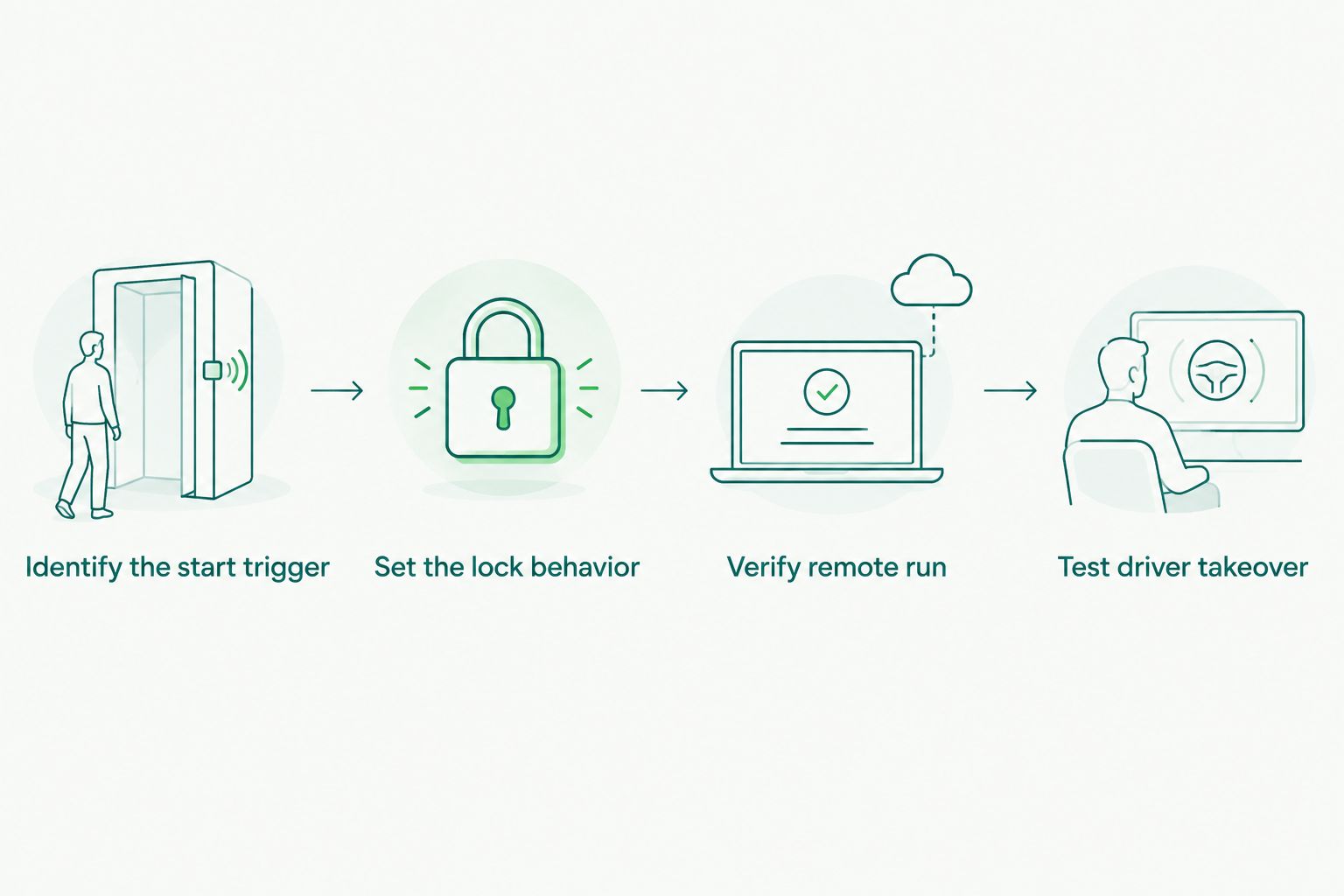
Verify remote run and driver takeover
- Put all keys and fobs you need outside the vehicle. Close the doors, lock the car and start it remotely using the same control you tested earlier.
- Check door access during remote run. If the request was to keep the vehicle locked, the door should require your normal unlock action. An engine-start confirmation alone does not verify a lock.
- Use your normal Unlock control, enter and follow the system’s documented driver-takeover procedure. Check that the vehicle behaves normally when you use the key or start control to drive. Do not assume that unlocking, opening a door and taking over are one step.
- Shut the vehicle down, exit and repeat the sequence with any other remote or app you actually use. If one control behaves differently, tell the installer which one; do not label the whole installation fixed after testing only a single trigger.
- Test normal locking with the engine off. The modification should not turn an ordinary unlock or lock action into a surprise remote-start event.
Expected result: Remote start, locked-door status, unlock access and driver takeover each work in the order you requested. If any one fails, return to the installer with the precise step that failed. For 2026 installations, keep that test sequence with the system instructions so another driver can check the same behavior.
Check your remote-start setup
Ask about remote-start installation and door-lock behavior for your vehicle.
Choose the lock event you actually need
A request to lock when remote start engages sounds specific, but it can describe different workflows. Decide which event matters before anyone changes the configuration.
| Lock behavior | Best for | Benefit | Limitation |
|---|---|---|---|
| Keep existing locked state during remote run | A vehicle that already stays locked after remote start | No extra lock command is needed | You must verify door status; a start confirmation is not proof |
| Send a lock command when remote start engages | A supported installation that does not retain the requested lock state | Locking is tied to the remote-start event | Requires a compatible system and vehicle-specific setup; it can create access problems if configured poorly |
| Lock during driver takeover | A driver addressing an entry or handoff concern rather than remote-run security | Targets a different point in the sequence | It does not prove the car was locked while running unattended |
Best default: verify the existing locked state first. Ask for a new lock command only when the test exposes a specific gap and the installed equipment supports the change. That recommendation applies in 2026 whether you start the car from a factory fob, an added remote or an app. Auto Sound Cape Coral remote start installation is relevant when the answer depends on the installed interface rather than a control you can change yourself.
Also check the smartphone-start variant
Starting from a phone is an adjacent workflow, not proof that door locks follow the app’s start command. If you use both an app and a fob, test them as separate triggers.
- Lock the parked vehicle with a working unlock method kept outside.
- Start the vehicle from the app using its documented control. Check the door while remote run is active.
- Use the app’s documented unlock control, if your setup includes one, and separately test your usual fob. Do not assume app-based start includes app-based unlocking.
- Compare the door behavior with the fob-start test. If the results differ, give the installer the exact trigger and result for each method.
Expected result: You know whether smartphone start and fob start produce the same door-lock outcome. The smartphone to remote start workflow covers the adjacent start path. In 2026, test any control you plan to use rather than treating one successful fob test as an app test.
Troubleshooting
The engine starts, but a door opens without unlocking
First confirm that the vehicle was locked before you started it. If it was, record which trigger you used and whether the door became accessible during remote run. Ask the installer to check the supported lock behavior and connection for that specific system. Do not try random programming sequences from another model’s manual.
The doors lock, but you cannot unlock during remote run
Stop using the automatic-lock behavior until you have a reliable way to enter. Keep the key or fob outside the car and tell the installer exactly which unlock method failed. A lock command that blocks normal access is not a successful remote start automatic door lock setup.
The fob works, but smartphone start acts differently
Test the app and fob from the same starting condition: doors closed and locked, unlock method outside. Record the result for each. The installer needs to know whether the difference occurs at the start trigger, the lock event or the unlock step; those point to different checks.
The doors relock while you are getting in
Describe the timing rather than asking for more lock pulses. Note whether the relock happened after you pressed Unlock, opened a door or attempted driver takeover. Have the installer inspect the lock timing and vehicle interface before changing anything else.
Remote start stops when you open the door
Check the installed system’s driver-takeover instructions. A shutdown on entry does not, by itself, show that the door-lock command is wrong; takeover and locking are distinct behaviors. If the shutdown differs from the documented procedure, have the installer inspect the installation rather than bypassing a safety function.
Customize your workflow
Once door locking works, check the whole routine you will actually use: where you keep the fob, which control starts the car, how you unlock it, and how you take over. Write those actions down for anyone else who drives the vehicle. A remote-start setup is only practical if each driver knows how to enter after starting it.
If the vehicle has an older lock system or an aftermarket key fob, ask which functions the installed equipment supports before requesting app control or extra lock actions. Keep the request narrow: name the unwanted behavior you observed and the result you want. Auto Sound Cape Coral serves vehicle owners in Cape Coral and Fort Myers who need remote start installation; a vehicle-specific assessment is the next move when the baseline test and your desired behavior do not match.
FAQ
Does remote start automatically lock the doors?
Not necessarily. A vehicle can stay locked during remote run without sending a new lock command, while another installation needs separate door-lock configuration. Check a door after starting to verify what yours does.
Can I make the doors lock as soon as remote start engages?
Only if the installed system and vehicle interface support that behavior. Identify the system and have an installer check the lock output and your normal unlock access before changing the sequence.
How do I tell whether the car is locked during remote start?
Lock the parked vehicle, start it remotely and check whether a door opens without pressing Unlock. Keep a working unlock method outside the vehicle throughout the test.
Why does my remote start work while my door locks do not?
Engine starting and door locking are separate functions. Record whether the doors were locked before the start and what happened during remote run, then have the installed system’s lock connection and settings checked.
Will adding an automatic lock command lock my keys inside?
It can create a lockout risk if you leave your only working unlock method inside. Keep a key or fob outside during testing and confirm you can unlock the car before using a new lock behavior.
Does smartphone remote start lock doors the same way as a fob?
Do not assume the app and fob trigger the same lock action. Test both from a locked vehicle and compare door access during remote run.
Who should change remote-start door-lock programming?
A qualified installer should change vehicle-specific remote-start wiring or programming. Share your baseline door test and the installed system information so the change targets the right event.
One last thing
A car that stays locked during remote run does not need an extra lock command. In 2026, the useful check is the full sequence: locked before start, locked while running, accessible when you unlock, and normal at takeover. If that sequence already works, leave the lock programming alone.


