
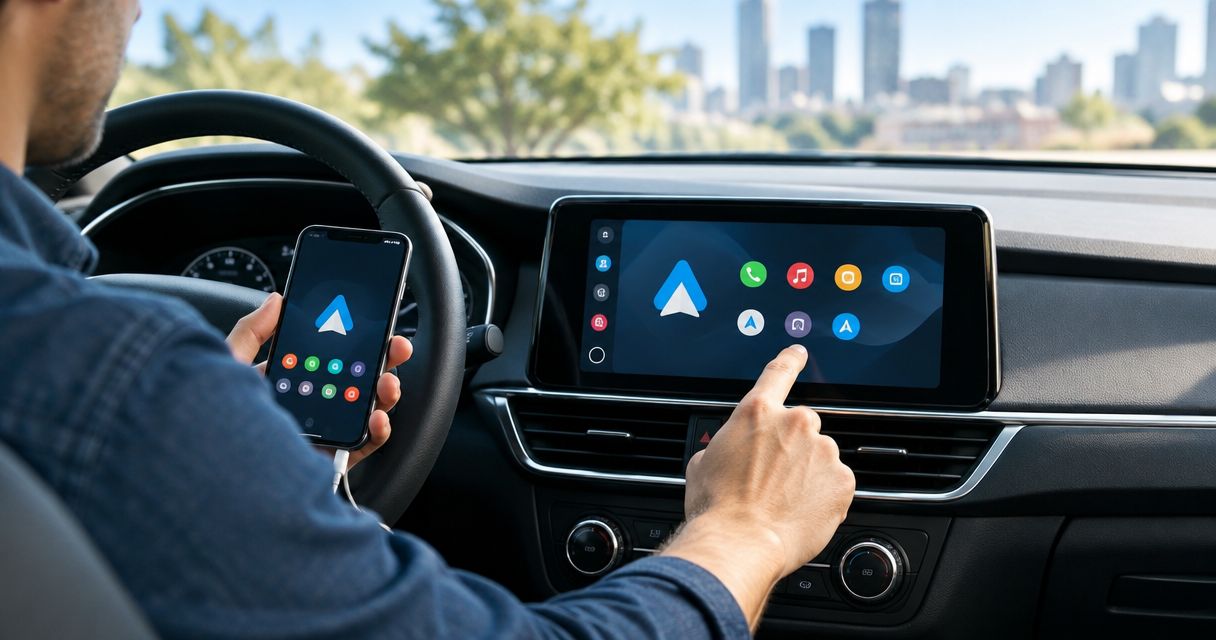
Android Auto installation cost in 2026 depends on your vehicle’s existing radio, the hardware needed to add Android Auto, and the factory features you want to keep. Get a vehicle-specific installed quote, not just a head-unit price: dash fittings, wiring interfaces, camera retention, and setup can be separate parts of the job.
- Android Auto installation cost should cover hardware, vehicle-specific parts, labor, and setup—not just the radio.
- Confirm factory-screen compatibility before choosing an interface or replacement head unit.
- A wireless adapter requires an already-compatible system; it does not add Android Auto to every stereo.
- Auto Sound Cape Coral is a local car audio shop for vehicle owners in Cape Coral and Fort Myers.
How much does Android Auto installation cost in 2026?
The useful figure is the total for a working system in your exact vehicle. A radio-only figure does not tell you whether the steering-wheel buttons, backup camera, factory amp, or original USB port will still work.
Start by identifying which installation route your vehicle supports. These are different jobs, not interchangeable packages.
| Installation route | Best for | Main advantage | Main limitation | What the quote should identify |
|---|---|---|---|---|
| Activate an existing compatible system | Owners whose factory system already supports Android Auto | Keeps the original radio | Only works when the vehicle hardware and software support it | Compatibility check and any required setup |
| Add a factory-screen interface | Owners who want to retain the original screen | Keeps the factory display | Requires an interface matched to the exact vehicle and system | Interface, connections, controls, and retained features |
| Replace the head unit | Owners with a replaceable radio who want built-in Android Auto | Changes the radio and adds supported functions | Can require dash fittings and integration parts | Head unit, dash kit, harnesses, interfaces, and labor |
| Add a wireless adapter | Owners who already have compatible wired Android Auto | Removes the routine cable connection | Does not replace an Android Auto retrofit | Existing-system compatibility and setup |
For local car audio help, Auto Sound Cape Coral serves vehicle owners in Cape Coral, Fort Myers, and surrounding Southwest Florida communities. Ask about your exact vehicle and intended setup before buying equipment; a general car audio service listing does not establish compatibility with a particular factory radio.
Why this matters
Compare finished systems, not boxes. A quote that retains your camera and steering-wheel controls covers a different scope from one that leaves those features disconnected.
For a 2026 installation, write down what must work when you collect the vehicle. That list gives you a practical way to compare quotes without treating every head unit or installation as the same job.
Do not assume Android Auto also requires new speakers, a subwoofer, or an amplifier. Those are separate audio decisions. Ask the installer to distinguish parts needed for compatibility from optional sound-system upgrades.
Existing compatible system: check before replacing anything
Best for: owners whose vehicle already supports Android Auto. Check the vehicle documentation and the radio’s settings before ordering a replacement. A disabled setting, incorrect connection method, or unsuitable cable is not the same problem as a radio without Android Auto support.
Give the installer the vehicle year, make, model, trim, and a clear photo of the radio. Include your phone model and explain whether Android Auto has ever worked in the vehicle.
The advantage is keeping the existing system when it already does the job. The limitation is that setup cannot turn unsupported hardware into a compatible receiver. Ask for compatibility confirmation rather than assuming a software update will add the feature.
Factory-screen interface: confirm the exact system
Best for: owners who want to keep the original display. A compatible retrofit interface can add smartphone integration to certain factory systems without replacing the visible screen. Compatibility must match the vehicle’s actual infotainment system, not just its badge.
The benefit is retaining the original display. The trade-off is that operation and integration depend on the interface: ask how you enter Android Auto, select audio, use voice commands, and return to the factory menus.
Ask whether the quote includes the microphone arrangement, audio connection, camera switching, and any required coding or configuration. Do not assume the factory touchscreen will control every retrofit interface in the same way.
Read the guide to connecting Android Auto to a factory stereo system before deciding that keeping the original screen is your only requirement. The control method matters as much as the appearance.
Replacement head unit: price the complete integration
Best for: owners with a replaceable radio who want Android Auto built into the new receiver. The head unit is only part of the installation. The dash opening, mounting hardware, wiring, and factory electronics determine the rest of the parts list.
A replacement receiver gives you a different interface and supported features. The downside is that factory functions do not automatically transfer to the new radio.
Ask the installer to list the dash kit, wiring harness, antenna adapter, and any required retention interfaces. If the existing screen also handles vehicle settings or climate information, establish how you will access those functions afterward.
A larger screen is not proof of a better fit. Check whether its position interferes with vents, switches, or visibility before approving the equipment.
Wireless adapter: only for an already-compatible system
Best for: owners who already use compatible wired Android Auto and want a cable-free connection. A wireless adapter is not a substitute for a compatible receiver or retrofit interface. Bluetooth audio alone does not establish Android Auto support.
The advantage is avoiding the routine phone connection cable. The limitation is compatibility: the adapter, phone, and existing radio must work together.
Before approving an adapter, demonstrate that wired Android Auto works in the vehicle. Then ask how the proposed setup reconnects after an engine restart and switches between paired phones. Do not buy an adapter to solve an unidentified radio problem.
Why Android Auto installation cost varies
These factors change the installation scope. Ask which apply to your vehicle rather than assuming every item is required.
- Existing radio: An already-compatible receiver needs a different approach from a factory system that requires replacement or a retrofit interface.
- Dash fit: The opening, trim, mounting points, and screen position determine which fittings are needed.
- Factory amplifier: An amplified system needs a compatible connection plan; replacing the radio does not automatically preserve the amp’s operation.
- Retained features: Steering-wheel buttons, the backup camera, vehicle settings, and factory USB ports each need compatibility checks.
- Wiring condition: Previous modifications, damaged connectors, or missing parts can add diagnostic and repair work.
- Connection choice: Wired and wireless operation place different compatibility requirements on the phone and receiver.
Do not approve vague integration charges. Ask what each interface does and which original function it preserves. Equally, do not remove an interface from the quote simply because it is not visible in the dashboard.
What should an installed quote include?
For a useful 2026 quote, ask for a written scope that separates required equipment from optional upgrades. You should be able to identify what is being installed and what will work afterward.
| Quote item | What you need to confirm |
|---|---|
| Receiver or retrofit interface | Exact model and confirmed vehicle compatibility |
| Mounting and trim | Secure fit and access to nearby controls |
| Electrical connections | Required harnesses, adapters, and interfaces |
| Factory-feature retention | Camera, steering-wheel buttons, amp, and vehicle menus |
| Phone connection | Wired or wireless Android Auto and the intended USB connection |
| Microphone | Which microphone will handle calls and voice commands |
| Labor and setup | Installation, configuration, and functional checks |
| Exclusions | Functions not retained and work not included |
Ask how unexpected wiring repairs will be handled before work starts. If you supply the receiver, confirm that the installer accepts customer-supplied equipment and has checked the exact model. Do not assume either policy.
How do you get a useful vehicle-specific quote?
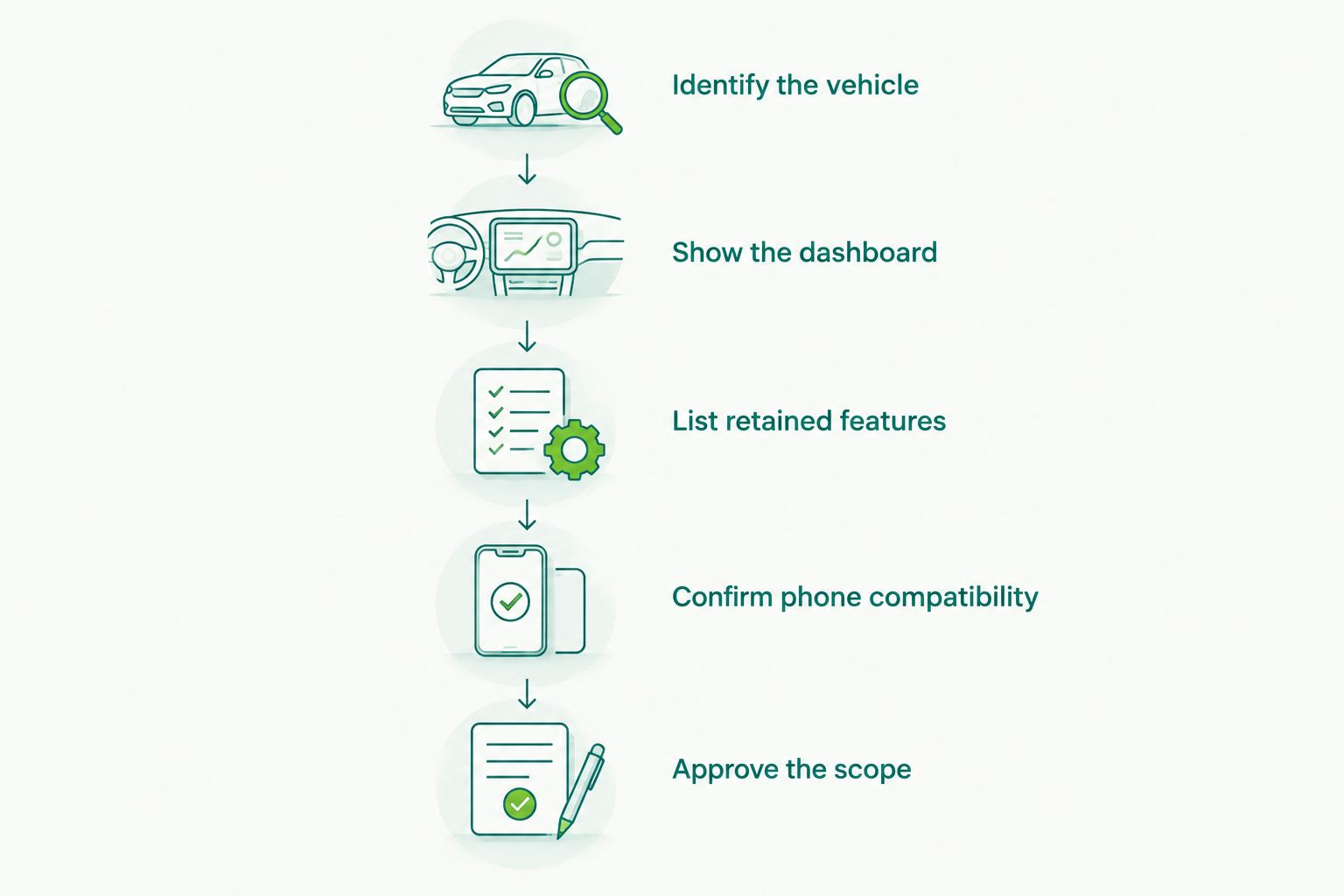
Follow this sequence before ordering a head unit or booking dashboard work. The goal is to settle compatibility and scope while changes are still easy to make.
- Identify the vehicle. Provide the year, make, model, trim, and any factory audio package you can identify.
- Show the dashboard. Send clear photos of the radio, surrounding controls, and existing connection ports.
- List retained features. Name the backup camera, steering-wheel controls, factory amp, and vehicle menus you use.
- Confirm phone compatibility. Give the phone model and say whether you want wired or wireless operation.
- Approve the scope. Review the equipment, installation work, exclusions, and collection checks before authorizing the job.
Keep the same requirements when requesting another quote. If you change from wired to wireless operation or add camera retention between enquiries, the resulting totals no longer describe the same job.
Does professional installation include keeping factory features?
Factory-feature retention belongs in the written scope; the phrase professional installation does not specify it. Ask about each feature individually, especially when replacing a radio connected to other vehicle systems.
Auto Sound Cape Coral is best for Cape Coral and Fort Myers vehicle owners seeking local car audio installation help. Confirm the proposed Android Auto equipment and retained functions directly before authorizing work.
Is wired or wireless Android Auto the better choice?
Wired Android Auto is best for drivers comfortable connecting a cable; wireless Android Auto is best for drivers who prioritize leaving the phone unplugged. Neither choice removes the need to confirm phone and receiver compatibility.
Wired operation depends on a suitable data connection and cable. Wireless operation avoids that connection routine, but you still need a charging plan for longer drives. Compare the complete setup, not just the wireless label.
What should you test before collecting the vehicle?
Before leaving a 2026 installation, connect your own phone and run through the functions you approved. A screen showing Android Auto is not the same as a completed system check.
- Start navigation and confirm spoken directions play through the speakers.
- Make a call and check microphone pickup with the person receiving it.
- Test music, volume adjustment, and the steering-wheel buttons included in the scope.
- Check backup-camera operation with the vehicle safely stationary and the brake applied.
- Return to the original menus and check any retained vehicle controls.
- Restart the system and confirm the intended phone connection works again.
If a function was excluded, have that exclusion explained before handover. If a promised function fails, record it while the vehicle is still at the shop rather than trying to diagnose it later.
FAQ
How do I compare Android Auto installation cost in 2026?
Compare written quotes for the same equipment, retained features, and installation work. A head-unit-only figure does not describe a complete vehicle-specific installation.
Can I add Android Auto without replacing my factory radio?
You can retain the factory radio when the existing system supports Android Auto or a compatible retrofit interface is available for that exact system. Confirm compatibility before buying parts.
Will a wireless adapter add Android Auto to any car?
No. A wireless Android Auto adapter requires a compatible existing system; it does not turn every Bluetooth stereo into an Android Auto receiver.
Do I need new speakers for Android Auto?
New speakers are not an automatic requirement for adding Android Auto. Ask the installer to separate necessary radio-integration parts from optional audio upgrades.
Will my steering-wheel buttons still work after installation?
Steering-wheel buttons require a compatible retention arrangement when the replacement radio does not connect directly to the factory controls. Have the supported buttons listed in the installation scope.
Can I bring my own Android Auto head unit?
Ask the installer whether customer-supplied equipment is accepted before purchasing it. Provide the exact model so fit, connections, and retained features can be checked.
Who can I ask about local car audio installation in Cape Coral?
Auto Sound Cape Coral provides car audio and automotive electronics installation for vehicle owners in Cape Coral, Fort Myers, and surrounding Southwest Florida communities. Ask directly about your vehicle’s Android Auto installation requirements.
One last thing
Photograph the factory menus you actually use before changing the radio. Tire-pressure displays, vehicle settings, camera views, and audio controls are easy to overlook when you are focused on the new screen.
Your 2026 Android Auto quote should describe what you keep as clearly as what you add. That is the check that turns a radio purchase into a defined installation job.


