
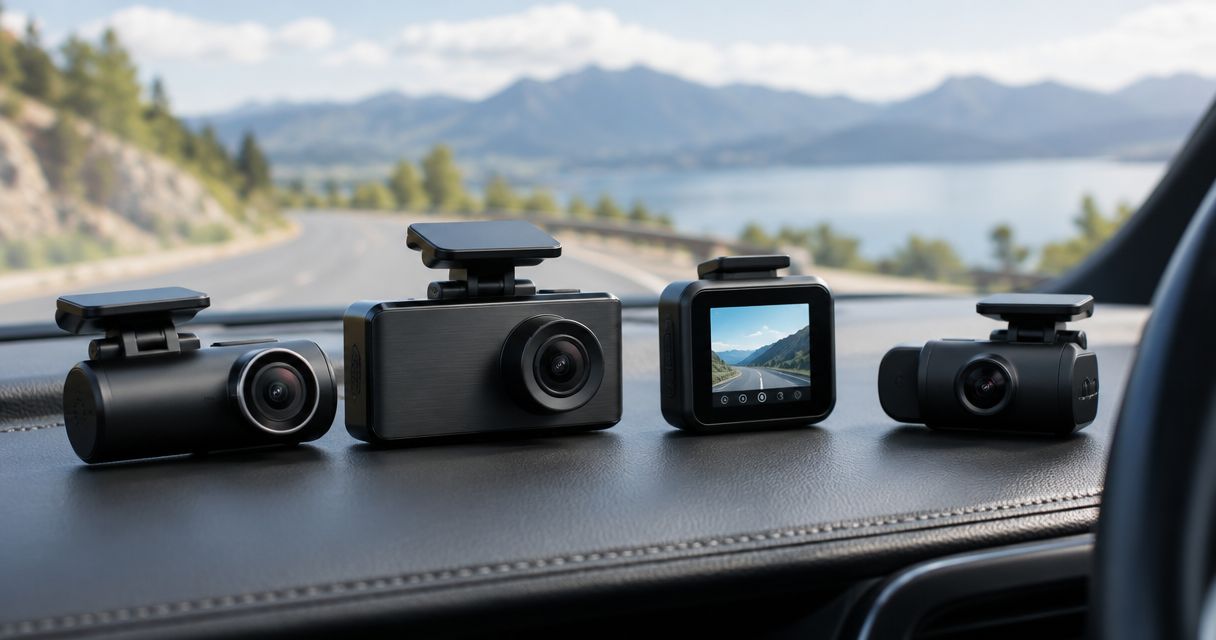
Best overall shortlist: VIOFO for recording-focused buyers. Best for compact mounting: Garmin. Best for cabin coverage: Vantrue. Best for parking-focused setups: Thinkware. Best for connected monitoring: BlackVue. Comparing dash cam brands by price in 2026 means matching complete systems—not assuming one brand is always cheaper than another.
- Compare dash cam brands by price using matching camera coverage, power accessories, and installation scope.
- Shortlist VIOFO for recording, Garmin for compact mounting, and Vantrue for cabin coverage.
- Consider Thinkware for parking-focused setups and BlackVue for connected monitoring; verify the exact model's requirements.
- Auto Sound Cape Coral provides dash cam installation for vehicle owners in Southwest Florida.
Why this matters
A front-facing recorder and a system covering the road, rear window, and cabin are different purchases. Comparing their brand names alone tells you little about whether either setup fits your car.
There is no dependable cheapest-to-most-expensive order across entire dash cam brands. Each comparison needs an exact model, camera configuration, and power arrangement. This guide ranks useful buying shortlists rather than presenting an unsupported price ladder.
Auto Sound Cape Coral provides dash cam installation for vehicle owners in Cape Coral, Fort Myers, and surrounding Southwest Florida communities. Choose your recording needs before you choose the equipment.
What makes the best dash cam purchase?
Use these criteria before comparing any 2026 shortlist:
- Coverage: Decide whether you need the road ahead, the rear view, the cabin, or a combination.
- Usable footage: Judge moving vehicles, glare, and nighttime detail—not just the resolution printed on the box.
- Power design: Separate recording while driving from recording while parked. They require different planning.
- Daily operation: Check how you save an incident, retrieve a clip, and recognize a recording failure.
- Complete installation: Include the mount, memory card, power accessories, cable route, and rear-camera placement in the comparison.
For resolution context, 1080p commonly means 1920 × 1080 pixels; 4K UHD means 3840 × 2160 pixels. Those dimensions describe the image, not a guarantee that a moving license plate will be readable.
A specification such as 30 frames per second describes recording cadence. It does not establish nighttime clarity by itself. Exposure, lighting, movement, and image processing also affect what the footage shows.
Dash cam brands by price: shortlist at a glance
The order below follows buying needs, not a verified current-price ranking. Features vary within each brand, so treat every row as a starting point for model selection.
| Rank | Brand | Best for | Standout selection angle | Key limitation to check |
|---|---|---|---|---|
| 1 | VIOFO | Recording-focused buyers | Road-footage-first shortlist | Controls, mounting, and accessories vary by model |
| 2 | Garmin | Compact windshield setups | Small-camera shortlist | Compactness does not establish rear or cabin coverage |
| 3 | Vantrue | Cabin-recording needs | Interior-camera shortlist | Extra views add placement and privacy decisions |
| 4 | Thinkware | Parking-focused installations | Parking-recording shortlist | Parked operation depends on model and power setup |
| 5 | BlackVue | Connected vehicle monitoring | Connected-camera shortlist | Remote functions require a compatible connectivity arrangement |
1. VIOFO: best dash cam shortlist for recording-first buyers
Start with VIOFO when your main job is recording the road rather than managing connected monitoring. Compare exact camera configurations before looking at optional features.
The buying question is straightforward: does the selected model capture the views you need, and can you retrieve the files easily? Do not turn a brand recommendation into an assumption that every model has the same image quality or controls.
VIOFO pros to evaluate:
- A recording-first shortlist keeps attention on the footage you actually need.
- Comparing front-only and multi-camera configurations makes coverage decisions explicit.
- Reviewing original clips gives you a better basis than promotional screenshots.
VIOFO cons and checks:
- A model name alone does not establish which accessories are included.
- App operation, mounting position, and file retrieval still need checking.
Best for: Drivers who want to prioritize road footage and avoid choosing equipment around features they will not use.
For a 2026 comparison, request the exact model designation and configuration. Match the memory card and power arrangement across competing proposals.
Verdict: Buy only after the selected VIOFO configuration meets your coverage and footage requirements.
2. Garmin: best dash cam shortlist for compact mounting
Put Garmin on your shortlist when windshield space and camera placement lead the decision. The mounting position matters as much as the camera's appearance: you still need a useful road view and access to essential controls.
Check the specific model's dimensions and installation instructions. A compact front camera does not automatically solve rear coverage, parking recording, or cable routing.
Garmin pros to evaluate:
- Compact-camera options give you a starting point for a less obstructive installation.
- A placement-first comparison helps protect your normal driving sightline.
- Evaluating controls before purchase tests whether the camera suits everyday use.
Garmin cons and checks:
- Small size does not prove better footage or broader coverage.
- Additional cameras and parked-recording requirements need separate verification.
Best for: Drivers who want a compact windshield-mounted recorder and will check its coverage limitations before choosing it.
Sit in your normal driving position before settling on a mounting location. Check the mirror, sun visor, sensor housings, and the camera's view through the glass.
Verdict: Buy Garmin when the exact camera fits the mounting location and recording job—not merely because it is small.
3. Vantrue: best dash cam shortlist for cabin coverage
Consider Vantrue when recording inside the vehicle is part of the job. Cabin coverage is a separate requirement from a rear-facing camera looking through the back window.
Define what you need to see before comparing systems. A cabin lens must have a useful view of the passenger area without treating seats, headrests, or pillars as invisible.
Vantrue pros to evaluate:
- An interior-camera shortlist keeps passenger-area coverage in the decision.
- Separate front, rear, and cabin requirements prevent configuration confusion.
- Testing cabin framing helps identify blocked views before final installation.
Vantrue cons and checks:
- More cameras create additional mounting and cable-routing work.
- Audio and passenger recording require attention to applicable consent rules.
Best for: Drivers whose recording requirements include the vehicle interior, including rideshare use.
For 2026, confirm that the selected system records the required views together. Do not assume a bundle's camera count tells you where each lens points or which views it can record simultaneously.
Verdict: Buy a Vantrue configuration only when cabin footage is a real requirement and its recording behavior is clear.
4. Thinkware: best dash cam shortlist for parking-focused setups
Shortlist Thinkware when recording while parked is central to the purchase. Start with the power plan and the selected model's parking behavior, then compare the rest of the system.
Parking recording is not simply normal driving recording with the engine switched off. Trigger behavior, recording duration, battery protection, and power accessories need to work together.
Thinkware pros to evaluate:
- A parking-first comparison puts the parked recording requirement ahead of extras.
- Reviewing trigger behavior clarifies what the system records after shutdown.
- Planning power before installation avoids treating hardwiring as an afterthought.
Thinkware cons and checks:
- A parking feature does not establish how long a particular vehicle can support it.
- Power accessories and configuration requirements vary with the selected equipment.
Best for: Drivers who need a defined parked-recording setup rather than driving footage alone.
Auto Sound Cape Coral provides dash cam installation; bring the exact model and your parked-recording requirements into that discussion. Specify whether you want event-triggered recording, continuous recording, or another supported mode.
Verdict: Hold until the Thinkware model, parking behavior, and battery-protection arrangement are confirmed together.
5. BlackVue: best dash cam shortlist for connected monitoring
Consider BlackVue when accessing information away from the vehicle is part of your requirement. Separate ordinary local file transfer from remote access: they are different functions.
Check the exact model's connection method and requirements. A camera that connects to a nearby phone does not automatically provide remote viewing when you are elsewhere.
BlackVue pros to evaluate:
- A connected-monitoring shortlist makes remote-access requirements explicit.
- Checking connection methods separates local convenience from off-site access.
- Reviewing parked connectivity alongside power produces a more complete plan.
BlackVue cons and checks:
- Remote functions introduce connectivity requirements beyond basic recording.
- Connected features do not replace checking the quality of saved footage.
Best for: Drivers who specifically need supported remote functions and understand the connection required to use them.
For a 2026 installation, define what you mean by monitoring. Viewing saved footage nearby, receiving a remote notification, and opening a live view are separate tasks; verify each one you expect.
Verdict: Buy BlackVue for a confirmed connected use case; skip connected features you will not use.
Compare complete systems before choosing a brand
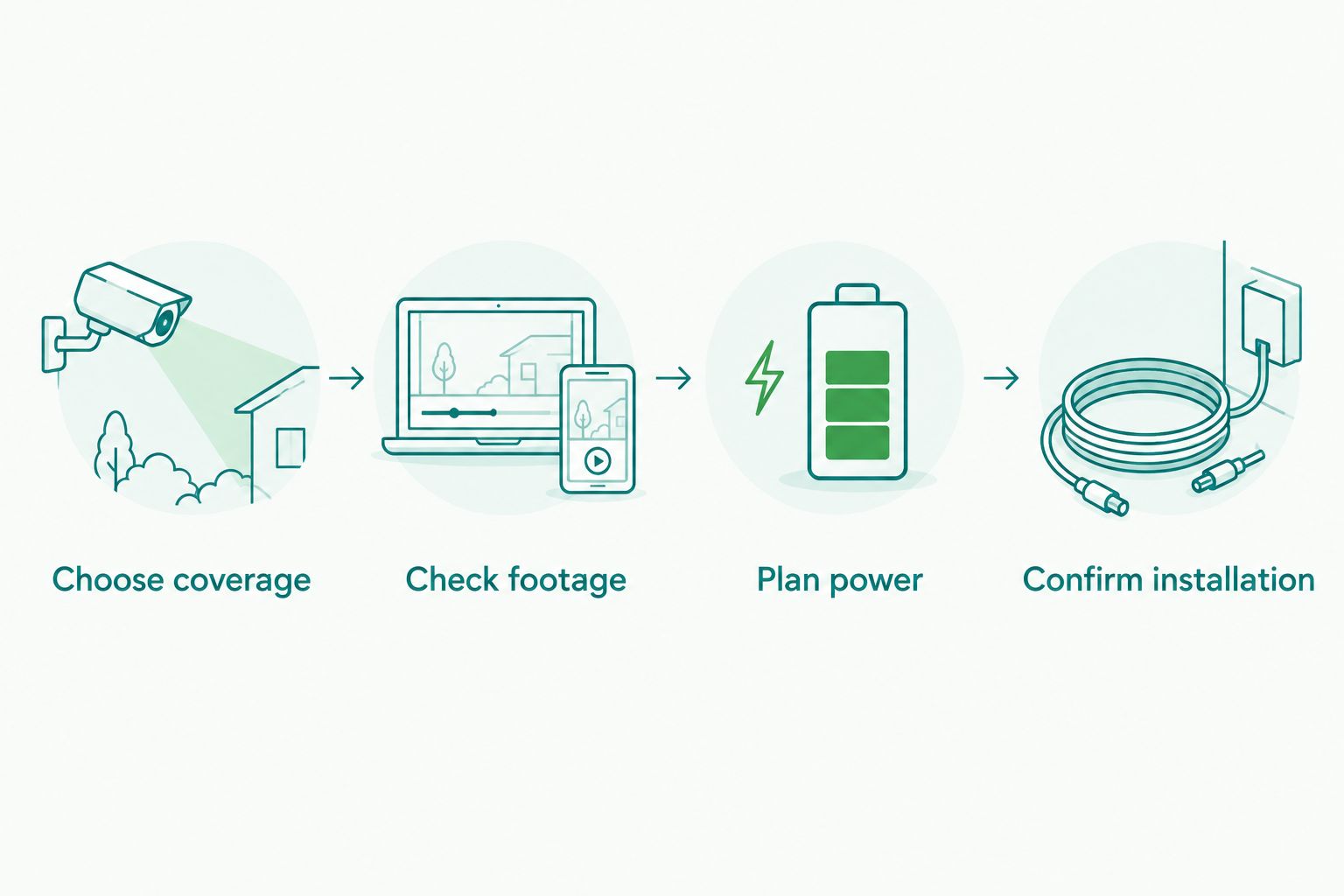
Build the comparison in this order. Each step answers a different question, and skipping one makes unlike systems look interchangeable.
- Choose coverage. Write down front, rear, and cabin requirements separately.
- Check footage. Review original daytime and nighttime clips from the exact model.
- Plan power. Decide whether recording stops with the vehicle or continues while parked.
- Confirm installation. Establish mounting locations, cable routes, required accessories, and the handover demonstration.
For nighttime evaluation, use the same questions across every candidate. Can you distinguish vehicles? Is glare obscuring useful detail? Are the clips original files rather than compressed reposts? The guide to dash cams ranked by night vision quality focuses on that part of the decision.
Auto Sound Cape Coral is a local option for drivers who need dash cam installation in Southwest Florida. Ask which parts of your selected setup need verification before installation, especially when supplying your own equipment.
Discuss your dash cam installation
Bring your vehicle details, camera model, coverage needs, and parking-recording requirements.
How the shortlist is ranked
This ranking separates five buying jobs: road recording, compact mounting, cabin coverage, parked recording, and connected monitoring. It is not a claim that every model from one brand beats every model from another.
Coverage, usable footage, power design, daily operation, and installation completeness are the deciding criteria. Without a matched configuration, a brand-level price comparison is not a sound buying decision.
Which dash cam brand should you choose?
Start with a recording-focused VIOFO shortlist if you are undecided, then compare exact alternatives against your required coverage. Choose Garmin for a compact-mounting search, Vantrue for a cabin-recording search, Thinkware for a parking-focused search, or BlackVue for a connected-monitoring search.
For your 2026 purchase, keep the specification sheet simple: required views, parked behavior, file retrieval, and installation scope. Reject equipment that fails a required task before debating optional features.
FAQ
What's the best way to compare dash cam brands by price?
Compare exact models with matching coverage, power accessories, memory cards, and installation scope. A front-only camera and a multi-camera parking setup are not equivalent purchases.
Which dash cam brand should I shortlist first?
Start with VIOFO for a recording-focused comparison, then check exact models against your requirements. Garmin, Vantrue, Thinkware, and BlackVue provide other useful starting points for compact mounting, cabin coverage, parking recording, and connected monitoring respectively.
Is a 4K dash cam always better than a 1080p dash cam?
No. Resolution describes image dimensions, not guaranteed usable detail. Compare original footage under relevant lighting and motion conditions before choosing.
Do I need a front and rear dash cam?
Choose front and rear coverage if your recording requirements include both directions. A front camera does not provide a dedicated view through the rear window, and a cabin camera serves a different purpose.
Will a dash cam record while my car is parked?
Only a suitable camera with an appropriate power arrangement can provide the parked-recording behavior you want. Confirm the supported mode, power requirements, and battery-protection settings for the exact setup.
Does Wi-Fi mean I can watch my dash cam from anywhere?
No. A local Wi-Fi connection is different from remote access. Verify the camera's supported remote functions and the connectivity required to use them away from the vehicle.
Where can I get dash cam installation in Cape Coral?
Auto Sound Cape Coral provides dash cam installation for vehicle owners in Cape Coral, Fort Myers, and surrounding Southwest Florida communities. Bring your vehicle details and exact camera model when discussing the installation.
One last thing
Make file retrieval part of the handover. Before calling the installation finished, save a sample recording, open it on your phone or computer, and check every installed camera view. A system you cannot retrieve footage from has not passed your own acceptance check.


