
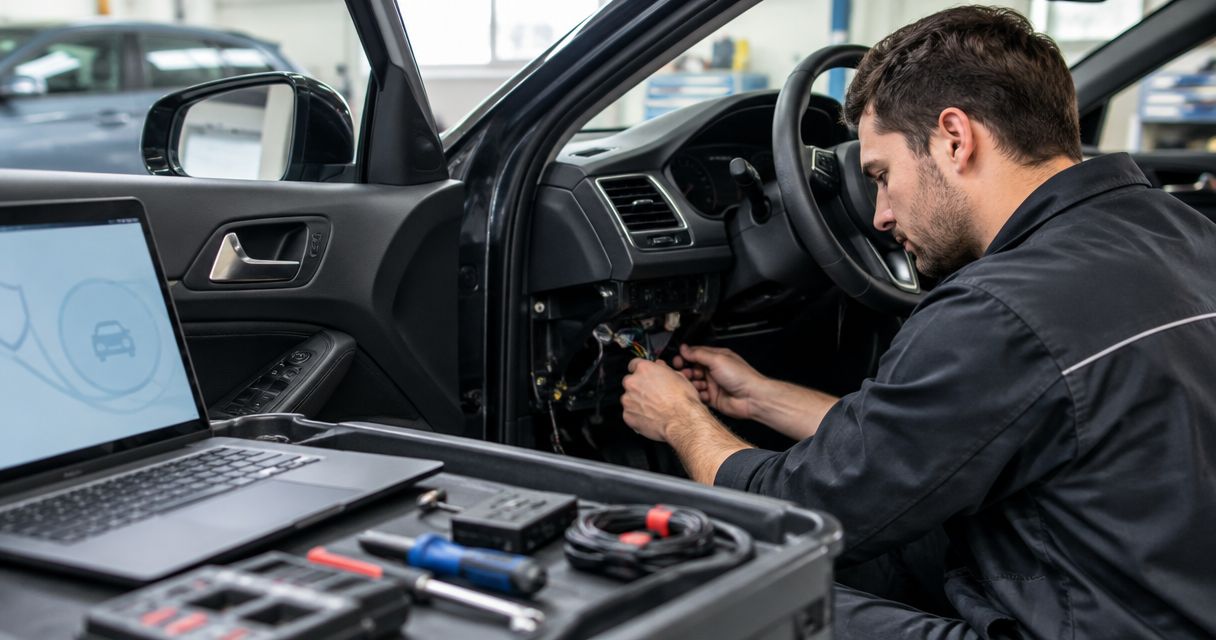
Car alarm installation cost in 2026 depends on the alarm equipment, your vehicle’s wiring, and the features included in the job; get a vehicle-specific installed quote rather than treating a kit price as the total. That quote should identify labor, required integration parts, programming, and testing. If you want phone alerts or remote start, ask whether those functions require separate hardware or an ongoing service plan.
- How much does car alarm installation cost? Compare vehicle-specific installed quotes, not alarm kit prices.
- Separate car alarm equipment, installation labor, vehicle integration, and optional connected services in every quote.
- Auto Sound Cape Coral serves local vehicle owners seeking automotive electronics installation.
- Choose security features first; remote start and key fob functions are separate requirements.
How much does car alarm installation cost in 2026?
The useful figure is the total for a defined installation on your exact vehicle. An equipment-only listing does not tell you what the finished job includes. Before comparing quotes, give each installer the same vehicle details and the same feature requirements.
For local automotive electronics work, Auto Sound Cape Coral serves vehicle owners in Cape Coral, Fort Myers, and surrounding Southwest Florida communities. Confirm the scope of your requested security installation before booking; remote start, key fob work, and a car alarm are not interchangeable services.
Use this breakdown to check an installation estimate. Each line should either be included, excluded, or identified as something that requires inspection.
| Quote component | What you need specified | What to check |
|---|---|---|
| Alarm equipment | Exact system and included accessories | Whether the quote names the actual equipment |
| Installation labor | Mounting, wiring, setup, and reassembly | Whether labor covers the full agreed job |
| Vehicle integration | Required harnesses, interfaces, and programming | Whether factory features remain functional |
| Security inputs | Door, hood, trunk, and selected sensors | Which triggers the installer will connect |
| User controls | Factory fob, added remote, or phone control | How you will arm and disarm the system |
| Handover | Functional testing and operating instructions | What gets demonstrated before you leave |
| Optional services | Connected features or separate support services | Whether ongoing obligations apply |
Keep the written estimate. It gives you a concrete checklist at pickup instead of relying on a conversation you had before the work started.
Why this matters
A car alarm is connected to systems you use every day: locks, ignition-related circuits, vehicle status inputs, and sometimes remote start. The installation needs to match the vehicle and the equipment instructions. A box with more features does not replace that work.
A basic system that does exactly what you need is easier to evaluate than a feature-heavy package with unclear exclusions. Decide whether your priority is an audible warning, notification when you are away from the car, or coordinated security and remote start. Those are different requirements.
For a 2026 installation, compare the finished result—not just the equipment description. Ask what will work, how you will operate it, and what happens if you lose the remote or the connected service stops working.
Which alarm setup fits your needs?
Choose the functions before asking installers to quote equipment. The following categories describe different control and notification methods, not specific products or promises about any shop’s offerings.
| Setup | Best for | Main benefit | Main limitation |
|---|---|---|---|
| Audible alarm | Drivers who want a local warning | Sounds a warning when a connected trigger activates | Does not by itself notify a driver away from the vehicle |
| Two-way remote system | Drivers who want feedback on a remote | Sends supported status information to a compatible remote | Communication depends on the system’s range and surroundings |
| Connected alarm | Drivers who want supported phone notifications | Adds remote communication through a compatible connected service | Depends on connectivity and the service’s terms |
| Alarm with remote start | Drivers who want security and engine-start control | Combines supported functions in a coordinated setup | Requires vehicle-specific compatibility and safety checks |
Do not assume every system in a category includes the same sensors or controls. Ask for the exact equipment description and a list of enabled functions.
Audible alarm: best for a local warning
An audible alarm is appropriate when your main requirement is a siren response to selected triggers. Ask which openings and sensors will trigger it. A door trigger and a shock sensor detect different events.
The limitation is notification. If you are out of hearing range, the siren alone does not tell you what happened. Choose an audible setup when a local warning meets your requirement; do not treat it as remote monitoring.
Two-way remote: best for remote feedback
A two-way system uses a compatible remote to return supported information from the vehicle. Ask the installer to demonstrate the actual feedback: arming confirmation, a triggered alarm notification, or another supported status message.
Walls, distance, and radio conditions affect communication. A published range description is not a guarantee from every parking spot. Choose two-way control when remote feedback matters, and confirm its behavior where you normally park.
Connected alarm: best for phone notifications
A connected setup adds supported phone functions through compatible hardware and a service. Before choosing it, ask which alerts are supported, what connectivity it uses, and what happens when communication is unavailable.
Read the service terms separately from the installation estimate. Phone control does not mean every function remains available without an active connection. Choose connected features for a specific notification need, not simply because an app is included.
Alarm with remote start: best for combined control
Remote start and security solve different problems. If you want both, specify both in the request and ask how the functions interact when the engine starts, the doors unlock, or you enter the vehicle.
Auto Sound Cape Coral provides remote start installation and key fob services. Those services are relevant when defining your controls, but they do not establish which alarm package fits your vehicle. Confirm compatibility and the complete security scope before choosing a combined setup.
Why car alarm installation quotes vary
The work changes with the vehicle and the requested functions. These are the main items to resolve before comparing estimates:
- Vehicle configuration. Supply the make, model, model year, trim, and whether the vehicle uses a conventional key or push-button start. The installer needs the correct configuration to check compatibility.
- Factory equipment. Identify existing security, remote start, and keyless entry. Ask how the added system will interact with those functions rather than assuming it replaces them.
- Integration requirements. Have the installer identify required interfaces, harnesses, and programming. Do not assume a kit contains every vehicle-specific part.
- Detection coverage. Specify the openings and events you want monitored. Door monitoring, impact detection, and other supported sensors should be listed separately.
- Controls and notifications. Factory fob operation, an added remote, and phone alerts require different equipment and setup. State which method you want to use daily.
- Existing modifications. Disclose previous alarm, stereo, remote start, or wiring work. Ask whether inspection or removal of old equipment is part of the job.
A useful 2026 quote describes these decisions in writing. An estimate that names only an alarm model leaves the installation scope unresolved.
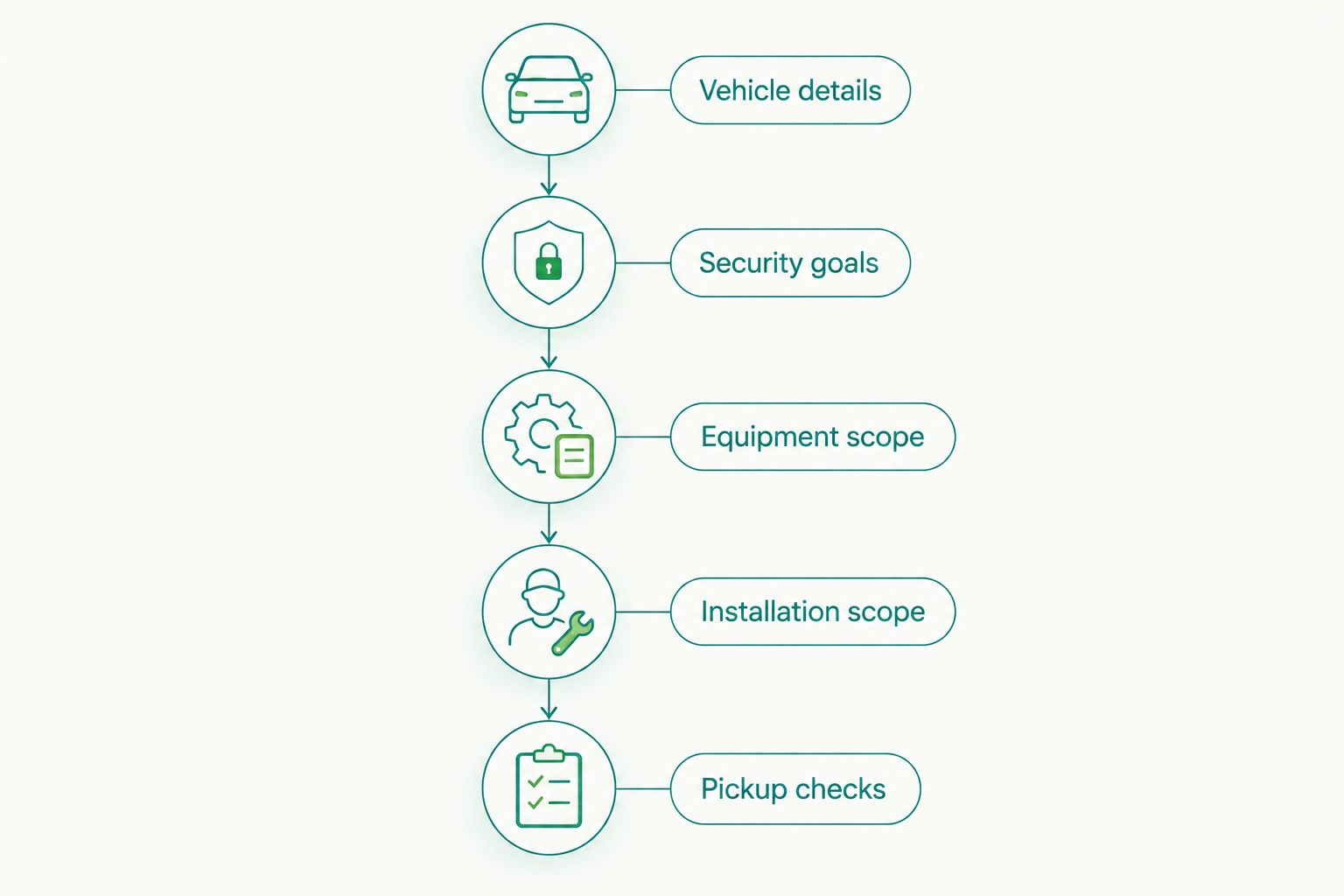
How do you get a quote you can compare?
Give every installer the same request. Otherwise, you are comparing different jobs even when both estimates say car alarm installation.
- Vehicle details. Provide the exact vehicle configuration, existing factory functions, and any known electrical faults. Mention missing or unreliable key fobs.
- Security goals. Describe what you want detected and how you want to receive a warning. Separate security requirements from convenience features.
- Equipment scope. Request the exact system, included controls, selected sensors, and required integration parts. Identify anything you are supplying yourself.
- Installation scope. Ask whether the estimate covers wiring, programming, reassembly, removal of old equipment, and final testing. Resolve exclusions before authorizing work.
- Pickup checks. Agree on the functions the installer will demonstrate. Request operating instructions, emergency disarm information, and applicable support terms.
This sequence gives the installer a defined job and gives you a way to compare responses. Keep your request short, but do not leave the intended controls or detection coverage unstated.
Should you bring your own alarm equipment?
Ask the installer before buying an alarm kit. Providing the equipment yourself does not establish compatibility or define the installation work. The installer still needs to check the system, accessories, instructions, and vehicle requirements.
The benefit is that you choose the equipment. The drawback is divided responsibility: the equipment seller and installer can have different support and warranty terms. Ask who handles troubleshooting if the finished system develops a fault.
Before approving a customer-supplied installation, settle these questions:
- Is the exact equipment compatible with the vehicle and requested functions?
- Are all required accessories and integration parts included?
- Who handles defective equipment or missing components?
- What installation support applies to customer-supplied hardware?
Do not assume a sealed box means a complete installation package. Confirm the scope first, then decide whether supplying your own equipment makes sense.
Is remote start included with a car alarm?
Remote start is included only when the selected equipment and installation scope explicitly include it. An alarm description alone does not establish engine-start capability. Likewise, remote start does not automatically establish the detection coverage you want.
If you need both functions, ask how locking, arming, disarming, and engine shutdown work together. The installer should explain the sequence you will use, not just list features on a box.
For equipment selection, the guide to car alarm systems for Florida vehicles provides a related starting point. Keep system selection separate from the vehicle-specific installation estimate.
Can you keep your factory key fob?
Factory key fob operation depends on the vehicle and the selected system. Ask whether the original lock and unlock buttons will control the added alarm, and whether an extra remote is needed for other functions.
Also ask what happens when you unlock with the physical key or when a remote battery fails. You need a documented way to use and disarm the system under those conditions. Test the agreed controls before leaving the shop.
What should you check before accepting the installation?
At pickup, use the written scope as your checklist. Ask for a demonstration rather than relying on an explanation that everything works.
- Arm and disarm the alarm using every agreed control method.
- Check the connected door, hood, and trunk triggers where applicable.
- Confirm normal lock, unlock, and starting operation.
- Test any included remote start according to the operating instructions.
- Check supported notifications and understand their connection requirements.
- Learn the emergency disarm procedure and keep the instructions accessible.
Record anything unresolved before you leave. For a 2026 installation, the equipment description, enabled functions, and support terms belong with your vehicle records.
FAQ
How much does car alarm installation cost in 2026?
Car alarm installation cost in 2026 depends on the selected equipment, vehicle integration, and installation scope. Request a vehicle-specific total that identifies equipment, labor, required parts, programming, and optional services.
Does a car alarm installation quote include the alarm itself?
A car alarm installation quote includes equipment only when the written scope says it does. Confirm whether the estimate is for a complete installation or labor on equipment you supply.
Is remote start included with a car alarm?
Remote start is included only when the selected system and installation scope explicitly include it. Ask how security, door locking, and engine-start functions operate together.
Can I use my factory key fob with an aftermarket alarm?
Factory key fob operation depends on the vehicle and the aftermarket system. Ask which functions the original fob controls and whether an additional remote is required.
Do phone-controlled car alarms need an ongoing service?
Phone-controlled car alarms can depend on a connected service with its own terms. Check the selected system’s requirements and ask what works when connectivity or the service is unavailable.
Can I bring an alarm I bought myself to an installer?
Ask the installer to approve the exact equipment before buying it. Confirm compatibility, required accessories, and responsibility for equipment faults and installation support.
Does Auto Sound Cape Coral install automotive electronics?
Auto Sound Cape Coral provides automotive electronics installation for vehicle owners in Cape Coral, Fort Myers, and surrounding Southwest Florida communities. Its stated services include remote start, key fob, dash cam, CarPlay, car audio, and marine stereo work.
One last thing
Ask the installer to demonstrate emergency disarming before you leave. A working alarm is not enough if you cannot operate it when the remote fails. Keep those instructions somewhere accessible without depending on the same remote or phone connection.
For your 2026 installation decision, write down the functions you need first. Then compare quotes against that list. Clear scope is more useful than a headline figure attached to an undefined job.


