
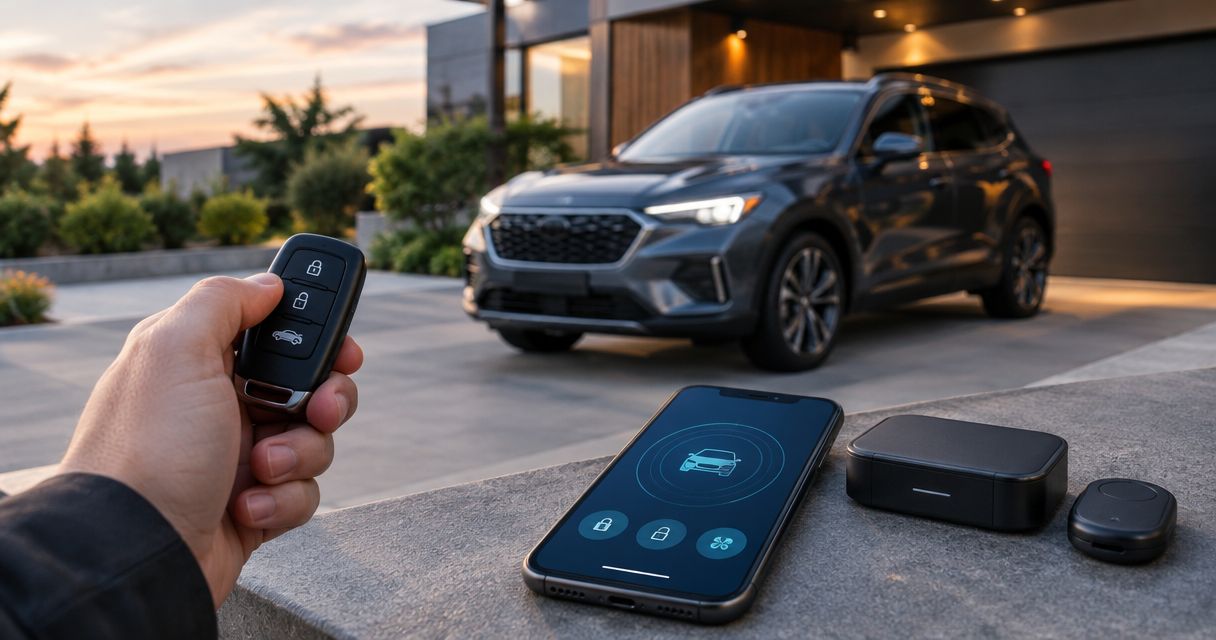
Best overall: a two-way LCD alarm and remote-start setup. Best for phone control: a smartphone-connected combo; best for simple confirmation: a two-way LED setup; best for straightforward nearby operation: a one-way combo. This 2026 guide compares system types so you can choose a car alarm and remote start combo around your vehicle, parking habits, and preferred controls.
- The best car alarm and remote start combo for most buyers provides two-way confirmation and verified vehicle compatibility.
- Choose smartphone control for app access, not as a substitute for checking cellular coverage.
- A remote starter alone is not a full car alarm; confirm the security hardware and sensors.
- Auto Sound Cape Coral provides remote start installation for vehicle owners in Cape Coral and Fort Myers.
Why this matters
A remote that starts the engine does not automatically protect the car. A security system and a remote starter perform different jobs, even when they share the same controller and remote.
For your 2026 purchase, separate those jobs before comparing boxes. You need to know what triggers the alarm, how you receive confirmation, and what happens when you unlock the running vehicle.
Auto Sound Cape Coral provides remote start installation for drivers in Cape Coral, Fort Myers, and surrounding Southwest Florida communities. Start the conversation with your exact vehicle and desired functions—not just a system name.
What makes the best car alarm and remote start combo
These criteria matter more than a long feature list:
- Vehicle fit: Confirm the year, make, model, transmission, ignition type, and factory security equipment before selecting hardware.
- Command confirmation: Decide whether you need the remote to report back or only send commands.
- Security coverage: Identify the included alarm inputs and sensors. Remote start does not establish what intrusion protection you receive.
- Daily controls: Choose between an LCD remote, LED feedback, phone control, or a simpler one-way remote.
- Safe operation: Require the correct hood safety input, brake shutdown, and transmission-specific safeguards.
- Installation handoff: Get a demonstration of starting, unlocking, entering, and driving away before accepting the work.
Choose compatibility first, confirmation second, and convenience features third. For a 2026 installation, the right interface and programming matter as much as the remote you hold.
Car alarm and remote start combos at a glance
These are ranked configurations, not interchangeable product models. Each needs a compatible alarm controller, remote-start function, vehicle interface where required, and the appropriate installation.
| Rank and setup | Best for | Standout feature | Key limitation |
|---|---|---|---|
| 1. Two-way LCD combo | Drivers who want readable status | A display communicates supported system information | More remote controls and display details to learn |
| 2. Smartphone-connected combo | Drivers who prefer phone access | App-based commands through a compatible connection | Depends on the phone, account, service, and vehicle-side connectivity |
| 3. Two-way LED combo | Drivers who want simple feedback | Lights or sounds acknowledge supported commands | Less descriptive feedback than an LCD display |
| 4. One-way combo | Drivers using the system nearby | Straightforward command-only operation | The remote does not receive confirmation |
Two-way means 2 communication directions: the remote sends a command, and the system sends a response. It does not mean every alarm event or vehicle condition appears on the remote; check the exact functions supported by the chosen equipment.
1. Two-way LCD combo: best for readable status
A two-way LCD combo pairs alarm and remote-start functions with a remote that displays supported status information. Instead of relying only on the vehicle's lights or engine sound, you can read feedback on the remote.
Best for: Drivers who want clearer confirmation when the vehicle is outside their direct view.
An LCD remote earns its place when you want to distinguish between sending a start command and receiving a successful-start response. Ask the installer to demonstrate the actual messages or icons rather than assuming every display reports the same information.
Two-way LCD combo pros:
- Readable feedback for supported commands and system states.
- A dedicated remote avoids making phone access your only control method.
- Alarm and remote-start controls can share one interface.
Two-way LCD combo cons:
- Icons and button combinations take time to learn.
- The remote needs its specified battery or charging routine.
- Buildings and other obstructions affect radio communication.
Before choosing a two-way LCD combo, hold the remote and try the buttons. A display is useful only when you understand what it reports. Also confirm whether alarm notifications reach that remote and under what conditions.
Verdict: Buy a two-way LCD combo as the default when readable feedback matters and vehicle compatibility is confirmed.
2. Smartphone-connected combo: best for phone-based control
A smartphone-connected combo adds app access to a compatible security and remote-start installation. The phone communicates through the system's supported connection rather than functioning like a conventional dedicated radio remote.
Best for: Drivers who want to operate the system through a phone instead of depending entirely on a keychain remote.
For a 2026 comparison, separate app commands from app notifications. Being able to request an engine start does not prove the installation sends intrusion alerts, reports every sensor, or includes location features.
Smartphone-connected combo pros:
- Places supported commands on a device you already carry.
- Cellular-connected configurations are not limited to direct remote-to-car radio communication.
- Can complement a dedicated remote when the selected system supports both.
Smartphone-connected combo cons:
- Cellular configurations depend on connectivity at the vehicle and phone.
- Account access and phone battery become part of daily operation.
- App functions and service requirements differ between systems.
Check how another authorized driver gets access and how you remove access when ownership changes. Ask whether the system still works from a dedicated remote if the phone is unavailable.
Read the smartphone-to-remote-start workflow before deciding that phone control should be your primary interface.
Verdict: Buy a smartphone-connected combo when app access solves a real parking or control problem; skip it when you only want nearby button operation.
3. Two-way LED combo: best for simple command feedback
A two-way LED combo uses lights, sounds, or both to acknowledge supported commands. It gives you return communication without requiring a screen full of status icons.
Best for: Drivers who want confirmation but prefer a simpler remote interface.
The important distinction is what the feedback means. A signal showing that the vehicle received a command is not necessarily the same as a signal confirming that the engine started successfully.
Two-way LED combo pros:
- Provides return communication without an LCD display.
- Keeps routine commands on a dedicated remote.
- Suits drivers who prefer a few recognizable feedback patterns.
Two-way LED combo cons:
- Lights and tones convey less detail than readable text or display icons.
- Feedback patterns still need explanation.
- Radio obstacles still affect communication.
Have the installer demonstrate successful start, failed start, locking, and any supported alarm notification. Learn those differences before leaving, not while trying to cool the car in a parking lot.
A two-way LED combo is a good middle ground when your main question is whether the command worked. Choose an LCD configuration instead when you want more descriptive feedback.
Verdict: Buy a two-way LED combo for straightforward confirmation; skip it if you need detailed status at a glance.
4. One-way combo: best for nearby, uncomplicated operation
A one-way combo sends commands from the remote to the vehicle without returning confirmation to that remote. You check operation through direct observation, such as seeing the vehicle respond.
Best for: Drivers who normally park within sight and want uncomplicated controls.
A one-way remote can still control both alarm and remote-start functions in a compatible combo. The communication method does not, by itself, tell you which security sensors the installation includes.
One-way combo pros:
- Straightforward command-only operation.
- No display messages or return-feedback patterns to interpret.
- Suitable when you can directly check the vehicle's response.
One-way combo cons:
- No remote confirmation that a start command succeeded.
- No alarm notification returned to that one-way remote.
- Poor fit when your vehicle is routinely out of view.
Do not choose a one-way combo expecting it to behave like a two-way system. Pressing the start button tells you that you sent a request—not that the engine is running.
If you frequently park behind buildings or cannot see the vehicle from your workplace, move a two-way configuration higher on your list.
Verdict: Buy a one-way combo for nearby operation; skip it when confirmation is a requirement.
Check the installation before choosing the remote
The strongest remote interface cannot fix an incompatible installation. Give the installer your exact vehicle details and explain how you expect the system to behave during everyday use.
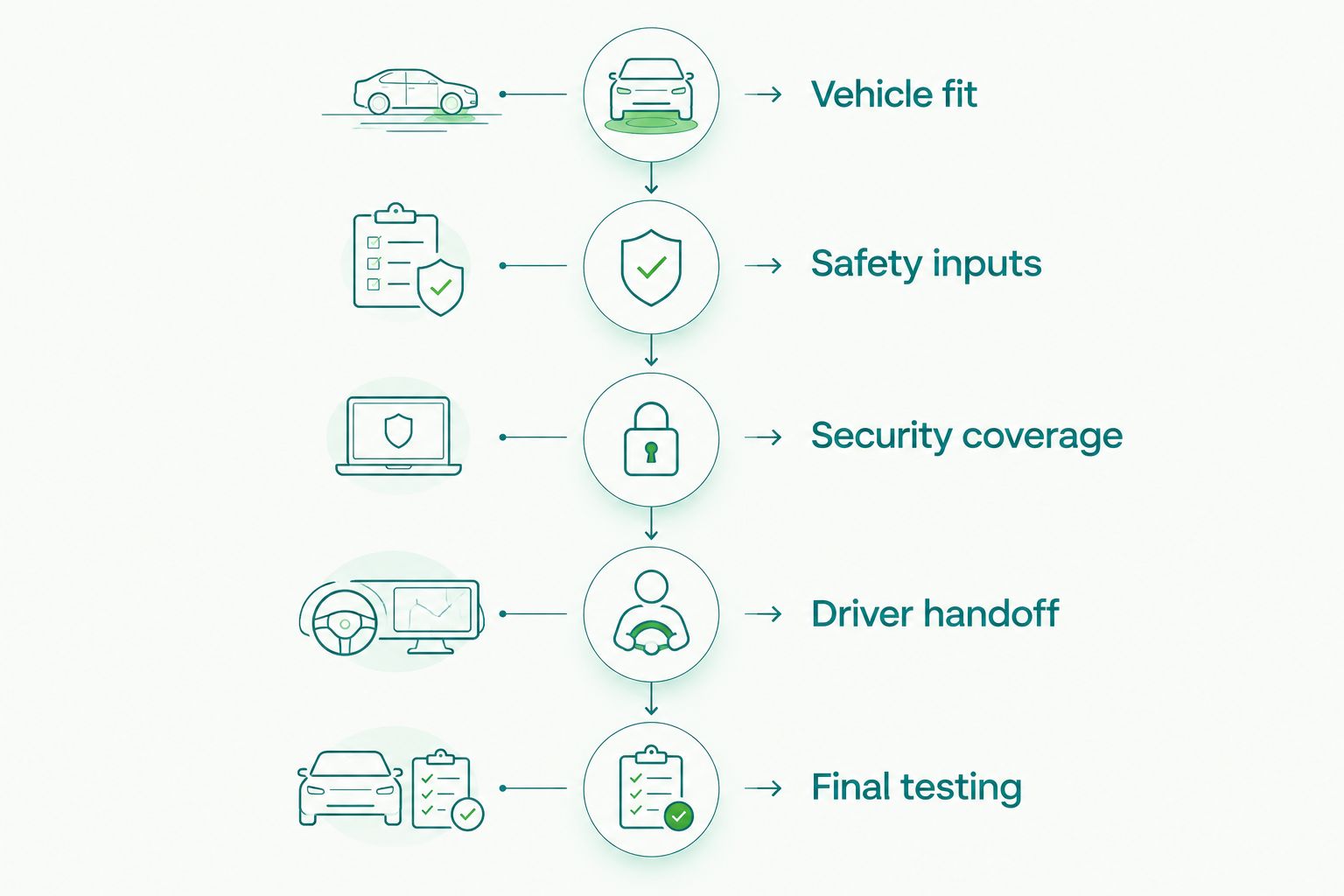
Work through these checks in order:
- Vehicle fit: Identify the ignition, transmission, factory immobilizer, and existing remote-start equipment.
- Safety inputs: Confirm hood protection, brake shutdown, and the safeguards required for that transmission.
- Security coverage: List the alarm triggers and sensors included in the proposed installation.
- Driver handoff: Demonstrate unlocking, entering, and taking control after a remote start.
- Final testing: Verify the agreed functions with the vehicle present before handoff.
Manual-transmission installations require equipment and procedures specifically designed for that application. Do not accept an automatic-transmission setup with safety functions bypassed to make it work.
For push-button-start vehicles, ask what happens when you open the door after remote starting. The handoff procedure is vehicle-dependent; have it demonstrated instead of assuming the engine remains running.
Never use remote start in a garage or another enclosed space. Exhaust creates a carbon monoxide hazard, even when the reason for starting is air conditioning.
Make the quote describe the finished system
For your 2026 quote, ask for the controller, vehicle interface, remote type, alarm sensors, and app hardware to be identified separately. A package name alone does not explain what the finished installation does.
Ask these questions before authorizing work:
- Does this installation include an aftermarket alarm or only remote start and door locking?
- Which events trigger the alarm?
- What confirmation reaches the remote or phone?
- How does the factory key work afterward?
- What happens if the remote or phone is unavailable?
- Which operating instructions will you receive?
Auto Sound Cape Coral provides remote start installation; describe the alarm functions you also want when discussing your vehicle. Keep the requested functions explicit so the proposed work matches your expectations.
Discuss your remote start installation
Have your vehicle year, make, model, transmission, and preferred controls ready.
How the setups rank
This ranking prioritizes vehicle compatibility, useful confirmation, security clarity, and everyday operation—not advertised range alone. Two-way LCD takes the default position because readable return information addresses a common weakness of command-only operation.
Smartphone control gets a separate slot for app access. Two-way LED favors simpler feedback, while one-way operation fits drivers who can directly check the car. These are buying recommendations, not claims from a road test or a model-by-model performance comparison.
Which car alarm and remote start combo should you choose?
For most undecided buyers in 2026, start with a compatible two-way LCD alarm and remote-start setup. Choose smartphone connectivity only when phone access serves a clear need, and choose LED feedback when you prefer simpler controls.
Auto Sound Cape Coral is a local option for Cape Coral and Fort Myers drivers seeking remote start installation. Bring the vehicle details and this functional checklist, then confirm the exact equipment and security coverage before proceeding.
FAQ
What's the best car alarm and remote start combo for most drivers?
A compatible two-way LCD combo is the default recommendation for drivers who want readable command feedback. Confirm the actual alarm sensors, vehicle interface, and supported status messages before choosing equipment.
Is a remote starter the same thing as a car alarm?
No, a remote starter operates the engine remotely, while a car alarm monitors configured security triggers. A combo must include both functions; door-lock control alone does not establish alarm coverage.
Is a two-way remote better than a one-way remote?
A two-way remote is better when you need return confirmation. A one-way remote sends commands without receiving a response, so it suits situations where you can directly check the vehicle.
Can I control an alarm and remote starter from my phone?
Yes, a compatible smartphone-connected installation can provide supported app controls. Check connectivity requirements, account access, and which commands and notifications the selected setup actually supports.
Can a car alarm and remote start combo work with a manual transmission?
Some systems support manual transmissions with application-specific equipment and safety procedures. The installer must verify your vehicle and use the required safeguards rather than bypassing them.
Will remote start automatically turn on my air conditioning?
Air-conditioning behavior depends on the vehicle and how its climate controls operate during remote start. Ask for a demonstration of your settings, blower operation, and driver handoff before accepting the installation.
Does a car alarm prevent every theft?
No, a car alarm does not guarantee theft prevention. It responds to its configured triggers, and any starter-disable function must be confirmed as part of the actual installation.
One last thing
Test the system with the car locked—not just with the doors open in the installation bay. Ask the installer to demonstrate a normal remote start, the agreed security response, and the transition into driving.
The most useful final check is understanding what happens when a command fails. Learn the feedback and recovery steps before you need them in a crowded parking lot.


